
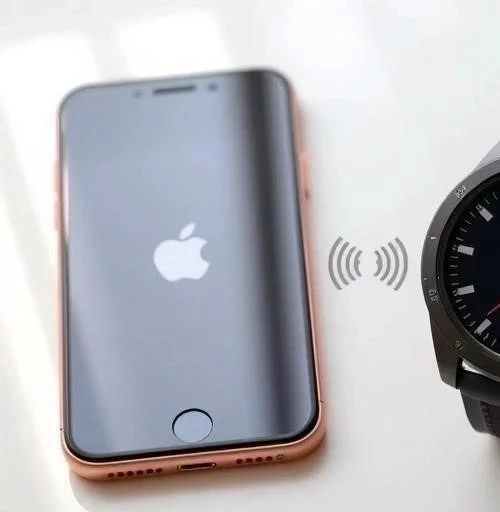
The short answer: you can’t officially pair a Galaxy Watch5 Pro with an iPhone as a fully supported smartwatch. The Watch5 Pro runs Wear OS, and Samsung does not provide an iOS version of the Galaxy Wearable app for setting it up. That app is the doorway to pairing, watch settings, apps, and many connected features. Without it, the iPhone cannot complete the normal setup process.
This catches people out because some older Samsung watches worked with iPhones. The Watch5 Pro belongs to a newer generation: Galaxy Watch4 and later models use Wear OS and are not officially compatible with iOS. Seeing “Galaxy Watch” in a Bluetooth menu—or finding a video that promises a secret workaround—doesn’t change that limitation.
Why Bluetooth pairing isn’t enough
You can try opening Settings > Bluetooth on the iPhone and turning Bluetooth on, but a basic Bluetooth connection is not the same as setting up the watch. The Galaxy Wearable app manages the secure pairing and communication between the devices. Without that setup, you should not expect iPhone notifications, message replies, call controls, app installation, or reliable syncing of health and activity data.
Even if the watch appears in the Bluetooth list or briefly connects, that does not mean the two devices are properly paired. Avoid repeatedly resetting the watch or installing unofficial “companion” apps that claim to enable full support; they cannot replace Samsung’s setup software and may not protect your data.
What you can do instead
- Set it up with a compatible Android phone. Install the official Galaxy Wearable app from Google Play, turn on the watch, and follow the instructions in the app. Keep the watch and phone close together and approve the pairing prompts on both screens. You may also need a Google account, a Samsung account, and the Samsung Health app for particular services.
- Ask to exchange or return it. If you want a smartwatch that works smoothly with your iPhone, choose a model explicitly designed for iOS. An Apple Watch is the closest fit for iPhone integration; some Garmin and other watches also support iPhone notifications and companion apps. Check the exact model’s feature list before buying.
- Keep the Watch5 Pro for basic standalone use. Some functions may be available on the watch itself, depending on its setup and software, but this is not a practical way to make it an iPhone companion. Features that depend on an Android phone, an account, an app, or a network connection may be unavailable or limited.
Already own the watch?
If it was previously paired with an Android phone, it may still work with that phone, but it will not transfer into full iPhone support. If you need to change Android phones, use the Galaxy Wearable app and follow Samsung’s instructions for connecting or resetting the watch. A factory reset erases information stored on the watch, so back up anything important first.
Health features can have extra requirements. Availability may depend on your country, software version, account, and phone model; some measurements may require a Samsung phone. Don’t assume that pairing the watch with a different device will unlock every feature, and consult Samsung’s current support information for your region.
Bottom line
There is no reliable step-by-step method for fully connecting a Galaxy Watch5 Pro to an iPhone. Bluetooth alone cannot provide the setup and app support the watch needs. Use a compatible Android phone to operate the Watch5 Pro, or choose an iPhone-compatible watch instead. It’s less a pairing puzzle than a platform mismatch: the two devices speak different software languages, and a Bluetooth menu can’t translate between them.

6 Comments. Оставить новый
The Bluetooth-versus-setup distinction is the article’s most useful little compass. A device showing up in a menu can look like progress, even when the real doorway is still locked.
The older-watch comparison explains why this catches people out: yesterday’s compatibility can become today’s dead end. A small detail with a big potential to save buyers frustration.
Useful, direct advice for a very specific tech mismatch. The strongest takeaway is simple: check the companion-app support before letting a beautiful watch choose your phone for you.
This reads like a calm guide standing between a shopper and a Bluetooth rabbit hole. The next-step options make the limitation feel manageable rather than mysterious.
I like the advice to avoid unofficial companion apps. When a watch holds personal health data, “maybe it works” is a pretty poor security plan.
A timely reality check for anyone hoping a clever tap in Settings will make two ecosystems become best friends. Clear, practical, and refreshingly free of magic-workaround promises.