
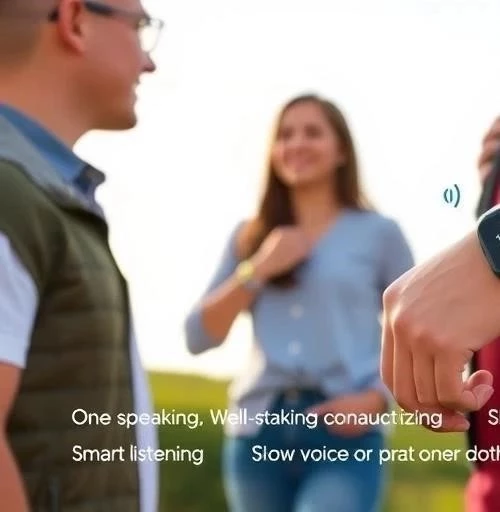
Walkie-Talkie is a built-in Apple Watch feature for quick, voice-based conversations. It lets two people send live voice messages by pressing a button, much like using a traditional two-way radio. However, it is not a radio transmitter: the feature relies on an internet connection and FaceTime audio technology.
How it works
Each person needs a compatible Apple Watch with Walkie-Talkie available, an internet connection, and FaceTime set up. Depending on the watch and circumstances, the connection can come from Wi-Fi, cellular service, or a nearby iPhone that is connected to the internet. Both users must accept an invitation before they can talk.
To speak, open the Walkie-Talkie app, choose a contact, then touch and hold the talk button while saying your message. Release the button when you have finished; the other person hears your voice through their watch. If they are available, their reply can come back almost immediately. This makes the feature handy for brief, practical exchanges when taking out a phone would be inconvenient.
Getting started
- Open the Walkie-Talkie app on your Apple Watch.
- Tap a contact to send an invitation.
- Wait until the contact accepts and appears available.
- Press and hold the talk control to speak, then release it to send the turn.
Availability can be switched off in the app. When a user is unavailable, notifications may be silenced or a message may indicate that they cannot talk. Focus settings, connectivity, and regional availability can affect whether the feature works.
What it is—and what it is not
The main advantage is convenience: Walkie-Talkie is designed for short, spontaneous conversations, not lengthy calls. It can help family members coordinate at home, friends find one another at an event, or coworkers exchange quick updates. Since speech is delivered through an online service, it does not work like a standalone radio and cannot communicate where there is no suitable internet connection.
It is also not an open public channel. Conversations are between invited contacts, which is more private than broadcasting to anyone with a compatible radio. Still, users should consider their surroundings before speaking, especially if the watch is set to play audio aloud. Availability and exact requirements may vary by country, watch model, software version, and network.
If it does not work
Check that both people have accepted the invitation, that Walkie-Talkie is enabled, and that FaceTime is set up. Confirm that the watch can connect to the internet, then try again. If the app or feature is missing, update the devices and check regional support. In short, Apple Watch Walkie-Talkie is a convenient push-to-talk feature—not a replacement for a phone call or a real radio.
7 Comments. Оставить новый
Mentioning Focus settings and regional availability is a useful detail because it explains why the feature might not work as expected. The article is practical without making the setup sound more complicated than it is.
I appreciate the practical examples of when Walkie-Talkie can be useful. They show why quick voice exchanges may be more convenient than taking out a phone, while keeping the feature’s purpose in perspective.
The explanation of possible connections through Wi-Fi, cellular service, or a connected iPhone adds helpful context. It also makes clear that availability can depend on more than just owning a compatible watch.
The step-by-step setup instructions are useful, especially the reminder that both people must accept an invitation. This makes the feature sound approachable without implying that it works automatically with any contact.
The article clearly explains the key distinction between Walkie-Talkie and a traditional radio: the Apple Watch feature depends on internet connectivity. That clarification helps set realistic expectations for readers.
The article does a good job distinguishing short, spontaneous exchanges from longer conversations. That comparison gives readers a sensible idea of when this feature is worth using.
This is a balanced overview: it highlights convenience but also clearly states the limits imposed by connectivity. The straightforward instructions and realistic expectations make it helpful for new Apple Watch users.