
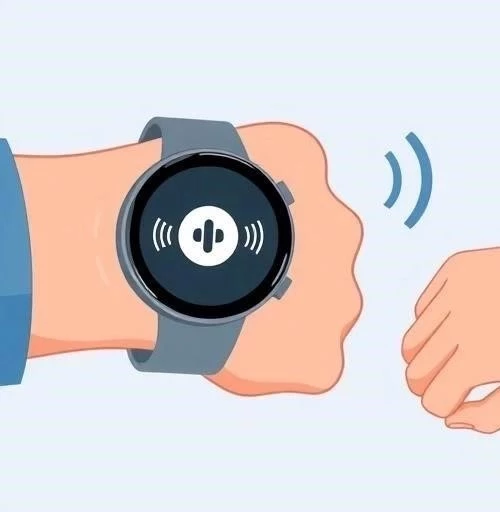
Walkie-Talkie is a communication feature built into Apple Watch. It lets two people exchange short voice messages in a way that resembles using a handheld radio: one person presses and holds a control while speaking, then releases it so the other person can hear the message. Unlike a conventional two-way radio, however, the feature relies on Apple’s communication services and an internet connection. It is not a direct radio link and does not work independently of a network.
How it works
The feature is designed for brief, conversational exchanges rather than recorded voice notes or long calls. After choosing an available contact, a user can start a Walkie-Talkie conversation from the app on the watch. Pressing and holding the talk control opens the audio channel; the user speaks while holding it and releases it when finished. The other participant hears the message through their watch, and can respond in the same way.
When a connection is active, audio may be heard as soon as it arrives, so the experience can feel immediate. The recipient does not necessarily have to press a button to listen. If they are unavailable, have disabled the feature, or cannot connect, the conversation may not go through as expected. Walkie-Talkie is therefore best understood as a convenient push-to-talk option, not a guaranteed emergency communication system.
What is required?
Both participants need a compatible Apple Watch with Walkie-Talkie available, and the feature must be supported in their country or region. The watches connect using Wi-Fi or a cellular connection, depending on the device and its connectivity at the time. A cellular plan is not automatically required: a watch connected to a suitable Wi-Fi network may be able to use the service without one. Availability can also depend on account setup, software, and Apple services.
Users generally need to be able to contact each other through FaceTime audio. They can open the Walkie-Talkie app, add or select a contact, and send an invitation. The invited person must accept before the two can communicate. Once accepted, the contact appears in the app. Exact labels and setup steps can vary slightly with watchOS versions, so the instructions shown on the watch are the most reliable guide for a particular device.
Availability and privacy controls
Walkie-Talkie can be turned on or off from its app or through the relevant control in Control Center, where available. When it is off, contacts cannot start a conversation with the user. The watch may also show whether a person is available. Turning on Silent Mode does not necessarily mean Walkie-Talkie is unavailable; settings such as Theater Mode or Do Not Disturb may affect whether the user is alerted or how incoming audio is handled. The displayed status and current settings should be checked if a contact cannot be reached.
Because a received message may play without a separate answer action, users should consider their surroundings before leaving the feature available. A message could be audible in a shared or quiet space. Turning Walkie-Talkie off when it is not wanted, or managing availability through the watch, provides a straightforward way to control interruptions. It is also sensible to speak as if nearby people could hear the exchange.
How it differs from a regular radio
A traditional walkie-talkie sends radio signals directly between compatible devices, usually over a limited distance and on particular frequencies. Apple Watch Walkie-Talkie instead routes communication through network and Apple services. The participants do not need to be within ordinary radio range of one another, but they do need working connectivity and access to the service. If the internet connection or service is unavailable, the feature may fail even when the watches are physically close.
It also differs from a standard phone call. A call is typically a continuous two-way conversation, while Walkie-Talkie uses short, one-at-a-time transmissions. This can be useful for quick coordination, such as checking where someone is or asking a brief question. For longer discussions, private conversations, or situations requiring dependable contact, a regular call or another communication method may be more appropriate.
Common problems
- No contact appears: Confirm that the other person has a compatible watch, has set up the feature, and has accepted the invitation;
- The connection does not start: Check Wi-Fi or cellular connectivity, verify that Walkie-Talkie is enabled, and try again later.
- No sound is heard: Check the watch’s volume, audio route, availability status, and settings that may silence alerts.
- An invitation is missing: Review notifications and confirm that both people can use FaceTime audio.
In short, Walkie-Talkie is an Apple Watch push-to-talk feature for quick voice exchanges with approved contacts. It offers a radio-like interaction, but depends on internet connectivity and Apple’s services rather than direct radio transmission. Its usefulness depends on compatible devices, regional availability, correct setup, and the user’s chosen availability settings.
2 Comments. Оставить новый
The article clearly explains how Walkie-Talkie works and distinguishes it from a conventional radio. Its notes about connectivity and emergency use help set practical expectations.
The overview is organized and accessible, especially in its explanation of push-to-talk exchanges and connection requirements. Readers may also find it useful to check Apple’s current compatibility and regional availability information.