
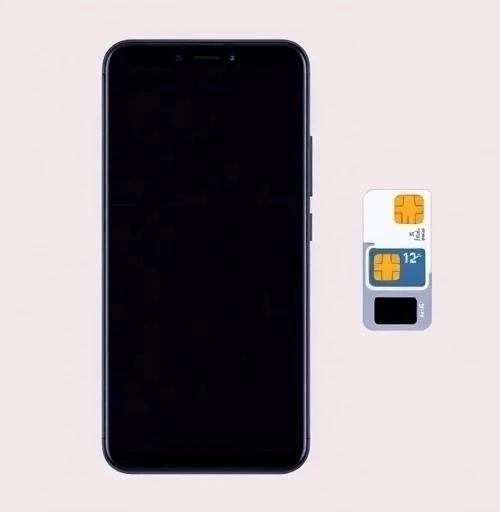
The Xiaomi Redmi Note 8 Pro supports two SIM cards. In its usual configuration, the phone has space for two nano-SIM cards and, in many versions, a separate microSD card at the same time. So the practical answer is not just “two”: you can often use two mobile numbers and expandable storage together. Check the tray supplied with your particular regional model, however, because configurations and specifications can vary by market.
Two SIMs, not one
The Redmi Note 8 Pro is a dual-SIM phone. Its two SIM positions take nano-SIM cards, the smallest of the common physical SIM formats. A standard or micro-SIM will not fit correctly; ask your carrier for a nano-SIM or a replacement SIM cut to the right size. Do not force a larger card into the tray, as this can damage the contacts or prevent the tray from seating properly.
For people who want to keep work and personal calls separate, this arrangement is useful: both numbers can be installed in one phone, rather than carried in two devices. It can also help when one carrier has better coverage at home and another offers a more suitable plan for travel. In other words, the second SIM is a practical feature, not merely an extra slot that most owners need to ignore.
Can you use two SIMs and a memory card together?
Many Redmi Note 8 Pro versions use a three-position tray: two nano-SIM cards plus one microSD memory card. On these models, you can use both phone numbers while also adding storage for photos, videos, music, and other files. This is a useful distinction because some dual-SIM phones make the second SIM slot “hybrid,” requiring the owner to choose between a second number and a memory card.
Nevertheless, do not rely on a general product description alone if your exact unit matters. Xiaomi sold the phone in different markets, and listings may describe trays or storage support imprecisely. Before buying a memory card or a second SIM, inspect the tray, consult the specifications for the exact model number, or check the documentation supplied with the device. The physical tray is the clearest evidence of what your handset accepts.
How dual-SIM use works
Having two SIMs installed does not mean the phone behaves like two entirely independent phones. The Redmi Note 8 Pro uses dual-SIM standby: both lines can generally remain available while the device is on standby, but a call in progress on one line can affect availability on the other. In particular, do not assume that both numbers can handle separate active calls at precisely the same time.
You can normally choose which SIM to use for mobile data and set preferred lines for calls or messages. Depending on the software version and settings, the phone may also let you choose a line when placing a call. This flexibility is valuable, but it does not make both SIMs share one data connection automatically. Check the selected data SIM before using mobile internet, especially when travelling or when one plan has costly roaming.
Network performance also depends on more than the number of slots. The carrier, local coverage, supported bands, SIM plan, and phone settings all matter. A dual-SIM label confirms that two cards can be used; it does not guarantee identical reception or service on both lines in every location. If a SIM is not recognized, check that it is active, correctly seated, and compatible with the carrier and regional version of the phone.
Installing the cards safely
- Switch off the phone before removing or inserting the tray.
- Use the eject tool in the small tray-release opening; do not push it into a microphone opening.
- Place each nano-SIM in its shaped position, aligning its cut corner with the tray.
- If your tray has a separate microSD position, insert the memory card there without forcing it.
- Slide the tray back in evenly, then turn on the phone and check the SIM settings.
Bottom line
The Xiaomi Redmi Note 8 Pro takes two nano-SIM cards. Many versions also let you use a microSD card at the same time, making the phone especially convenient for people who need two numbers without giving up expandable storage. The sensible qualification is to verify the tray and model variant before purchasing accessories: regional differences and unclear retailer listings can cause confusion. For the standard dual-SIM experience, though, the answer is straightforward—two SIM cards, with dual-SIM standby rather than two fully independent phones.
9 Comments. Оставить новый
It is helpful to explain the difference between a three-position tray and a hybrid slot. That detail can prevent someone from assuming they can use a memory card and a second SIM together on every version.
The article answers the main question while making an important qualification: many versions support two nano-SIMs and a microSD card, but buyers should verify their specific model. That is a balanced approach.
This clearly explains why “dual SIM” does not always tell the whole story. The reminder to inspect the physical tray is especially helpful for anyone who wants two numbers and expandable storage.
A clear, practical overview. I appreciate that it does not treat every Redmi Note 8 Pro configuration as identical and recommends checking the tray and exact model specifications.
The distinction between a dual-SIM setup and the tray configuration is useful. Since regional models can differ, checking the exact model number before buying a microSD card seems like the safest advice.
Useful guidance for anyone comparing versions of this phone. The article makes the likely setup clear, but appropriately cautions that regional differences mean the exact model should be checked before relying on a particular tray configuration.
The explanation of how dual SIMs can be useful for different carriers gives the specification some real-world context. The advice to use the correct nano-SIM size is also sensible.
The practical examples, such as separating work and personal calls or using another carrier while travelling, make the feature easy to understand. I would also check the regional specifications before purchasing.
Good explanation of the nano-SIM size and the risk of forcing a larger card into the tray. That small warning could help prevent damage, while the note about market variations avoids overgeneralizing.