
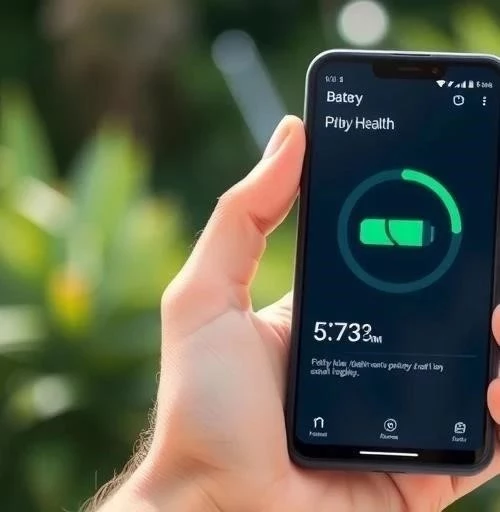
A battery can lose capacity gradually, so a phone that once lasted all day may begin needing a midday charge. Checking battery information can help you distinguish ordinary power consumption from a worn battery. On Xiaomi phones, however, there is no single health screen that appears on every model: menus and diagnostic features vary by device, Android version, and MIUI or HyperOS release; Use the methods below in order, and treat estimates as clues rather than laboratory measurements.
Look in Settings first
Open Settings → Battery (on some versions, Battery & performance). This page usually shows the current charge, estimated time remaining, recent battery use, and apps or functions consuming the most power; It is useful for finding the cause of fast drain, but it does not necessarily show battery health or remaining capacity. A high percentage of use by one app points to a software or usage issue, not automatically to a damaged battery.
Check the page for options such as battery protection, charging settings, or battery information. The wording and availability differ across Xiaomi, Redmi, and POCO models. If there is no explicit “Battery health” or “Maximum capacity” figure, do not assume that a hidden percentage is being shown elsewhere in Settings.
Try Xiaomi’s built-in diagnostic screen
On some Xiaomi phones, the dialer code *#*#6485#*#* opens a battery-information screen. Enter it in the Phone app as if dialing a number; on supported devices, the screen opens without making a call. It may display technical fields such as charge cycles, battery status, or capacity. This code is not supported on every model or software version, and field names and meanings can differ. If nothing happens, simply use another method—there is no need to change settings or install anything.
Some devices also provide hardware tests through Xiaomi’s CIT menu. Depending on the phone, this may be opened by tapping Kernel version several times under Settings → About phone → Detailed information and specifications, or through a manufacturer diagnostic code. Menu paths vary, and not every CIT version includes a battery test. Use only read-only diagnostics; avoid changing values in engineering menus.
Technical labels can be confusing. For example, a cycle count is not the same as a health percentage: a cycle broadly represents accumulated use equivalent to a full charge, not each time you plug in. A capacity value is meaningful only if you know whether it refers to the design capacity, current estimate, or a momentary reading. Do not compare unexplained codes with figures from a different phone model.
Use an app for a longer-term estimate
Apps such as AccuBattery can estimate capacity by observing charging sessions. Install an app only from Google Play, review its permissions, and allow it to collect readings over several partial or full charging sessions. Compare its estimated capacity with the battery’s stated design capacity if the app provides both. One short session is not enough for a dependable conclusion: temperature, charge level, and usage during charging can affect the result.
These apps do not directly inspect the battery chemistry. Their numbers are estimates based on measurements available to Android, so different apps—or the same app at different times—may disagree. Use the trend over several days as supporting evidence, not as an official Xiaomi diagnosis.
Tell battery wear from unusual drain
Capacity loss generally shows up as shorter runtime under similar conditions. Sudden drops in charge, unexpected shutdowns, or a phone that becomes unusually hot may also deserve attention, but each can have other causes: a recent system update, poor mobile signal, demanding apps, background syncing, or cold weather. Check battery usage, restart the phone, update apps and software, and observe whether the problem continues during ordinary use. Avoid comparing runtime on different days if screen brightness, network reception, or workload changed substantially.
Do not rely on a single percentage reading to decide that the battery is defective. Android may not expose a precise health measurement, and a phone’s displayed charge is not a direct measurement of its remaining original capacity. If several independent signs point to deterioration, a service centre can test the battery more reliably.
When to seek service
Arrange professional inspection if the phone repeatedly shuts down while showing charge, the battery drains abnormally despite basic troubleshooting, or the device becomes very hot during light use. Stop charging and using it if the battery or back cover is swelling, lifting, or visibly deformed. Do not press, puncture, or attempt to replace a swollen battery yourself. Contact an authorised Xiaomi service provider or a qualified repair shop.
Bottom line
Start with Settings → Battery to identify power-hungry apps. If supported, check the Xiaomi diagnostic screen, then use a reputable app for a multi-day capacity estimate. Because Xiaomi models and software differ, no code or app is guaranteed to provide a definitive health percentage. Consider the reading together with real-world runtime and symptoms; seek professional testing when the evidence suggests a failing or unsafe battery.
5 Comments. Оставить новый
I appreciate the warning that Xiaomi menus and diagnostic codes vary by model and software version. That caveat helps readers avoid treating a missing option as a fault or expecting every device to show the same information.
The article makes a useful distinction between battery drain and battery wear. Checking which apps use the most power can explain short battery life without assuming the battery itself has failed.
The step-by-step order is sensible: begin with Settings, then try a built-in diagnostic if available. It encourages readers to use accessible checks before turning to more complicated solutions.
This is a practical overview for Xiaomi, Redmi, and POCO owners. I would have liked the remaining CIT-menu instructions, but the advice provided is clear about what the available checks can and cannot establish.
The explanation of the dialer code is appropriately cautious. Since technical fields can differ between phones, presenting the results as clues rather than definitive measurements is important.