
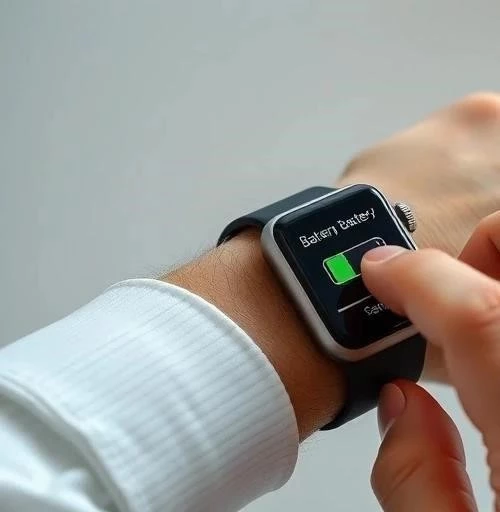
Apple Watch shows two related but different battery figures: the current charge level and battery health. The charge level tells you how much power is available now. Battery health‚ shown as Maximum Capacity‚ estimates how much charge the battery can hold compared with when it was new. Checking health can help explain shorter battery life‚ but it does not by itself identify every cause of increased power use.
Check battery health on the watch
- Press the Digital Crown to open the app grid or list.
- Open Settings.
- Scroll down and tap Battery.
- Tap Battery Health.
- Read the percentage beside Maximum Capacity.
The number is a capacity estimate‚ not the remaining charge. For example‚ a health reading of 90% means the battery can hold about 90% of the capacity it could hold when new under the system’s estimate. It does not mean the watch is currently 90% charged. The value may change gradually as the battery ages‚ and normal variation is possible.
Check the current charge level
To see how much charge remains‚ press the side button to open Control Center and look for the battery percentage. On some watchOS versions‚ swiping up from the watch face opens Control Center instead. You can also add a Battery complication to a compatible watch face‚ or tap the battery percentage in Control Center for additional controls‚ such as Low Power Mode‚ when available.
These charge indicators do not show battery health. If the percentage falls quickly‚ check both the Maximum Capacity reading and your recent usage before drawing conclusions.
If Battery Health is unavailable
Menu names and locations can vary with watchOS version and model. Make sure the watch is running an available software update‚ then look again under Settings > Battery. If the Battery Health option still does not appear‚ consult Apple Support for guidance specific to the device. The iPhone’s Watch app may not provide the same health screen; checking directly on the watch is the straightforward method.
Understanding the result
A lower maximum-capacity percentage means the battery has lost some of its original capacity through normal chemical aging. Battery life can also be affected by settings and use‚ including display brightness‚ notifications‚ workouts‚ mobile connectivity‚ signal strength‚ and background activity. Therefore‚ a single health reading should be considered alongside how long the watch lasts in everyday use.
If the watch displays a battery-service recommendation‚ shuts down unexpectedly‚ or no longer lasts as expected‚ review Apple’s service options or contact Apple Support or an authorized service provider. Battery service may be appropriate when capacity is substantially reduced‚ but the correct next step depends on the model‚ condition‚ and available service terms. Do not attempt to remove or replace the built-in battery yourself; the watch is a compact device and opening it can damage components or compromise its water resistance.
Battery care
Apple Watch includes battery-management features that may help reduce aging. On supported models and software versions‚ Optimized Battery Charging can adjust charging based on the user’s routine. To review related options‚ open Settings > Battery > Battery Health and check the controls shown on the watch. Availability and wording may differ by version. Charging habits do not restore capacity that has already been lost‚ and there is no need to wait for the battery to reach zero before charging.
For a quick assessment‚ remember: use Control Center for the current charge‚ and use Settings > Battery > Battery Health > Maximum Capacity to check the battery’s condition.




2 Comments. Оставить новый
The distinction between current charge and Maximum Capacity is clearly explained. The step-by-step instructions make it easy to find both readings on the watch.
The article appropriately notes that menu locations can vary by watchOS version. Its reminder that battery health alone does not explain rapid power use adds useful context.