
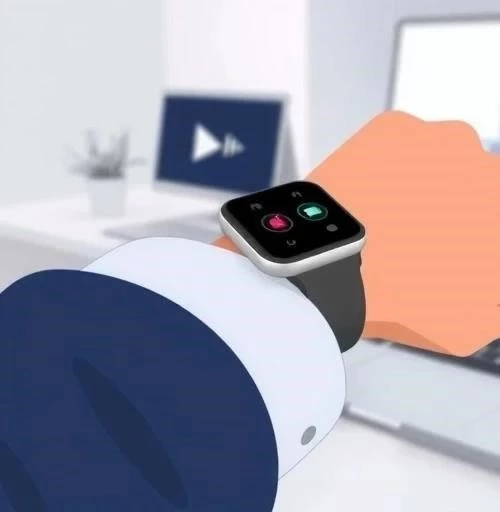
PPT control on a Samsung Galaxy Watch means using the watch as a remote for a PowerPoint presentation․ Instead of reaching for a laptop or handheld clicker, a presenter can use the watch to move through slides․ The feature is intended for presentations, lectures, meetings, and other situations where a small, wearable controller is convenient․
What it can do
When a compatible controller app is available and connected to a computer, the watch can typically send commands such as moving to the next or previous slide and starting or stopping a slideshow․ Depending on the app, watch model, and software version, it may also show presentation time or provide other simple controls․ The watch does not normally display or edit the full PowerPoint deck; it acts as a remote control, while the slides remain on the computer and its connected screen or projector․
How the connection works
The exact setup varies by device and app․ In general, the watch and computer must be paired or connected using the method supported by the controller, often Bluetooth․ Some solutions may require a companion program on the computer as well as an app on the watch․ After connecting, open the presentation on the computer, start the slideshow, and use the watch’s on-screen controls or supported gestures to navigate․
- Check that the watch, computer, and controller software are compatible․
- Install the required watch app and, if requested, its computer companion․
- Enable the connection method specified by the app and pair the devices․
- Open the presentation and test slide navigation before presenting․
What to check if it does not work
First confirm that Bluetooth is enabled where required and that the watch is connected to the correct computer․ Keep the devices within connection range, make sure the companion software is running, and check that the slideshow is active․ If controls do not respond, reconnect the devices, restart the app, and review its permissions and compatibility notes․ Names, availability, and supported functions can differ across Galaxy Watch generations, operating systems, regions, and app updates․ A feature described for one watch should not be assumed to be built into every model․
Is it the same as controlling a phone?
Not necessarily․ “PPT control” usually refers to controlling presentation slides, most often on a computer․ Controlling media playback or operating a phone remotely is a separate function and may use different apps․ Likewise, installing Microsoft PowerPoint on a phone does not automatically turn a Galaxy Watch into a presentation controller․
PPT control is a presentation-remote function: the Galaxy Watch sends basic commands so a presenter can advance or move back through slides without touching the computer․ Its usefulness depends on compatible software and a working connection․ Before relying on it at an event, test the full setup with the intended computer and presentation․
3 Comments. Оставить новый
The troubleshooting section covers sensible first checks, including connection range and companion software. The article stays focused on the feature’s basic uses and limitations.
The setup overview is practical, especially the reminder to check compatibility and test the controls before presenting. The steps may vary depending on the app and device, as the article notes.
The article clearly explains that a Galaxy Watch works as a presentation remote rather than displaying or editing the PowerPoint deck. The distinction is useful for setting realistic expectations.