
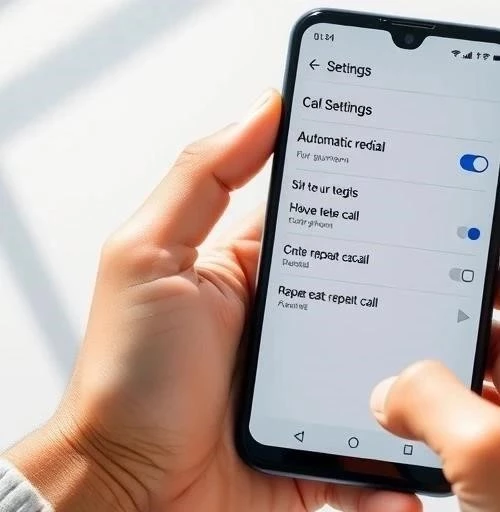
Auto redial can be useful when a call does not connect because the number you are calling is busy․ When the feature is enabled, the phone attempts to place the call again automatically after a failed attempt․ On Xiaomi devices, the setting is usually available in the built-in Phone or Calls app․ Its location and name may differ depending on the phone model, Android version, MIUI or HyperOS version, and the dialer installed on the device․
Enable auto redial in the Phone app
- Open the Xiaomi Phone app—the app you normally use to make calls․
- Tap the menu icon, which may appear as three dots, three lines, or a settings symbol․
- Open Settings․ On some versions, call settings are listed under Calling accounts, Calls, or Advanced settings․
- Look for Auto redial or Automatic redial․
- Switch the setting on․ If the phone asks you to confirm the change, follow the on-screen instructions․
After activation, return to the dialer and make a call as usual․ If the line is busy, the phone may try again without requiring you to enter the number again․ The precise behavior, including the delay and number of attempts, depends on the dialer and software version․ The setting does not necessarily make repeated calls when a recipient does not answer, a phone is switched off, or a network error prevents the call from connecting․
Alternative route through Xiaomi settings
If the option is not visible in the Phone app, check the system settings․ Open Settings and look for System apps, then open Calls or Phone and its settings․ On some MIUI versions, the relevant option is inside an Additional settings or Advanced section․ Menu labels can vary, so use the Settings search field and search for auto redial or redial․
Some Xiaomi phones use Google Phone rather than Xiaomi’s own dialer․ In that case, open the Google Phone app and check its settings for calling options․ If the item is absent there too, the installed dialer or regional software may not provide a built-in auto-redial control․ A setting described in instructions for another Xiaomi model may not appear on your device․
If you cannot find the option
- Check which dialer is in use․ Open the app information for Phone or Dialer in system settings and confirm which calling app is installed and set as default․
- Search within settings․ Use the Settings search function rather than relying on a specific menu path, because Xiaomi reorganizes menus between software releases․
- Update the phone app; Check for updates to the dialer and system apps․ A restart after an update can help the settings screen refresh․
- Consider regional differences․ Features can differ between regions, carriers, and software builds․ If no auto-redial entry is available, it may not be supported by that version․
- Do not assume a permission prompt is required․ A PIN or password prompt, if shown, is a device security confirmation․ Do not provide account credentials to an unfamiliar app or website․
Installing a third-party dialer is not necessary when the built-in app offers the setting․ If you choose to use another calling app, review its permissions, privacy information, and behavior before making it the default․ An app that can place calls may handle call-related data, so use software from a source you trust․
Turn auto redial off
To stop automatic attempts, return to the same Auto redial control in the Phone app or call settings and switch it off․ If the phone’s interface has changed, search the system settings or dialer settings for the same term․ Disabling the option prevents future automatic retries; it does not cancel a call that is already connected․
Important points to keep in mind
Auto redial is intended for ordinary outgoing calls and may not apply to internet calls made through messaging apps․ It cannot guarantee that a call will connect: the recipient may remain busy, the network may be unavailable, or call restrictions may apply․ Depending on the service plan, repeated attempts may also use call time or incur charges once a call connects․ Keep an eye on the screen and end the process if you no longer want to reach the number․
In short, open the Phone app, find its call settings, and enable Auto redial if the option is available․ If it is missing, check the system-app settings and confirm which dialer your Xiaomi uses․ The exact steps are version-dependent, so the names on your phone may not match those shown in instructions for a different MIUI or HyperOS release․