
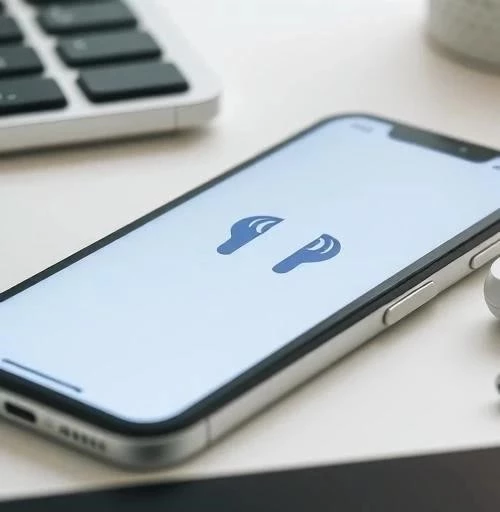
If your Xiaomi phone shows a headphone icon or says headphones are connected when none are plugged in‚ sound may be routed to the wrong output. This can happen because of a Bluetooth connection‚ a dirty or damp port‚ a temporary software glitch‚ or a damaged adapter. Try the steps below in order; menu names can differ slightly between MIUI and HyperOS versions.
Check Bluetooth connections
Open Settings > Bluetooth and see whether earbuds‚ a headset‚ a car system‚ or another audio device is connected. Turn Bluetooth off briefly and test the speaker. If the icon disappears‚ reconnect only the device you want to use. For a device you no longer use‚ tap its name and choose Unpair or Forget device. Also check the audio output selector in the media panel: playback may be directed to a nearby device even when the phone speaker works.
Restart and check the audio
Restart the phone‚ then play a short video or music track and adjust the volume. A restart can clear a temporary audio-routing error. Test several apps and‚ if possible‚ make a call on speakerphone. If only one app has the problem‚ check its sound settings and update or reinstall it rather than changing system settings.
Inspect the port and accessories
If you use wired headphones‚ unplug them and reconnect them once. Remove the phone case if it presses against a plug or adapter. Check the headphone jack‚ if your model has one‚ and the USB-C port for lint or visible moisture. Do not insert needles‚ metal tools‚ or wet objects‚ and do not pour cleaner into the opening. Let a damp phone dry naturally in a ventilated place before connecting accessories; avoid heat and compressed air.
A faulty USB-C adapter‚ cable‚ or headset can also confuse audio detection. Try a compatible accessory that works with another device. If the icon appears only when one adapter is attached‚ replace that accessory. On phones without a headphone jack‚ wired audio generally needs a compatible USB-C headset or adapter.
Reconnect Bluetooth headphones
If the phone reports a Bluetooth headset as connected but it is not nearby‚ switch Bluetooth off and on‚ restart the headset‚ and pair it again. Remove old or duplicate entries from the Bluetooth list. Keep the headset charged and close to the phone during pairing; This helps distinguish a stale connection from a phone audio problem.
Update and check settings
Install available system updates from Settings > About phone‚ then restart. Look for audio‚ accessibility‚ or sound-routing settings that may direct output to a connected device. If the issue began after installing an app‚ test the phone in safe mode if your model supports it; if sound returns‚ remove recently installed audio‚ equalizer‚ or cleaning apps.
When to seek repair
If the headphone icon remains after Bluetooth is off‚ the phone is restarted‚ and all accessories are removed‚ the port or its detection circuit may need inspection. Back up important data and contact Xiaomi support or a qualified service center‚ especially after a drop or liquid exposure. A factory reset should be a last resort: it erases data and may not fix a hardware fault. Before resetting‚ back up your files and confirm that you can sign back into your accounts.
1 Comment. Оставить новый
Helpful, practical troubleshooting advice. The warning not to use metal tools or heat around the phone’s ports is especially useful.