
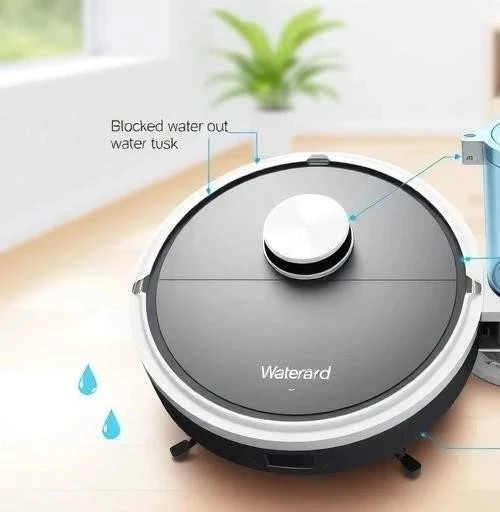
A Xiaomi robot vacuum with a mop is a tiny janitor with a surprisingly fussy plumbing system. When its pad stays dry, the culprit may be a closed valve, a blocked outlet, an empty tank—or simply a setting that tells the robot to vacuum, not mop. Work through these checks in order, starting with the easy ones.
Check that your model actually dispenses water
Not every Xiaomi vacuum handles mopping the same way. Some models use a removable tank with electronic water control; others rely on a different mop attachment or have no water pump at all. Check the manual for your exact model and make sure the correct water tank and mop assembly are fitted. A tank that looks compatible may still fail to connect properly.
Look at the app and the tank
- Select a mopping mode. In the Xiaomi Home app, choose a mode that includes mopping and set water flow above “off” or “dry.” Names and menus vary by model.
- Fill and seat the tank. Use clean water, close the cap firmly, and push the tank fully into place. Refill it if low; check that the seal is not twisted or damaged.
- Attach a damp, clean pad. A bone-dry pad can take a while to show moisture. Rinse it, wring it out, and secure it as the manual describes.
Then start a small test on a hard floor. A faintly damp pad is normal: the robot should not leave puddles. Some models pause water flow on carpet or when mopping is disabled in a room, so inspect the map and room settings too.
Clear the tiny waterway
Dust, lint, mineral deposits, or dried detergent can clog the tank outlet, filter, or mop nozzle. Remove the tank and pad, then inspect the outlet for visible debris. Rinse removable parts with clean water and wipe the contacts and surrounding area with a soft cloth. Let everything dry before reinstalling. Do not poke a nozzle with a needle: a small scratch can turn a blockage into a leak.
Use plain water unless your manual explicitly allows an approved solution. Soap, floor cleaner, and essential oils may foam, leave residue, or damage the pump. If your home has hard water, regular rinsing can help prevent mineral buildup.
Reset the robot, not your patience
Confirm the tank is seated, restart the robot, and check the app for updates or an error message. If available, try another compatible tank or pad to determine whether the fault follows the accessory or stays with the vacuum. A dry test after these checks may point to a failed pump, sensor, seal, or internal connection.
When to call for repair
Stop testing if water leaks into the robot, the unit reports a water-system error, or the pump makes an unusual noise. Do not pour water into the vacuum or dismantle its body; internal electronics and moisture are a risky combination. Contact Xiaomi support or a qualified repairer with the model number and a description of what you tried.
Quick diagnosis: no water at all usually suggests settings, seating, or a clog; uneven dampness may mean a blocked outlet or poorly fitted pad; leaking calls for a seal check or professional service. In many cases, the fix is less dramatic than it sounds: one menu setting, one clean outlet, and your little floor sailor is back on course.


1 Comment. Оставить новый
This troubleshooting guide treats the vacuum less like a stubborn appliance and more like a miniature canal system: check the controls, trace the water’s route, then clear the bottleneck gently. The advice is practical without inviting risky tinkering, and the reminder that “more water” is not the goal may save a floor as well as a mop.