
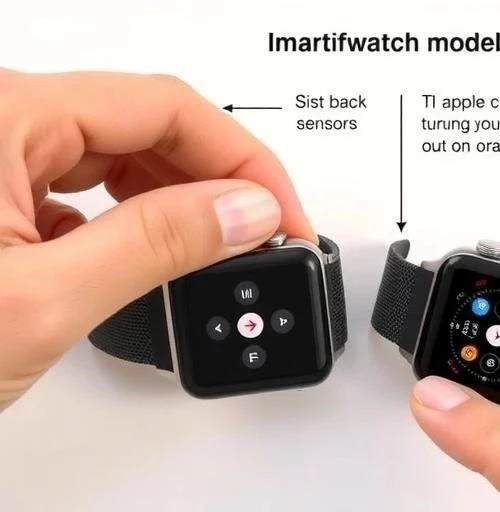
Apple Watch models can look very similar, especially when they have the same case color or band․ To identify yours reliably, check the information stored on the watch or paired iPhone, then compare the model number with Apple’s official listings․ The steps below help you find the model, generation, size, and case material without relying on appearance alone․
Find the model number on the watch
- Open the Settings app on your Apple Watch․
- Tap General, then About․
- Scroll to Model Number․ The first value may be a part number beginning with a letter․
- Tap that value․ It should change to a model identifier beginning with the letter “A,” followed by four digits—for example, Axxxx․
Record the A-number and search for it on Apple’s support website․ Apple publishes tables matching these identifiers to watch models and regional versions․ Check that the page you consult is an official Apple support page, since unofficial lists may be incomplete or out of date․
Check the paired iPhone
If the watch is connected to an iPhone, the same details are available in the Watch app․ Open Watch on the iPhone, choose My Watch, and go to General > About․ Look for the model number and serial number․ Tap the model number if necessary to reveal the A-number․ The menu wording can vary slightly with software versions․
This method is useful if the watch screen is difficult to read or the device is not currently on your wrist․ If you have several watches paired, first select the correct watch in the app or confirm its name and details before recording the number․
Use the serial number carefully
The serial number is also shown in the About menu on the watch and in the iPhone’s Watch app․ Apple’s coverage-check page can confirm whether a serial number is recognized and may show related device information․ It is not always the quickest way to identify the exact generation, so use the A-number as the main reference and treat serial-number results as a cross-check․
A serial number is a unique identifier․ Avoid posting it publicly or sharing it with an unknown seller or support account․ If the watch cannot be switched on, the serial number may also be printed on the case, depending on the model․ On some versions it is visible inside the band slot after the band is removed․ Remove a band gently and do not use tools that could scratch the case․
Identify the size and case
Apple Watch cases are sold in different sizes, and the measurements have changed across product families․ The size is usually listed in millimetres in the model’s technical specifications․ It refers to the height of the case, not the screen diagonal․ Compare the A-number with Apple’s specifications rather than measuring the display by eye․
Case material and finish can provide additional clues, but they do not prove the generation․ Aluminium, stainless steel, titanium, and other finishes have appeared in different product lines and years․ A protective case, a replacement band, lighting, or wear can also make the watch look different from its original configuration․
Check the software and features
Features can narrow down the possibilities․ For example, some models support cellular service, while others are GPS-only; some have an always-on display, and others do not․ ECG, blood oxygen measurements, temperature sensing, and other functions depend on the specific model, region, software, and applicable regulations․ Feature availability alone is not a definitive identification method․
To check the installed software, open Settings > General > About and note the watchOS version․ Software version does not tell you the generation by itself: several Apple Watch models can run the same release, and older models may not support the newest release․
If the watch is locked or will not turn on
Ask the previous owner to identify the watch in its settings or provide the original purchase details․ A box label may include the product name, size, finish, and serial number, but make sure the box belongs to that device․ If the watch is Activation Locked, the former owner must remove it from their Apple Account before you can set it up; identifying the model does not bypass that security feature․
Quick checklist
- Find the A-number under Settings > General > About, or in the iPhone’s Watch app․
- Match that number to Apple’s official model list․
- Confirm the case size and connectivity in the technical specifications․
- Use appearance and features only as supporting clues․
- Keep the serial number private and verify that a box or listing matches the watch․
In most cases, the A-number is the clearest answer to “Which Apple Watch do I have?” If it is unavailable, combine the information in the Watch app, the serial-number check, and the physical specifications․ This is more dependable than guessing from the screen, band, or case design alone․
1 Comment. Оставить новый
The guide clearly explains how to find an Apple Watch model number on both the watch and a paired iPhone. Recommending Apple’s official support listings as the reference is useful, though the article appears to end mid-sentence.