
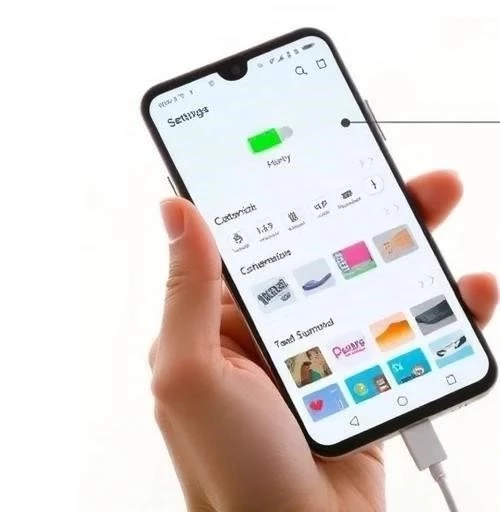
Xiaomi phones may show a charging animation, graphic, or screen effect when a charger is connected. Its appearance can depend on the phone model, software version, region, and installed theme. On many devices, the effect is managed through the Themes app; on others, the option may be unavailable or named differently. The steps below cover the usual method and alternatives for MIUI and HyperOS.
Use the Themes app
- Connect to the internet and open Themes. If it is not on the Home screen, look in the app drawer or search the phone’s apps.
- Open Profile or My account. The label and location can differ between app versions.
- Look for Customize theme, Customize, or a similar option, then select Charging animation, Charging effect, or the closest available setting.
- Browse the available designs. Tap an item to view its preview and details. Some effects are included with themes; others may require a download or may not be available in your region.
- Choose Apply or Use, then connect the charger to check the result. If prompted, download the design over Wi-Fi or mobile data.
If the Themes app has a search field, try terms such as “charging animation” or “charging effect.” Search results and names are not consistent across regions, so a design shown in an online guide may not appear on every phone.
Check the phone’s display settings
Some Xiaomi models do not offer a separate charging-theme control in Themes. Open Settings and check sections such as Always-on display & Lock screen, Lock screen, or Display. Look for a charging animation or screen effect option. Settings names and availability vary by model and by MIUI or HyperOS release. You can also use the Settings search bar and search for “charging.”
If the option is missing
- Update the Themes app and the phone’s system software through the official update settings, then restart the device.
- Confirm that the correct region is selected in the Themes app or system settings. Available themes and customization features can differ by region.
- Check whether the current theme supports a charging effect. Try applying the default theme and look again under customization.
- If no charging-animation setting appears, the feature may not be supported on that model or software build. A standard charging indicator can still appear even when its appearance cannot be changed.
Restore the original appearance
Return to Themes and open the charging-effect customization screen, if available. Select the default or original effect and apply it. If the change came from a complete theme, open Profile and apply the system default theme instead. Restarting the phone can help if the previous animation remains visible.
Safety and troubleshooting
Use the official Themes app or system settings rather than installing charging-animation apps or theme files from unknown websites. Unofficial downloads may request unnecessary permissions, display advertisements, or cause problems with the interface. A charging animation changes only the visual presentation; it does not increase charging speed or battery capacity.
If an effect does not appear, test with the screen unlocked and locked, and reconnect the cable. Check that the charger and cable work normally. If charging itself is unreliable, address that issue separately: a theme cannot fix a faulty accessory, port, or battery. Exact menu paths differ, so the phone’s software version and model are the best guide to which customization options are supported.


6 Comments. Оставить новый
The troubleshooting advice to update the app and system software is relevant when the charging effect option is missing.
The suggested search terms offer a practical way to locate the setting when its name or menu location is unclear.
The guide clearly explains the usual way to check for charging effects in the Themes app and notes that menu names can vary.
The steps are straightforward, and checking the result by connecting a charger makes the instructions easy to follow.
It is useful that the instructions cover both Themes and Settings, since the available options may differ by device.
The article appropriately points out that features and theme availability can depend on the model, software version, and region.