
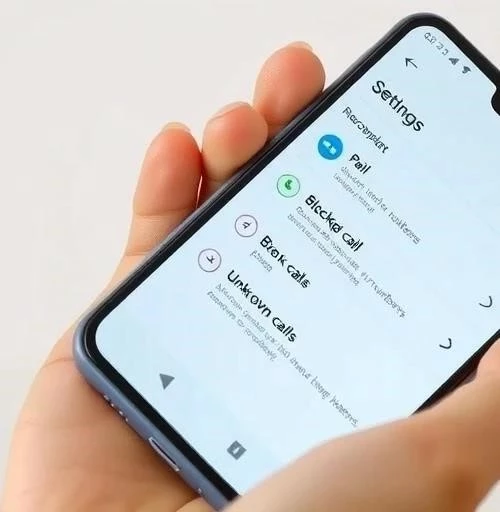
Your Xiaomi can be a quiet little gatekeeper: it can hush hidden callers, screen numbers outside your contacts, or stop one persistent number from returning. The exact switches depend on your phone’s software and dialer, so start with the method that matches the app on your screen.
First, decide what “unknown” means
There are two different kinds of unwanted call. A private or hidden number conceals its caller ID. An unsaved number displays a number, but it is not in your contacts. Some settings block only the first kind; others can silence or reject the second as well. Choose carefully: delivery drivers, clinics, banks, and new acquaintances may also call from numbers you have not saved.
Method 1: Use the Phone app
- Open Phone, the app you use to make calls.
- Tap the three-dot menu or the settings icon, then open Settings.
- Look for Blocked numbers, Call blocking, or Blocklist.
- Turn on the option for Unknown, Private numbers, or Numbers not in contacts, if your version offers it.
On some Xiaomi phones, the route is Phone → three dots → Settings → Blocked numbers. In Google’s Phone app, “Unknown” generally means numbers that hide their caller ID; it does not necessarily block every ordinary number absent from your contacts. Read the label on the switch before enabling it.
Method 2: Check Xiaomi’s Security app
If your phone uses Xiaomi’s own dialer, call controls may live in Security instead. Open Security → Blocklist, tap the gear or menu, and inspect the call-blocking rules. Depending on your MIUI or HyperOS version and region, you may see choices such as blocking hidden numbers, strangers, or calls from numbers not in contacts. Enable only the rule you actually want.
Can’t find “Blocklist”? Search Settings for block or blocked numbers, or open the Phone app’s settings directly. Xiaomi menus can move between software versions, and some models use Google Phone instead of Xiaomi’s dialer. The feature may also vary by country, carrier, and installed app.
Block one caller, not everyone
For a single nuisance caller, open Recent calls, tap the number, and choose Block or Report spam. You can also add a number manually from the blocked-number screen. This is often the safer choice if you still expect calls from new people.
Test the setting and stay reachable
After switching on a rule, ask someone whose number is not saved to call you, or check the blocked-call log later. If an important call disappears, turn off the broad “strangers” rule and block only confirmed spam numbers. Blocking may send calls straight to rejection or voicemail; it does not stop texts on every Xiaomi model. Use the Messages app’s spam controls for unwanted texts.
Before installing a third-party call-blocking app, try the built-in tools. An extra app may request access to contacts and call history, so check its permissions and reputation. And if callers are threatening or impersonating an organization, don’t share codes or personal details: block the number, report it to your carrier, and contact the organization through its official number.
The quick route
Phone → Settings → Blocked numbers is the first place to look. For Xiaomi’s dialer, check Security → Blocklist too. The small but crucial distinction: “hidden numbers” and “all numbers not in contacts” are not the same filter. Pick the right gate, and your phone can be quieter without shutting out the people you need.
6 Comments. Оставить новый
I like that the guide offers two routes instead of pretending every Xiaomi phone has the same menu. Searching Settings for “block” is a handy escape hatch when the instructions don’t match.
This turns call blocking from a guess-and-tap ritual into a small, sensible decision: identify the callers you want to stop, then choose the matching switch.
The distinction between hidden callers and ordinary unsaved numbers is the article’s most useful little flashlight. It could save someone from accidentally silencing the delivery driver carrying their long-awaited noodles.
A clear map through menus that seem to rearrange themselves for sport. I especially appreciate the reminder to check which dialer is installed before following the instructions.
Good advice for taming a noisy phone without turning it into a fortress. The explanation of what “Unknown” may actually block is refreshingly precise.
The warning about clinics and banks gives this practical guide a welcome human touch. A blocked call is convenient—until it is the appointment you forgot to save.