
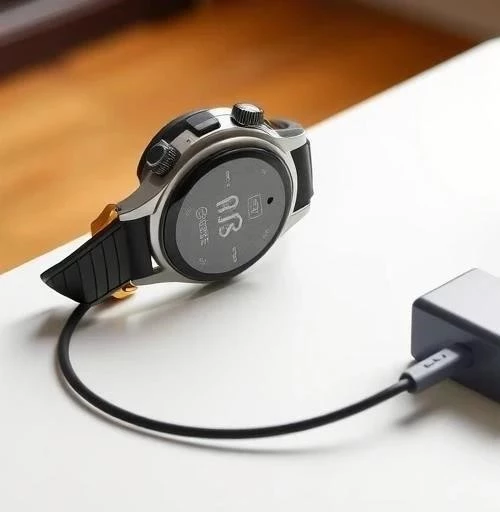
A smartwatch may look like a tiny portal to the day, but even portals need power. Charging your HOCO Y1 is straightforward when you use the cable supplied with the watch and let its charging contacts meet correctly. The exact connector can vary by version, so treat the included cable and the watch’s own manual as the authority—not a charger that merely happens to fit.
Before you plug it in
- Find the charging cable. Check the box for the cable made for your Y1. If its watch end has magnetic pins, it is designed to attach to the matching contacts on the back of the watch. Do not force a plug or substitute a cable with a different connector.
- Inspect and clean the contact area. Take the watch off your wrist. If the back or cable contacts are dusty, wipe them gently with a clean, dry, soft cloth. Make sure the watch and cable are dry; moisture and charging contacts are a poor team.
- Connect the cable to power. Plug its USB end into a reliable USB power source, such as a computer port or a standard USB adapter. A modest, reputable adapter is a sensible choice. Avoid damaged cables, loose ports, and questionable high-power accessories.
- Align the watch end. Place the cable’s connector against the watch’s charging points, following the shape and orientation of the supplied accessory. With a magnetic cable, let the magnets settle naturally. If it will not sit securely, lift it, check alignment, and try again—never press hard.
How to tell it is charging
Look at the screen for a battery symbol, charging animation, or other power indication. The display may wake after a moment; if it stays dark, reseat the connector and check that the USB source is working. Try another known-good USB port if necessary. A charging icon is a better guide than guessing from the cable’s position.
Leave the watch connected until its display indicates a full battery, then disconnect it gently by holding the connector rather than tugging the wire. Charging time depends on the battery’s remaining power and the power source. Use the manual for a model-specific time; do not rely on a promised number if your Y1’s instructions say otherwise.
Little habits that protect the battery
- Charge on a dry, stable surface, away from sinks, direct heat, and bright sun.
- Keep the cable straight and unplug it by the plug, not by pulling its cord.
- If the watch becomes unusually hot, smells odd, or the cable is damaged, disconnect it and stop using that setup.
- Do not charge a wet watch. Let it dry fully, and never scrape the contacts with metal.
If nothing happens
Remove and reconnect the charger, checking that the contacts line up and the cable is firmly attached to its USB source. Inspect for dirt, moisture, or visible damage. Test a different working USB port, but keep the original Y1 cable in the chain. If the watch still shows no sign of charging, consult the instructions supplied with your particular version or contact the seller or HOCO support. A persistent problem may need service; repeated force or improvised chargers can make it worse.
In short: dry contacts, the correct cable, gentle alignment, and a trustworthy USB supply are the charging recipe. Think of it as docking a tiny spacecraft: let the parts meet cleanly, confirm the battery symbol, and give the Y1 time to refuel before its next mission.
6 Comments. Оставить новый
The article treats the charging cable less like a magic wand and more like a tiny piece of equipment deserving respect. Clear, useful, and unexpectedly memorable.
The “portals need power” opening gives a practical guide a surprisingly charming spark. I especially like the reminder that a cable fitting is not proof that it belongs to the watch.
This is refreshingly calm advice in a world of force-it-until-it-fits tutorials. The small emphasis on dry contacts and gentle handling makes the instructions feel genuinely considerate.
The best instruction here may be the simplest one: don’t force it. That gentle message turns a routine charging task into a small lesson in taking care of your devices.
A neat little guide with a good rhythm: prepare, align, check, then disconnect. The advice to trust the charging icon rather than appearances is a useful detail I might otherwise overlook.
I appreciate that it doesn’t pretend every Y1 version must have the same connector. Pointing readers back to the supplied cable and manual is the sort of practical caution that saves headaches.