
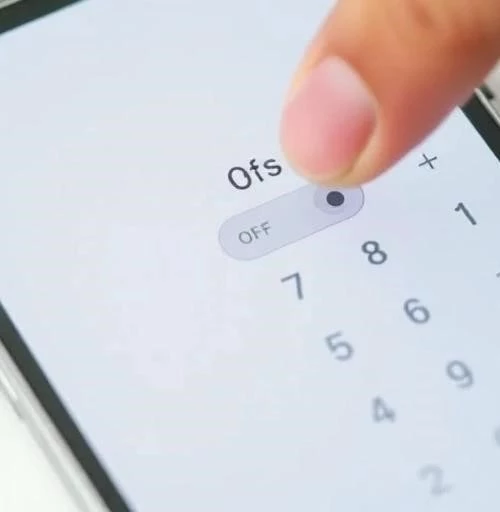
A comma in a Xiaomi Calculator result is usually a number-formatting mark, not an error․ Depending on your language and region, the phone may use a comma as the decimal separator (for example, 3,5) or to group thousands (for example, 1,000)․ The app generally follows the system’s regional format, and many versions do not have a separate setting for changing commas․
Change the phone’s region
- Open Settings on your Xiaomi phone․
- Tap Additional settings, then Region․ On some versions, the option may be under System or Language & input․
- Select a region that uses the separator you want․ For a decimal point, try United States or United Kingdom․
- Close and reopen Calculator․ If the display does not update, restart the phone and check again․
The exact menu names vary between MIUI and HyperOS versions․ You can also use the Settings search box and search for Region․ Changing the region can affect other formatting, including dates, time, currency, and some apps․ If you prefer your current regional settings, switch them back after testing․
Check what the comma means
Look at a value whose meaning is clear․ If 2,5 represents two and a half, the comma is the decimal separator․ A region change may replace it with a point․ If 2,500 represents two thousand five hundred, the comma is a thousands separator․ A different region may display the same value without that grouping mark or use another mark instead․
If the comma remains
- Clear the Calculator app’s temporary cache: open Settings > Apps > Manage apps > Calculator > Clear data, then choose Clear cache if available․ Avoid Clear all data unless you are comfortable resetting the app․
- Update Calculator and your system software, then reopen the app․
- For a one-off calculation, copy the result into another app or enter the value in the format that app accepts․
Clearing the cache will not usually change the number format if it is controlled by the system region․ Do not install an unfamiliar calculator just to remove a separator; an alternative app may follow the same regional settings․
Can you turn off the comma inside Calculator?
Usually, there is no dedicated “remove comma” switch․ If changing the region does not help, your particular Calculator version may use a fixed format․ Check its settings for a decimal-separator option, but do not expect every Xiaomi model to include one; In that case, keep the system region you prefer and use another calculator that offers its own formatting controls․

9 Comments. Оставить новый
A concise troubleshooting guide with sensible cautions about changing regional settings and resetting app data.
Good step-by-step guidance. I especially appreciate the reminder that changing the region can also affect dates, time, and currency.
The examples make the difference between decimal and thousands separators easy to understand. Helpful for anyone troubleshooting Xiaomi Calculator.
This cleared up why the comma appears in my calculator. Checking a familiar value is a simple way to understand what the separator means.
The menu paths may differ between MIUI and HyperOS, so mentioning the Settings search box is a practical touch.
Useful advice, and the warning to clear only the cache rather than all app data is important.
Helpful explanation of how regional settings can affect number formatting. The examples make it easy to tell decimal commas from thousands separators.
I like that the article offers a few options if changing the region does not update the display.
Clear and easy to follow. It is helpful to know the Calculator usually follows the phone’s regional format.