A dark Apple Watch can feel like a tiny locked door on your wrist․ The cause may be simple—a fully drained battery—or a frozen screen, faulty charging connection, extreme temperature, or hardware problem․ Try these checks in order before assuming the watch is broken․
Give the battery time to wake up
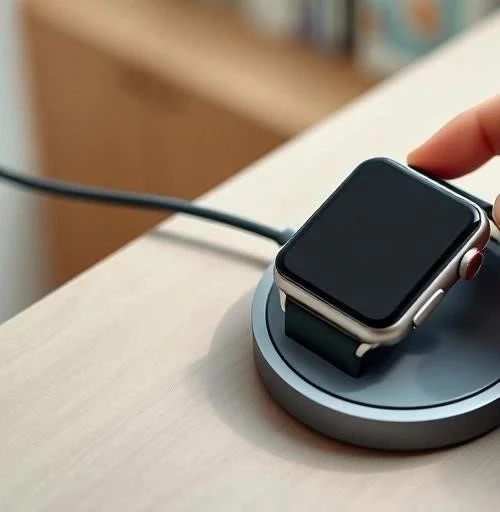
If the battery has run completely flat, the display may stay blank for several minutes after charging begins․ Place the watch on its magnetic charger and leave it there for at least 30 minutes․ Make sure the back of the watch sits flat against the charger; you should feel it connect․ A lightning-bolt symbol may appear when charging starts, though a deeply depleted watch can take a while to show anything․
Check the power adapter and cable, too․ Try a different wall outlet and, if available, another Apple Watch charging cable and USB power adapter․ Inspect the cable for damage and remove any plastic film from a new charger․ Gently wipe the watch’s back and charger with a soft, dry, lint-free cloth․ Avoid metal objects, liquids, and improvised heat․
Rule out a frozen screen
The watch may be on while its display is stuck․ With it off the charger, press and hold the side button and Digital Crown together for about 10 seconds, then release when the Apple logo appears․ This force-restarts the watch; it does not erase your data․ If nothing happens, reconnect the charger and try again after giving the battery time to charge․
If the screen is black but the watch makes sounds, taps, or responds to button presses, the display—not necessarily the whole device—could be the problem․ Don’t keep pressing buttons at random; note what still works and tell support․
Consider the conditions
Cold or excessive heat can temporarily prevent normal operation or charging; Let the watch return naturally to room temperature, away from direct sun, heaters, and very cold surfaces, then try charging again․ If it recently got wet, dry it with a soft cloth and let it air-dry․ Don’t use a hair dryer, compressed air, or rice, and don’t charge a visibly wet watch․
A damaged charger, worn battery, impact, or liquid exposure may need professional attention․ Stop using the watch if it is swollen, unusually hot, or visibly damaged․ Don’t open it: the battery and seals are not intended for home repair․
When to contact Apple
If a known-good charger and outlet, a 30-minute charge, and a force restart make no difference, arrange service through Apple Support or an Apple Authorized Service Provider․ Share the watch model, what appears on screen, and the steps you’ve tried․ If it turns on again, check for a watchOS update and monitor whether the battery drains unusually fast․
Quick takeaway: charge patiently, check the connection, force-restart once, and avoid risky DIY fixes․ Sometimes the little screen is simply asking for a proper power nap; persistent silence is a reason to get it checked․