Your wrist can become a tiny observatory․ Apple Watch Series 6 uses red and infrared light to estimate how much oxygen your blood carries, then saves the result in the Health app․ The measurement is called blood oxygen saturation, or SpO₂․ It is a wellness feature—not a diagnosis, a substitute for medical advice, or a dependable way to decide whether you need urgent care․
Before the first reading
Check that Blood Oxygen is available where you live and that the feature is enabled for your watch․ Availability can depend on country or region, age, and device setup․ On your paired iPhone, open the Watch app and look for Blood Oxygen in the available apps or settings․ Install or enable it if necessary․ Then open the Health app and follow any prompts to set up Blood Oxygen measurements․
For a quick manual reading, your watch should be snug but comfortable, with its back touching your skin․ A loose band lets light leak in; a painfully tight one is no better․ Keep the sensor area clean and dry․ Tattoos, cold skin, movement, or other factors can interfere with the sensor, so a failed attempt is not a verdict about your body․
Take a measurement, step by step
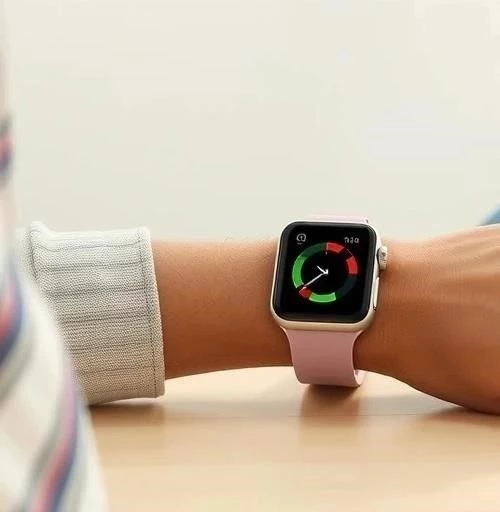
- Sit down․ Rest your forearm on a table or your lap․ Make yourself a still, steady shelf for the watch․
- Open the app․ Press the Digital Crown, find the Blood Oxygen app, and tap its icon․
- Settle your arm․ Keep your wrist flat, palm down if comfortable, and the watch facing upward․ Try not to move or speak while the reading is in progress․
- Tap Start․ Hold still for about 15 seconds, until the countdown finishes․ The watch will show the result when it completes the measurement․
- Review the record․ Open Health on your iPhone, choose Browse, then Respiratory, then Blood Oxygen․ There you can explore readings and their context over time․
Think of those 15 seconds as a miniature still-life: arm at rest, watch in place, no dramatic gestures․ If the measurement fails, adjust the band so it sits securely above the wrist bone, rest your arm again, and retry․ A calm second attempt is usually more useful than a dozen hurried ones․
What the number means—and what it cannot say
The percentage is an estimate of oxygen saturation at that moment․ A single result is only one tile in a much larger mosaic: readings may vary with movement, fit, skin temperature, and other conditions․ Apple says the feature is intended for general wellness, not medical use․ Do not use a watch reading to diagnose a condition, monitor treatment, or replace a pulse oximeter or clinician’s instructions․
If you feel unwell, have trouble breathing, or are worried about your health, pay attention to your symptoms and contact a healthcare professional․ Seek urgent help for severe or rapidly worsening symptoms, regardless of what the watch displays․ If you have been given a personal monitoring plan, follow that plan rather than trying to interpret smartwatch readings on your own․
Why a reading may be missing
- Your wrist moved․ Rest your arm and try again; even small movements can disrupt the measurement․
- The fit is off․ Adjust the band so the watch is secure and the sensor stays against your skin․
- Your arm is unsupported․ Place it on a table or your lap, with the watch facing up․
- The sensor has a poor view․ Clean and dry the back of the watch, and remember that tattoos or cold skin can affect results․
- The feature is not set up; Check the Watch and Health apps, software updates, and regional availability․
Daytime checks and background readings
You can start a reading whenever you want, but Series 6 may also take background measurements when you are still․ Depending on your settings and circumstances, it can collect readings during sleep as well․ These measurements may not appear immediately; check the Health app later․ To review trends, open Blood Oxygen and change the view between day, week, month, or year․ A pattern over time can be more informative than one isolated number, but it still is not a diagnosis․
A better way to use the feature
Use the watch as a notebook, not an oracle․ Take readings under similar, calm conditions if you want to compare them, and avoid chasing a particular number with repeated tests․ If you share Health data with a clinician, explain when and how the readings were taken․ That context matters: a number without its circumstances is a tiny message with half the envelope missing․
In short: open Blood Oxygen, rest your arm, stay still for roughly 15 seconds, and review the result in Health․ Treat it as useful personal wellness information—not a medical answer․ The best reading is not the one that promises certainty; it is the one you understand in context․