
If your Xiaomi sounds too quiet‚ first identify whether the problem affects the speaker‚ calls‚ headphones‚ or every sound. Increasing a setting is safer and more effective than installing “volume booster” apps‚ which may distort audio or expose you to unwanted permissions. Menu names differ slightly between MIUI and HyperOS versions‚ but the checks below work on most models.
Check the volume controls and sound settings
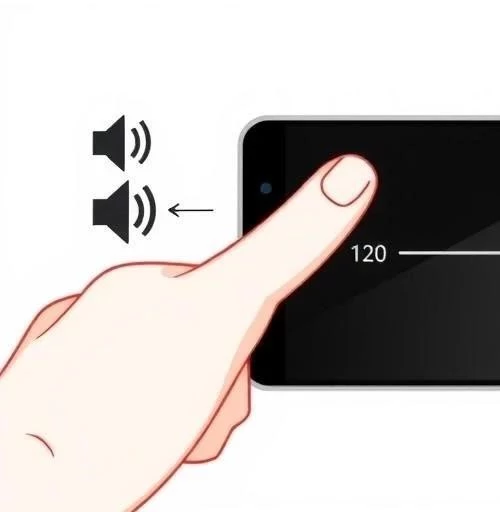
- While audio is playing‚ press the phone’s volume-up button. Tap the three-dot menu or volume panel and raise Media‚ not just ringtone or alarm volume. During a call‚ adjust volume while the call is active; call volume has its own control.
- Open Settings > Sound & vibration. Review the available volume sliders and turn off Silent mode or Do Not Disturb if they are suppressing alerts. These modes normally do not raise media volume‚ but can explain why notifications seem quiet.
- For wired or Bluetooth headphones‚ check the connected device’s volume as well as the phone’s. Some headphones have independent controls. In Bluetooth settings‚ disconnect and pair again if the level suddenly changed.
Improve speaker playback
Remove a case or accessory that may cover the speaker openings‚ then test audio in another app. A single app may have its own volume control or a quiet recording. Restart the phone and install available system updates if the issue began unexpectedly.
Inspect the speaker grille under good light. Dust can reduce loudness‚ so gently brush the outside with a clean‚ dry‚ soft-bristled brush. Do not push pins into the grille‚ pour in liquid‚ or use forceful compressed air: these can damage the mesh or internal components. If the phone was exposed to water‚ let it dry naturally and follow Xiaomi’s support guidance rather than applying heat.
Use audio enhancements carefully
Some Xiaomi models offer Sound effects‚ an equalizer‚ or Dolby Atmos under Sound & vibration or headphone settings. Try a preset designed for your headphones and compare it with the original. Equalizer boosts can make music seem louder‚ but excessive bass or treble may cause distortion. Bluetooth codecs and app equalizers can also change perceived volume; test with enhancements disabled before adjusting them.
Avoid unofficial “amplifier” apps and hidden engineering-menu tweaks. They cannot make a small speaker safely produce unlimited sound‚ and clipping can harm audio quality. Keep headphone levels comfortable; prolonged loud listening can damage hearing.
When to seek help
If the speaker remains unusually quiet in several apps after these checks‚ or sounds crackly‚ the cause may be blocked hardware or a fault. Back up important data and contact Xiaomi support or a reputable repair service. A technician can inspect the speaker without risking damage from improvised cleaning.


9 Comments. Оставить новый
I appreciate the warning against volume-booster apps. Explaining that they can distort sound or request unnecessary permissions gives readers a sensible reason to try built-in controls first.
The suggestion to test another app is especially practical. It can help determine whether quiet audio comes from the phone itself or from a particular app or recording, narrowing down the cause without extra tools.
Mentioning that menu names vary between MIUI and HyperOS is a useful qualification. It makes the instructions less frustrating for people whose settings screens do not match the wording exactly.
The article sensibly includes connected-device volume and Bluetooth re-pairing, since headphones can have their own controls. That broadens the troubleshooting beyond the phone’s speaker and makes the advice more complete.
The article is useful because it first separates speaker, call, and headphone volume issues instead of treating them as one problem. That makes the troubleshooting steps easier to follow and helps readers avoid changing settings that are unrelated to the symptom.
This is a well-organized troubleshooting guide, moving from simple setting checks to speaker inspection and audio enhancements. That order is helpful because it encourages readers to try low-risk solutions before assuming the phone is damaged.
The cleaning advice is appropriately cautious. Recommending a soft, dry brush while warning against pins, liquids, and forceful air helps readers understand that a blocked grille should be handled gently.
Overall, the guidance is measured and safety-conscious. It offers accessible checks while avoiding promises that a setting will fix every case, which is important when low volume may have a hardware cause.
The distinction between media volume and call volume is an important detail. It addresses a common source of confusion and makes the advice more practical than simply telling readers to press the volume-up button.