
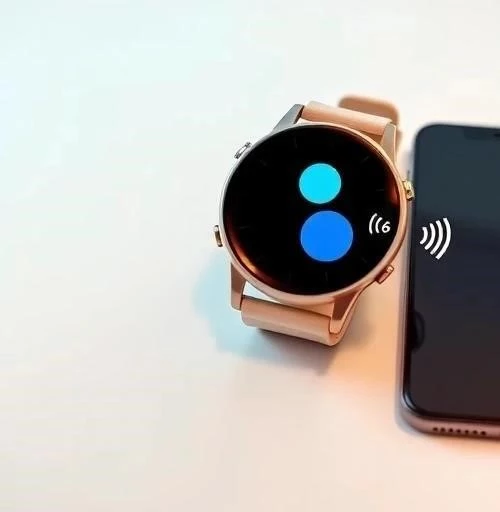
Short answer: you can’t officially pair a Samsung Galaxy Watch 6 with an iPhone. The Watch 6 runs Wear OS and requires Samsung’s Galaxy Wearable app for setup and management. That app does not support iOS for this watch‚ so an iPhone cannot complete the pairing process. Bluetooth alone won’t solve the problem: seeing the watch in an iPhone’s Bluetooth list does not provide the apps‚ permissions‚ and services needed to use it properly.
Why the connection does not work
Samsung ended iPhone compatibility for its newer Wear OS watches. The Galaxy Watch 6 is designed to be set up with a compatible Android phone‚ generally running Android 10 or later and including Google Mobile Services. An iPhone cannot install the required iOS version of Galaxy Wearable for this model‚ so there is no supported route through the iPhone’s Bluetooth settings‚ a QR code‚ or a third-party app.
What you can try—and what it won’t do
- Check the phone’s operating system. If you have access to a compatible Android phone‚ install Galaxy Wearable from Google Play‚ switch on Bluetooth‚ charge the watch‚ and follow the in-app pairing instructions.
- Complete setup on Android. This lets you configure the watch and use supported features with that Android phone. It does not turn the watch into an iPhone-compatible device.
- Don’t rely on a Bluetooth workaround. Pairing attempts through iPhone Settings or unofficial apps cannot provide full notifications‚ app installation‚ account syncing‚ health-data integration‚ or reliable updates. They may simply fail to connect.
Some LTE functions may work independently after a supported setup‚ depending on the carrier‚ plan‚ and activation rules. That is not the same as pairing with an iPhone: it does not make iPhone messages‚ notifications‚ or health data sync with the watch. Availability varies‚ so check with your carrier before buying or activating an LTE model.
Best alternatives
If you want to keep using an iPhone‚ an Apple Watch is the most dependable choice because it is designed to pair with iOS. If you prefer the Galaxy Watch 6‚ use it with a compatible Android phone. Before purchasing‚ confirm the exact model’s requirements and the apps you need; features such as Samsung Health Monitor may have additional device and regional restrictions.
Bottom line
There is no official way to connect a Galaxy Watch 6 to an iPhone. The practical options are to use a compatible Android phone with the watch or choose a smartwatch that supports iOS. This matters because an unsupported pairing can leave core features unavailable‚ even if Bluetooth appears to connect.


3 Comments. Оставить новый
This is well organized, moving from compatibility requirements to realistic options and alternatives. Mentioning that Android requirements and carrier availability can vary is a sensible qualification, though readers should still confirm current details with Samsung and their carrier.
This is a clear and useful explanation of why Bluetooth pairing alone cannot make the Galaxy Watch 6 work with an iPhone. The distinction between seeing a device in Bluetooth settings and completing the setup through a supported app is especially helpful.
The article gives practical guidance without suggesting unreliable workarounds. Its note that LTE may operate independently, but does not enable iPhone notifications or data syncing, helps set realistic expectations for anyone considering the watch.