A scratch on an Apple Watch Series 7 can be frustrating‚ but home polishing is rarely a safe fix. The right approach depends on the watch’s case and the damage. The aluminum model has Ion-X glass‚ while stainless-steel and titanium models use sapphire crystal. Neither surface should be treated with abrasive household products.
Check what you are seeing
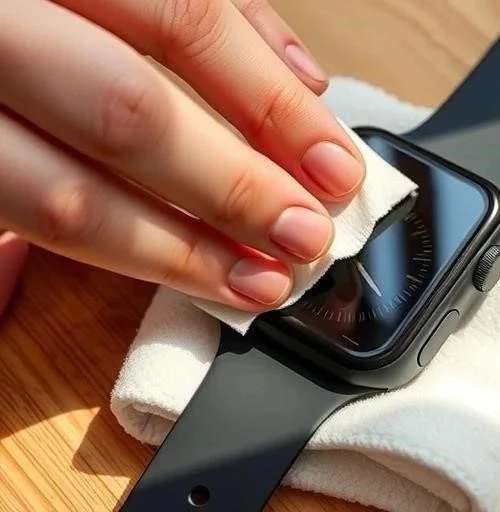
Turn off the watch and remove it from your wrist. Wipe the display gently with a clean‚ soft‚ lint-free cloth‚ then inspect it under good light. A mark may be residue rather than a scratch. If it disappears after cleaning‚ no repair is needed. Do not scrape at the mark with a fingernail or sharp object.
Clean the screen safely
For ordinary smudges‚ use a dry microfiber cloth. If needed‚ lightly dampen the cloth with fresh water; do not pour or spray liquid onto the watch. Dry the display with another soft cloth. Avoid paper towels‚ rough fabrics‚ window cleaner‚ solvents‚ bleach‚ compressed air‚ and abrasive cleaners. Keep moisture away from openings‚ and do not try to clean beneath the screen.
Protect a minor scratch
A screen protector can help prevent new scratches and may make a fine mark less noticeable‚ but it does not repair damaged glass. Choose a protector made for Apple Watch Series 7 and follow its fitting instructions. A protective case is another option‚ particularly during sports or manual work. Check that accessories do not interfere with the Digital Crown or buttons.
What not to do
- Do not use toothpaste‚ baking soda‚ metal polish‚ or abrasive pads. These can wear away coatings‚ haze the display‚ or cause further damage.
- Do not use a polishing machine or attempt to sand the glass. Removing material can weaken the screen and affect touch response.
- Do not open the watch or apply glue‚ oils‚ or repair compounds. DIY repairs can damage seals and may affect water resistance.
When to seek service
If a scratch catches on fabric‚ crosses the display‚ or is accompanied by cracks‚ sharp edges‚ dead pixels‚ flickering‚ or touch problems‚ stop using the watch and arrange an assessment. A crack is different from a surface scuff: pressing or polishing it can make damage worse. Keep the watch dry if the glass is cracked‚ because its water resistance may be compromised.
Contact Apple Support or an Apple Authorised Service Provider to ask about inspection‚ repair options‚ and current costs. Coverage depends on the issue and applicable service terms; accidental damage is not necessarily covered by the standard warranty. Back up or unpair the watch if instructed before service.
Bottom line
Clean the display gently‚ avoid DIY polishing‚ and use a protector to prevent further wear. Since scratches usually cannot be safely removed at home‚ professional assessment is the best choice when the mark is deep or affects use.