
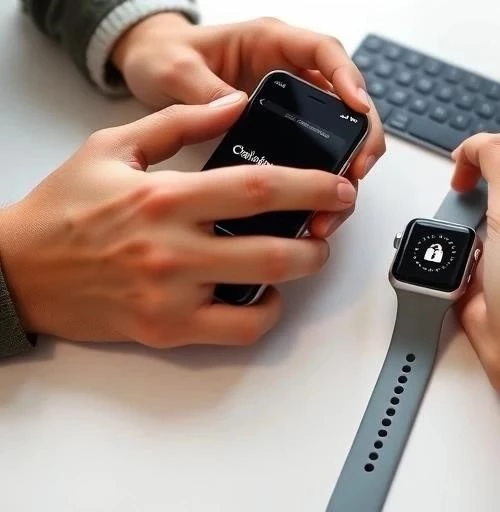
If an Apple Watch asks for another person’s Apple ID (now called an Apple Account) during setup‚ it is protected by Activation Lock. The watch is still linked to the account that enabled Find My. Erasing the watch‚ restarting it‚ or pairing it with a different iPhone does not remove that link. The legitimate account holder must unlink it‚ or Apple must verify an eligible proof of purchase. There is no safe‚ authorized setting that lets a new owner bypass Activation Lock.
First‚ confirm what the watch is asking for
Activation Lock usually appears during pairing and says the watch is linked to an Apple Account. It may show part of the account address; This is different from a watch passcode prompt: a passcode protects the watch itself‚ while Activation Lock ties it to an owner’s account. If the screen asks for the previous owner’s account‚ do not enter your own credentials repeatedly; they cannot replace the linked account.
If you can still access the iPhone that was paired with the watch and the owner can help‚ use the first method below. If the watch has already been erased‚ or the iPhone is unavailable‚ the owner can remove it remotely. In either case‚ the person whose account is linked must authorize the change.
Method 1: Unpair it from the previous owner’s iPhone
- Keep the Apple Watch and the paired iPhone close together‚ with Bluetooth and Wi-Fi enabled.
- On the iPhone‚ open the Watch app and tap All Watches.
- Tap the information button next to the watch‚ then choose Unpair Apple Watch.
- If it is a cellular model‚ choose whether to keep or remove the cellular plan. The previous owner should remove the plan if they are no longer using the watch or transferring it to someone else; the carrier may also need to cancel or transfer service.
- Enter the previous owner’s Apple Account password when prompted. This step turns off Activation Lock as part of the proper unpairing process. Wait for the unpairing and erase process to finish.
When the watch displays the pairing screen‚ it is ready for its new owner to set up with their own iPhone and account. The previous owner should also check that the watch no longer appears among their devices in Find My.
Method 2: Remove it remotely through Find My
Use this option if the paired iPhone is lost‚ unavailable‚ or the watch has already been erased. Ask the account holder to sign in to icloud.com/find with the Apple Account currently linked to the watch‚ or open the Find My app on one of their Apple devices. They should select the Apple Watch from their device list and follow the on-screen options to erase it if necessary. After the erase is complete‚ choose the option to Remove This Device or remove it from the account‚ as shown on screen.
Menu wording and available actions may vary by software version. The important part is that the owner must remove the watch from their Find My account after erasing it. Erasing alone is not enough: a watch can be wiped and still ask for the same account when someone tries to pair it. Once the owner has removed it‚ restart the setup process and pair it with your iPhone.
If you bought the watch second-hand
Contact the seller and ask them to complete one of the methods above while you are present‚ or to remove the watch from their account before you meet. A seller may be able to do this remotely; they do not need to share their password with you. They should enter it themselves on their own device or official Apple website. Do not ask them to give you their password or verification codes.
If the seller cannot or will not unlink the watch‚ request a refund through the marketplace‚ payment provider‚ or other applicable process. Keep your receipt‚ listing‚ and messages. A watch that remains Activation Locked is not ready for a new owner to use‚ even if the seller has erased it or says that it “just needs resetting.” Be cautious about buying a watch when the seller cannot demonstrate that it reaches the normal pairing process without requesting another person’s account.
If the previous owner has forgotten their password
The owner should recover access using Apple’s official account recovery process at iforgot.apple.com‚ then sign in and remove the watch. They may need access to a trusted phone number or device‚ and account recovery can take time. Do not use third-party “unlock” services that promise to remove Activation Lock for a fee. They cannot legitimately release a device from someone else’s account and may expose you to scams‚ stolen data‚ or unusable hardware.
Can Apple remove Activation Lock?
If you are the rightful owner and have valid documentation‚ contact Apple Support and ask about an Activation Lock support request. Apple may review the serial number and proof of purchase‚ and approval is not guaranteed. Documentation should be an original sales receipt from Apple or an authorized seller that identifies the device sufficiently; a private sale receipt‚ a box‚ or the watch itself may not meet Apple’s requirements. Follow Apple’s current instructions and provide information only through its official support channels.
Apple Support cannot simply disclose another person’s account details or remove a lock based only on a verbal claim. If the watch belongs to a company or school‚ contact the organization’s administrator; it may manage the device or account; For a family member’s watch‚ the family member or the person managing the relevant account must remove it. If the owner has died‚ contact Apple Support to ask which documentation and process apply to that situation.
What will not work
- Resetting the watch‚ deleting its data‚ or using recovery buttons does not unlink the Apple Account.
- Changing the iPhone used for setup does not remove the existing Activation Lock.
- Knowing the watch passcode‚ serial number‚ or the partial email shown on screen does not prove authorization to remove the lock.
- Jailbreaks‚ DNS tricks‚ paid bypass tools‚ or unofficial repair claims are not a legitimate replacement for the owner’s approval. They may fail‚ compromise your information‚ or leave features unavailable.
Before setting up the watch
After the account holder has unlinked it‚ update your iPhone and make sure it is compatible with the watch and its watchOS version. Turn on Bluetooth and Wi-Fi‚ charge both devices‚ and follow the pairing instructions on the iPhone. If the setup screen still shows Activation Lock‚ the watch has not been fully removed from the previous owner’s account; ask them to check Find My again. The reliable solution is always the account holder’s authorized removal or Apple’s review of valid proof of ownership—not another factory reset.

7 Comments. Оставить новый
This clearly explains why erasing or restarting an Apple Watch won’t remove Activation Lock. The distinction between a passcode and an Apple Account prompt is especially useful.
A practical and responsible guide for anyone buying a used Apple Watch. I appreciate that it emphasizes getting the previous owner to unlink the device rather than attempting a bypass.
Helpful advice, particularly the warning not to keep entering your own account details when the watch is linked to someone else. Clear and reassuring.
This article sets realistic expectations: the linked account holder must remove the lock, unless Apple can verify eligible proof of purchase. That’s important information for new owners.
A concise, safe explanation of the legitimate ways to resolve this issue. The advice to involve the previous owner before pairing is particularly valuable.
Well organized and easy to understand. Explaining what Activation Lock looks like before listing the solutions makes the guidance much more useful.
The step-by-step unpairing instructions are easy to follow, and the reminder about cellular plans is a helpful detail that’s easy to overlook.