
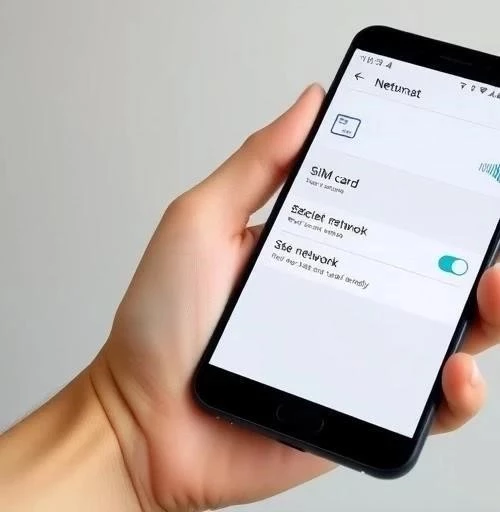
Sometimes your Xiaomi behaves like a restless traveler: it keeps hopping between 4G, 3G, and 2G, even when the LTE signal is perfectly good. If you want it to stay on 4G, you can choose LTE as the preferred network—or, on many models, open Android’s testing menu and select “LTE only.” The second option is a firmer lock, but it comes with an important trade-off: calls may stop working.
First, try Xiaomi’s normal network setting
This is the safest starting point. Menu names shift between MIUI, HyperOS, Android versions, and regions, so treat the path below as a map rather than a promise.
- Open Settings, then tap SIM cards & mobile networks or Mobile networks.
- Select the SIM you use for mobile data.
- Open Preferred network type (sometimes called Preferred network or Network mode).
- Choose an option such as Prefer LTE, 4G/3G/2G (auto), or 4G preferred.
This tells the phone to favor 4G, not necessarily to refuse every other network. That flexibility is useful: if LTE disappears, the phone can fall back and keep you connected. If your goal is a strict LTE-only connection, continue below.
Use the testing menu for an LTE-only lock
Many Android-based Xiaomi phones include a hidden radio settings screen. It is a service menu, not a regular feature page, so change only the network mode you need.
- Open the Phone app and enter *#*#4636#*#*. On many devices, the screen opens automatically after the final character; you do not need to press Call.
- Tap Phone information. On a dual-SIM phone, there may be separate entries for SIM 1 and SIM 2. Choose the one you want to configure.
- Find Set preferred network type. The list can be long; scroll carefully and select LTE only or an equivalent LTE-only option.
- Leave the page, then check the status-bar icon or open the network settings to confirm the connection.
Do not choose a mode such as NR/LTE unless you specifically want 5G as well. Avoid changing unrelated radio, band, or diagnostic options: one curious tap can create a very puzzling afternoon.
The crucial catch: LTE data is not always LTE calling
On an LTE-only setting, ordinary voice calls and SMS can fail if your carrier and phone are not using VoLTE (Voice over LTE). Without VoLTE, a phone commonly drops to 2G or 3G to place a traditional call. An LTE-only lock blocks that fallback—so you may have fast internet but no normal calls, including calls you need to make urgently.
Before locking the phone, check Settings → SIM cards & mobile networks → [your SIM] for VoLTE, Use VoLTE, or 4G Calling, and enable it if available. Your carrier must support VoLTE for your plan, SIM, and exact device variant. A visible VoLTE switch alone does not guarantee that the service is provisioned. If calls stop connecting, immediately restore an automatic network mode.
If the code does nothing
- Try the settings route first. Some Xiaomi releases hide or disable the testing screen, and the code does not work on every model or firmware.
- Check the correct SIM. The data SIM and calling SIM may differ; dual-SIM phones can show a separate radio page for each slot.
- Restart once. A reboot can help the phone re-register after a mode change. If the menu resets afterward, your software or carrier may be overriding it.
- Look for a carrier restriction. LTE availability depends on local coverage, supported frequency bands, SIM provisioning, and the operator’s settings. A menu cannot create a signal that is not there.
How to undo the change
Return to the same testing screen and select a mode that includes automatic fallback, such as LTE/WCDMA/GSM auto or 4G/3G/2G auto. The wording varies, so choose the option that explicitly includes more than LTE. If you cannot reopen the menu, use Settings → Mobile networks → Preferred network type, then restart. As a last resort, reset network settings; this can erase saved Wi-Fi networks and Bluetooth pairings, so use it only if simpler fixes fail.
Which option should you choose?
For everyday use: select “Prefer LTE” or an automatic mode that favors 4G. It gives you fast data while allowing the phone to find another network when needed.
For testing or a specific coverage problem: LTE only can help establish whether your phone is clinging to a weaker legacy network. Keep the change temporary, and confirm VoLTE before relying on calls.
Bottom line: on Xiaomi, “prefer 4G” is the sensible everyday setting; “LTE only” is a deliberate lock with consequences. Choose the least restrictive option that solves the problem, and keep a quick route back to automatic mode.


7 Comments. Оставить новый
The “restless traveler” image makes network switching instantly understandable. I especially like that the article starts with the gentler setting before opening the hidden-menu trapdoor.
A useful reminder that “LTE only” can mean “no calls today.” That trade-off deserves the spotlight, and the article gives readers a sensible reason to try the normal settings first.
I appreciate the advice to leave unrelated radio options alone. Hidden settings have the irresistible aura of a control room; this article wisely tells readers which switch not to touch.
A calm, useful guide with just enough caution. It treats the testing menu less like a secret hack and more like a toolbox: helpful, provided you pick up only the tool you came for.
The detail about separate entries for dual-SIM phones is easy to overlook and genuinely helpful. A small warning like that can save a lot of “why did nothing change?”
This turns a frustrating signal problem into a practical little decision tree: favor LTE for flexibility, or lock it only if you understand what might stop working.
The map-not-promise warning is excellent: phone menus seem to change names just to keep us humble. Clear steps, without pretending every Xiaomi screen is identical.