
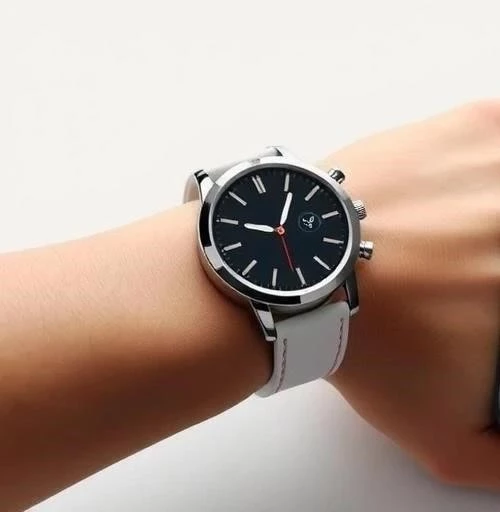
The Galaxy Watch 5 has a skin-temperature sensor, but it does not work like a conventional thermometer․ You cannot open an app and get an instant body-temperature reading, and the watch is not intended to diagnose a fever․ Its temperature feature is designed mainly to record changes in skin temperature while you sleep, which can support menstrual-cycle predictions․
Set up temperature tracking
- Update your devices․ Install the latest available software for the watch and update Samsung Health on the paired Android phone․ Feature availability can depend on your country, phone, and app version․
- Open Samsung Health․ On your phone, go to the cycle-tracking section․ Add or confirm your cycle information if prompted․
- Enable skin-temperature tracking․ In cycle-tracking settings, turn on the option to use skin temperature for period predictions, if it is offered․ Follow the on-screen prompts; some versions may require a compatible Natural Cycles feature or additional setup․
- Wear the watch overnight․ Fasten it comfortably and securely on your wrist while sleeping․ The watch needs time and repeated sleep measurements to build a useful pattern, so one night may not be enough․
- Review the results․ Check the cycle-tracking area in Samsung Health after the watch has collected data․ The app may show temperature trends or use them in its predictions rather than displaying a clinical temperature reading․
Getting more consistent readings
For best results, wear the watch in a similar position each night and keep it snug without making it uncomfortable․ Charge it before bed if necessary, and make sure sleep tracking is enabled․ A loose fit, interrupted wear, changes in sleep routine, illness, alcohol, room conditions, or other factors can affect skin-temperature data․ These readings are most useful as a trend over time—not as a precise measurement of your core body temperature․
Why you may not see a temperature reading
First check that your Watch 5 and Samsung Health app are updated, that the watch is paired correctly, and that temperature-based cycle tracking is available and enabled in your region․ Wear the watch during sleep for several nights and allow time for data to appear․ If the option is missing, it may not be supported by your country, account, device setup, or current software․ Restarting the watch and phone, then checking the settings again, can also help․
Important limitation
The Watch 5’s sensor measures skin temperature at the wrist; it does not provide the same result as an oral, ear, or clinical thermometer․ Do not rely on it to check for a fever or make health decisions․ If you feel unwell, use a proper thermometer and seek medical advice when appropriate․ In short, the Watch 5 can help track overnight temperature patterns, but it cannot directly measure your temperature on demand․

9 Comments. Оставить новый
This article gives a useful troubleshooting starting point for people who cannot find the feature. Mentioning software versions, regional availability, and compatible cycle-tracking options makes the guidance more realistic than assuming every Watch 5 has identical settings.
The focus on trends rather than precise temperature values is well judged. It helps readers understand the intended role of the feature and discourages using wearable data as a substitute for a thermometer or professional medical advice.
Overall, this is a clear and appropriately cautious guide. It explains how to enable the feature while emphasizing that predictions require repeated measurements and that skin-temperature tracking is not designed to diagnose fever.
The explanation distinguishes skin temperature from core body temperature in a clear and responsible way. That distinction matters because wearable readings can be affected by sleep conditions and should not be treated as a medical diagnosis.
I appreciate that the article sets realistic expectations about collecting data over multiple nights. Skin-temperature trends are more meaningful when measured consistently, and a single reading would not provide the context needed for cycle predictions.
The advice about wearing the watch securely but comfortably is helpful. A consistent fit and overnight wear are practical factors users can control, while the article appropriately notes that other influences may still affect the data.
This is a useful explanation of what the Galaxy Watch 5 temperature feature actually measures. Clarifying that it tracks overnight skin-temperature trends rather than providing an instant clinical reading should help prevent people from relying on it to check for a fever.
I found the practical reminders about charging the watch and enabling sleep tracking worthwhile. These small setup details can explain missing data, and the article balances them with a clear note that conditions such as illness or disrupted sleep can influence results.
The setup steps are practical, especially the reminder to update both the watch and Samsung Health. Feature availability can vary, so checking the app and following its prompts is a sensible first step before assuming the watch is not working.