
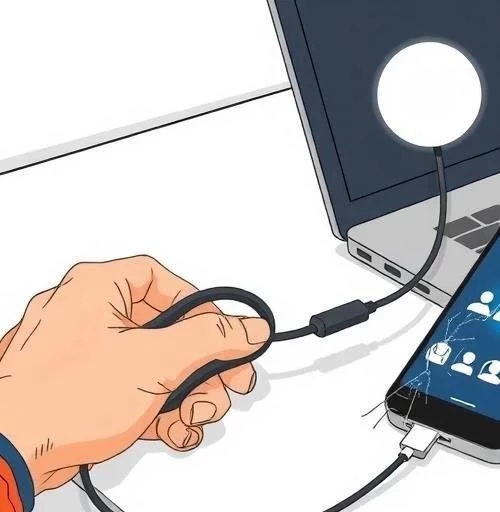
A cracked Xiaomi can look like a locked treasure chest, but your contacts may already have escaped into the cloud. Before trying risky repairs, check the places where they might be waiting—and keep the damaged phone’s data safe.
Check your Google account first
On another phone or computer, sign in to the Google account used on the Xiaomi and open contacts.google.com. Check the contact list and, if needed, the Trash or “Undo changes” option. If contacts were synced, you can export them from Google Contacts or add the same account to a replacement phone. Make sure you choose the correct account: many people have more than one.
Look for Xiaomi Cloud backups
Visit Xiaomi Cloud from a browser and sign in with the Mi Account linked to the damaged phone. If Contacts sync was enabled before the accident, your address book may appear there. Availability and features can vary by region and account settings, so a missing list does not necessarily mean the contacts are gone.
Check the SIM card
If you saved contacts to the SIM, remove it carefully and place it in another compatible phone. Then open its Contacts app and look for an option such as Import from SIM. SIM cards usually hold only basic details, and many phones save contacts to Google or device storage instead. A memory card is unlikely to contain contacts unless you deliberately exported them there.
If the phone still turns on
Listen for startup sounds, calls, or vibration. If the display is broken but the phone works, a repair shop may connect a temporary screen so you can unlock it and sync or export the contacts. A USB-C mouse through an OTG adapter can sometimes help control a visible interface; video output is not supported by every Xiaomi model.
Connecting the phone to a computer may only show photos and files—not the protected contacts database. ADB access generally requires USB debugging to have been enabled and that computer authorized beforehand. Don’t trust tools promising to bypass the lock screen; they may steal data or damage it further.
Protect your chances of recovery
- Don’t factory-reset, flash, or unlock the bootloader: these actions can erase data.
- If the phone is wet, stop charging it and seek professional help.
- Tell a reputable repair technician that preserving data matters more than making the phone usable.
- Once recovered, export contacts and enable account sync on your next device.
If neither cloud service nor SIM has the contacts, professional repair may be the safest route. Modern phones encrypt local data, so recovery can depend on the original device being repaired well enough to unlock. Treat that little phone like a sealed diary: the gentler the rescue, the better the odds.
6 Comments. Оставить новый
A broken display can make a phone feel like a sealed envelope, and the temporary-screen suggestion is a clever, grounded option. The warning that video output varies by model keeps expectations realistic.
The quiet hero here is prevention: synced contacts can turn a hardware mishap into a minor inconvenience. Clear steps, no magical promises, and a helpful nudge to check every account.
The cloud-first advice feels like a rescue flare: check the places your contacts may have quietly landed before attempting a risky repair. The reminder about having multiple Google accounts is especially practical.
The best kind of recovery guide: calm, specific, and refreshingly honest about what may not work. That note about USB debugging could save someone from trusting a miracle tool with their data.
This article turns panic into a checklist. I especially appreciate the distinction between seeing files on a computer and actually being able to reach a protected contacts database—those are not the same door.
I like that this treats a damaged phone as a puzzle, not a lost cause. The SIM card gets its proper moment in the spotlight, with a useful reality check about how little it can hold.