
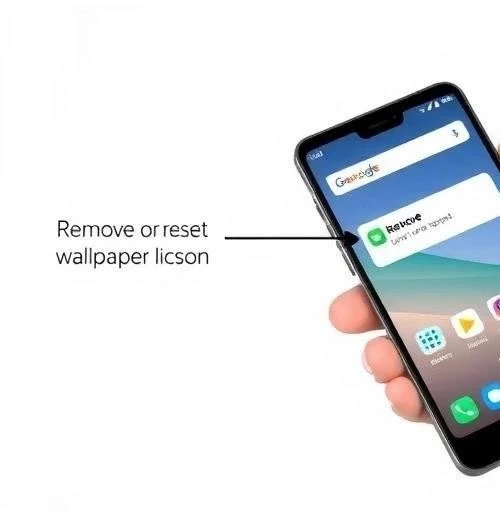
Changing a Xiaomi wallpaper is easy; making an unwanted image‚ theme‚ or rotating lock-screen picture disappear takes one extra clue: find out which feature is showing it.
Replace the home-screen picture
Open Settings‚ then Wallpaper; some versions call it Wallpaper and personalization. Choose a still image‚ tap Apply‚ then select Home screen‚ Lock screen‚ or both. To remove a custom picture‚ choose a built-in wallpaper instead; Xiaomi may not offer a blank option.
Stop the rotating lock-screen feed
If pictures change by themselves‚ look for Wallpaper Carousel or Glance. Open Settings‚ search for that name‚ and switch it off. On older MIUI builds‚ open the Carousel screen and disable “Turn on” or remove its lock-screen permission. Names vary by region and software version.
Undo a theme that changed everything
Open Themes‚ tap Profile‚ then Themes‚ and apply the Default theme. A theme can replace icons‚ fonts‚ and wallpapers together‚ so restoring the default often clears the whole visual makeover without deleting your photos.
If the old wallpaper keeps returning
Restart the phone‚ set a still image again‚ and check that Carousel or Glance is disabled. If the image comes from a third-party launcher‚ change its wallpaper inside that launcher too. As a last resort‚ clear the Themes app cache (Settings‚ Apps‚ Themes‚ Storage); do not clear app data unless you are ready to reset theme settings.
Quick route
Settings > Wallpaper > Apply > Home screen/Lock screen. For a moving lock-screen image‚ disable Wallpaper Carousel or Glance. To undo a full makeover‚ apply the Default theme.



8 Comments. Оставить новый
This guide has the refreshing calm of someone who has actually wrestled with a phone that keeps changing its mind. The reminder to search Settings for Carousel or Glance is a clever shortcut.
Like having a patient friend point at the exact switch instead of saying “just change the settings.” The launcher note is a thoughtful twist that could save a lot of backtracking.
A useful reminder that a phone’s makeover may come from the theme, not the wallpaper. Clear, practical, and pleasantly free of needless technical fog.
This turns an annoying lock-screen carousel into a solvable case. The quick route at the end is a neat pocket note for anyone who just wants their wallpaper to stay put.
A pocket-sized map through Xiaomi’s visual maze. I like that it explains why the same image can return without sending readers straight to a dramatic factory reset.
A small guide with good instincts: diagnose the source before changing things, try the reversible fix first, and save the bigger reset for last. My lock screen approves.
A tiny phone-setting mystery solved like a detective story: first identify the culprit, then restore peace to the screen. The distinction between a wallpaper and a theme is especially useful.
The best kind of tech advice: specific enough to act on, but honest that menu names shift between versions. The warning about clearing app data is a welcome little guardrail.