
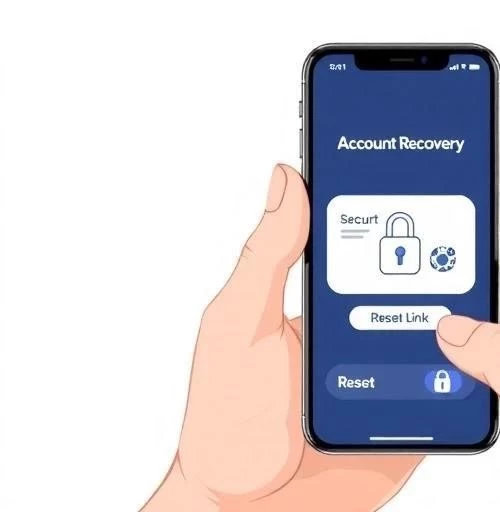
If you have forgotten the password for your Xiaomi Account—formerly called a Mi Account—you can usually reset it using the recovery phone number or email address linked to the account. The process works in a browser or through the sign-in screen on a Xiaomi phone. Use Xiaomi’s official recovery service, and never share verification codes or passwords with anyone claiming they can unlock your account.
Reset your password on Xiaomi’s website
- Open the official password recovery page: account.xiaomi.com/pass/resetPassword. If the link opens in another language or does not load, go to account.xiaomi;com, choose the sign-in option, and select Forgot password?
- Enter the phone number or email address associated with your Xiaomi Account. Depending on your account and region, you may also be able to identify it using your account ID.
- Complete any security check shown on the page. Xiaomi may send a one-time verification code to your recovery phone or email.
- Enter the code on the official page, then create a new password and confirm it. Follow any instructions shown on screen; available recovery options can vary by account and location.
- Return to your phone or other Xiaomi services and sign in with the account identifier and new password.
Choose a new password that you do not use on other websites. A long, unique combination of words, numbers, and symbols is easier to keep secure than a reused password. Save it in a trusted password manager if you use one.
If you still have access to your phone or email
Use the recovery contact that is currently linked to the account. Check that you entered the phone number with the correct country code, or typed the email address accurately. If a code does not arrive, wait briefly, check spam or junk folders, and request a new code only when the page allows it. Repeated requests in quick succession may not help.
If you are already signed in on a device, you may be able to review account security or update recovery details in the Xiaomi Account settings. Menu names can differ between MIUI, HyperOS, and software versions. Make sure you can receive verification messages at the new contact before removing an old one.
If your recovery phone number or email is unavailable
On Xiaomi’s password recovery page, look for the option to verify your identity another way or submit an account recovery request. Xiaomi’s support guidance describes an appeal process that may let you reset a backup phone number. You may be asked for information that helps verify ownership, such as account details and previously associated contact information; Provide accurate information and follow the official form’s instructions; do not guess or submit conflicting details.
You can also consult Xiaomi’s support article on account recovery: Xiaomi account password recovery and reset. If the online process is unavailable in your region, contact Xiaomi support using the contact details on the official Xiaomi website. Support may need time to review a request, and successful recovery cannot be guaranteed if ownership cannot be verified.
What if the page says the reset link has expired?
A password reset link or verification code is time-limited and may stop working after it has been used or a newer request has been made. Return to the official recovery page and start again to receive a fresh code or link. Use the newest message, open it promptly, and avoid forwarding it to anyone. If the page keeps showing an error, try a current browser, disable any browser feature that blocks the page, or contact official support.
Your phone asks for the account after a factory reset
This is different from forgetting the phone’s screen-lock PIN. A Xiaomi phone previously connected to a Xiaomi Account may ask for that account’s credentials after a reset as an ownership protection measure. Recover the password using the steps above, then connect the phone to the internet and sign in with the account that was previously linked to it. A factory reset does not remove the account’s protection, and resetting the phone again is not a password recovery method.
If you bought the phone second-hand and it requests a previous owner’s account, ask the seller to remove the device from their account through the proper Xiaomi process. If you are the owner but cannot regain access, contact Xiaomi support and be ready to provide proof of purchase or other ownership information if requested. Avoid unofficial “unlock” services, account bypass tools, or people asking for your verification code; they can expose your data or make the device unusable.
After you regain access
- Check the account’s recovery phone and email, and update any details you no longer control.
- Use a unique password and keep it private. Do not send passwords or one-time codes in chat or by phone.
- Review signed-in devices and account security options, if available, and remove devices you do not recognize.
- Sign in again to Xiaomi services on your phone, tablet, or other devices if prompted.
Quick troubleshooting
No code arrives: confirm the recovery contact, country code, signal, and spam folder; then request a fresh code. The contact is outdated: use the recovery or appeal option and provide truthful ownership details. The new password is rejected: follow the requirements displayed on Xiaomi’s page and try a password you have not used before. You can sign in on one device but not another: check that you are entering the same account and that the second device has an internet connection.
Important: Your Xiaomi Account password, phone screen lock, and Google Account password are separate credentials. Reset the one that is actually being requested. Use Xiaomi’s official website or support channels for account recovery; never share a verification code, even with someone claiming to be support.

4 Comments. Оставить новый
The advice to choose a unique password and store it in a trusted password manager adds an important security reminder to the recovery instructions.
Clear, practical guidance. Emphasizing Xiaomi’s official recovery page and warning readers not to share verification codes is especially helpful.
I appreciate the useful troubleshooting tips about checking the country code, email spelling, and spam folder when a verification code does not arrive.
The step-by-step instructions make the password reset process easy to follow, and the reminder that recovery options vary by region sets realistic expectations.