
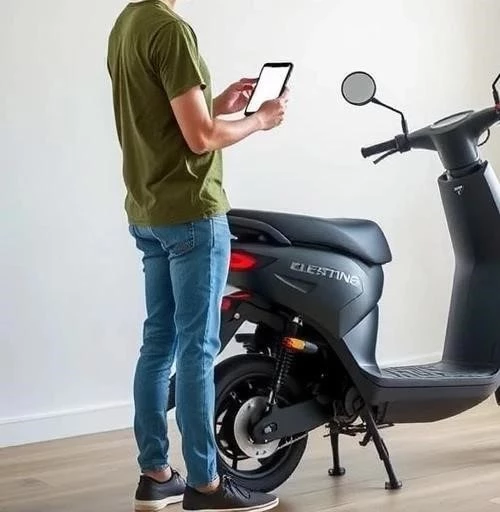
A new Xiaomi electric scooter is a little like a folded-up city adventure: the battery is waiting‚ the handlebars are still in their box‚ and the display has not yet learned who you are. A thoughtful setup makes the first ride safer and the everyday rides smoother. The steps below cover the essentials—assembly‚ charging‚ Xiaomi Home (formerly Mi Home)‚ activation‚ ride settings‚ and troubleshooting—while allowing for differences between models and app versions.
One important rule: Xiaomi has released many scooters‚ and menus‚ riding modes‚ activation requirements‚ and app features vary by model and region. Treat the manual supplied with your exact scooter as the final authority. Do not assume that a setting described for a Scooter 4 Pro‚ for example‚ exists on a different model.
Unbox it carefully and check the hardware
Place the scooter on a flat‚ well-lit surface. Remove packaging without cutting close to tyres‚ cables‚ or the display. Before switching anything on‚ compare the contents with the manual: scooter‚ charger‚ fasteners‚ tools‚ and any model-specific accessories should be present.
If the scooter is shipped folded‚ release the folding latch exactly as the manual describes. Raise the steering column‚ secure the latch‚ and fit the handlebar using the supplied screws and tool. Tighten the screws evenly. They should be secure‚ not forced; overtightening can damage threads or components. Check that the handlebar faces forward and does not twist independently of the front wheel.
- Inspect the brake lever‚ throttle‚ display‚ lights‚ cables‚ folding mechanism‚ and kickstand.
- Look at both tyres for visible damage and check their pressure against the value recommended for your model.
- Spin each wheel gently. It should turn without scraping or catching.
- Confirm that the brake engages and releases. If anything feels loose‚ damaged‚ or unusually stiff‚ do not ride until it has been checked.
Think of this as a pre-flight inspection for a very small aircraft—one with a deck‚ two wheels‚ and a surprisingly important brake.
Charge the scooter before setup
Use the charger supplied for your scooter or a replacement explicitly approved for that model. Connect it in the order described in the manual‚ keep the charging area dry and ventilated‚ and place the scooter away from heat‚ rain‚ and anything easily flammable. Check the charger indicator to understand whether it is charging or complete; indicator colours can differ.
Do not ride with a damaged charger or charging port‚ and do not charge a wet scooter. Let a scooter that has been exposed to rain or washing dry completely before connecting power. Avoid leaving the battery in extreme heat or cold. Charging recommendations and battery-care guidance are model-specific‚ so follow Xiaomi’s instructions rather than relying on a generic “first charge” ritual.
Install Xiaomi Home and prepare your phone
Many Xiaomi scooters pair with the official Xiaomi Home app‚ which may still appear in older instructions as Mi Home. Download it from the Apple App Store or Google Play‚ rather than from an unfamiliar download site. Sign in to your Xiaomi account or create one‚ then allow the permissions requested for device discovery. Bluetooth is commonly needed for nearby pairing; the exact permissions and prompts depend on your phone’s operating system and app version.
In the app‚ check the region setting if the scooter does not appear. Device availability can differ by market‚ and choosing a different region may hide products or services rather than fix the problem. Start with the country or region where the scooter was purchased. Keep the phone close to the scooter and make sure the scooter has power.
Pair the scooter
- Open Xiaomi Home and sign in.
- Tap the + or Add device control. Depending on the app‚ you may be able to select the scooter from a nearby-device list or search for its model name.
- Follow the on-screen instructions. If asked‚ switch on the scooter or press a control as directed by the app or manual.
- Keep the phone close while the connection is being established. Do not close the app or power off the scooter during pairing or a firmware update.
- When pairing succeeds‚ give the scooter a clear name‚ such as “Blue commuter‚” and review the device page.
Some scooters require an in-app activation or tutorial before normal riding. Complete it while stationary‚ in a safe place‚ and read each prompt rather than tapping through. On certain models‚ activation affects how the scooter can be operated before setup is complete. If the app says the scooter is already bound to another account‚ contact the seller or Xiaomi support and ask for the proper ownership-transfer process; do not try to bypass account protections.
Explore the settings without turning it into a science experiment
The app may show information such as battery level‚ estimated range‚ riding mode‚ lighting controls‚ lock status‚ firmware‚ or trip data. Available controls vary; Open each section and read its description before changing anything. A setting is useful when you understand what it changes; mysterious abbreviations are not an invitation to experiment at speed.
Riding mode
Depending on the model‚ modes may be named Pedestrian‚ Standard‚ Sport‚ or something similar. They can change acceleration‚ speed behaviour‚ or other ride characteristics. Begin with the gentlest mode available and practise in a spacious‚ traffic-free area. A more responsive mode is not automatically a better mode: it can use more energy and make the scooter feel less forgiving.
Lights and visibility
Check how the front light‚ rear light‚ and brake light work. Some scooters allow light controls in the app; others use a button or have automatic behaviour. Make yourself visible in daylight as well as after dark. App settings do not replace local rules about required lights‚ reflectors‚ or riding times.
Locking and alerts
If the app offers an electronic lock‚ learn how to enable and release it while parked. A digital lock can discourage casual use‚ but it is not a physical security device and does not make the scooter impossible to move. Use a sturdy external lock through an appropriate part of the frame‚ park legally‚ and avoid leaving the scooter unattended in a place where it could be easily taken.
Firmware updates
If an update is offered‚ read the notice and install it only when the battery is sufficiently charged‚ the phone is nearby‚ and you have time to let the process finish. Keep the scooter stationary and follow the app’s instructions. Do not interrupt an update by force-quitting the app‚ switching off Bluetooth‚ or powering down the scooter. If an update appears stuck‚ first consult the app’s help instructions or Xiaomi support instead of repeatedly restarting the scooter.
Make a cautious first ride
Setup is not complete just because the app displays a green tick. Put on a properly fitted helmet and choose a smooth‚ open‚ private area where practice is permitted. Keep both hands on the handlebar and both feet on the deck; Learn where the brake is before moving. Start slowly‚ practise gentle acceleration and braking‚ and make wide turns. Avoid pedestrians‚ traffic‚ wet surfaces‚ loose gravel‚ steep slopes‚ and obstacles while you are learning.
Many electric scooters do not accelerate from a complete standstill in the same way as a car. Some require a manual push before the motor engages; others have different behaviour. Follow the instructions for your model and never test throttle response while the scooter is on a stand with a wheel raised unless the manual specifically says it is safe. Keep fingers and clothing away from moving wheels.
Before riding on public roads or paths‚ check local laws. Rules may cover minimum age‚ helmet use‚ speed‚ permitted routes‚ passenger limits‚ and whether a scooter needs registration or insurance. A setting in the app cannot make an otherwise prohibited ride legal.
Personalise for comfort and sensible range
When you are comfortable with the basics‚ adjust only the settings that your model actually supports. A slower or gentler mode can be a good choice in crowded areas‚ while smooth acceleration helps keep control and may conserve battery. Range is affected by rider weight‚ temperature‚ hills‚ wind‚ tyre pressure‚ surface‚ speed‚ and battery condition; the advertised maximum is not a promise for every journey.
Set a realistic return point rather than planning to arrive with the battery almost empty. In cold weather‚ expect performance and range to change. Keep tyres at the pressure recommended by Xiaomi for your scooter‚ since underinflated tyres can reduce efficiency and affect handling. Do not alter speed limits‚ controller settings‚ or hidden parameters using unofficial tools. Such changes can compromise safety‚ violate local rules‚ damage the scooter‚ or affect warranty coverage.
Troubleshooting: when the scooter and phone refuse to meet
The scooter does not appear in Xiaomi Home
- Confirm that the scooter is powered on and close to the phone.
- Check Bluetooth and the permissions requested by Xiaomi Home.
- Verify the app’s region and search for the exact model name;
- Update the official app‚ then close and reopen it.
- Restart the phone and scooter only if the manual’s instructions allow it.
Pairing starts but fails
Move away from other phones that may already be trying to connect. Check whether the scooter is bound to another Xiaomi account‚ especially if it was bought second-hand or returned. If the manual describes a Bluetooth reset for your exact model‚ follow that procedure precisely. Reset combinations are not universal: pressing random buttons may do nothing or trigger an unintended function. If the scooter remains account-bound‚ ask the previous owner to remove it from their account or contact official support with proof of purchase.
The app connects‚ but a feature is missing
Not every scooter supports every app feature‚ and features can differ by region‚ firmware‚ or app release. Compare the device page with the manual for your model. Do not install unofficial firmware to make a missing menu appear.
The scooter will not start or behaves unexpectedly
Check the display for an error code and look it up in the correct manual. Confirm the battery is charged and that the scooter has completed any required activation. If the brake‚ throttle‚ steering‚ wheel‚ or battery behaves abnormally‚ stop riding. Do not open the battery compartment or attempt electrical repairs unless you are qualified and the manufacturer’s service instructions permit it.
A simple maintenance rhythm
Before each ride‚ glance at the tyres‚ brakes‚ folding latch‚ handlebar‚ lights‚ and battery level. After riding‚ wipe away dirt with a soft‚ slightly damp cloth and dry the scooter. Do not spray water into ports‚ bearings‚ display openings‚ or the deck. Check fasteners periodically as directed in the manual‚ and have wear‚ brake issues‚ unusual noises‚ or repeated error messages inspected by an authorised service provider.
Store the scooter somewhere dry and secure. If you will not use it for a long period‚ follow Xiaomi’s battery-storage advice and check it at the recommended intervals. Do not leave it discharged for months‚ and do not try to revive a swollen‚ damaged‚ overheated‚ or water-damaged battery yourself.
Quick setup checklist
- Assemble the handlebar and secure the folding mechanism according to the manual.
- Inspect the brakes‚ tyres‚ lights‚ cables‚ and frame.
- Charge with the correct charger in a dry‚ ventilated place.
- Install Xiaomi Home‚ sign in‚ and select the appropriate region.
- Pair the scooter nearby and complete any required activation.
- Review modes‚ lights‚ lock‚ and updates without changing unknown settings.
- Practise slowly in a safe area‚ wear a helmet‚ and check local riding rules.
The best Xiaomi scooter setup is not the one with the most settings changed. It is the one where the scooter is mechanically sound‚ the app is connected‚ the rider understands the controls‚ and every adjustment has a clear purpose. Take ten calm minutes before the first ride; the city will still be there when you are ready.




7 Comments. Оставить новый
The reminder to treat the scooter’s own manual as the final authority is the quiet hero here. Models may look like cousins, but their settings can be surprisingly different.
I like the pre-ride checks framed as a kind of pre-flight inspection. It turns a pile of screws and a folded frame into something you can approach with confidence.
The model-by-model caution is especially helpful. Scooter advice can age quickly when menus and app features change, so it’s refreshing to see the manual given the last word.
Clear, calm, and grounded in real-world use. The best part is its insistence that anything loose, damaged, or unusually stiff is a reason to pause—not a puzzle to solve while riding.
A welcome antidote to the “just switch it on” approach. Checking the tyres, cables, lights, and folding latch makes setup feel less like unboxing and more like learning the machine.
Practical without sounding like a lecture. The advice to tighten screws evenly—and not force them—could save a new owner from a very avoidable first-day mistake.
This guide gives useful attention to the small clues: a wheel that scrapes, a handlebar that twists, a brake that feels wrong. Those details are where safe rides begin.