
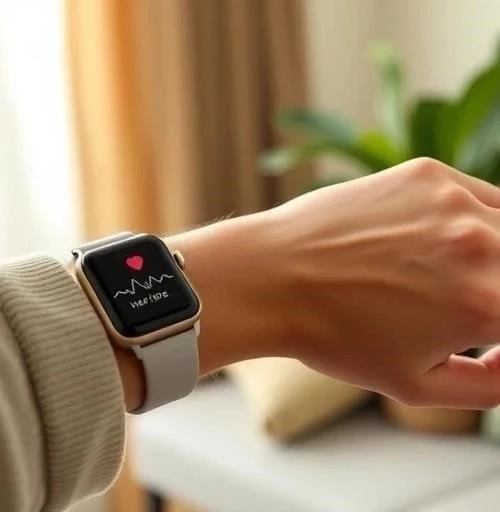
Your Apple Watch can turn a quiet moment into a tiny heart lab: its ECG app records an electrical snapshot of your heartbeat. It takes about 30 seconds—but first, the feature needs to be available and set up.
Check compatibility first
According to the supplied information, ECG is supported on Apple Watch Series 9 or later and Apple Watch Ultra 2 or later with watchOS 26, paired with a compatible iPhone running iOS 26 or later. Availability can vary by country or region, and age requirements may apply. If ECG is missing, check Apple’s current availability list for your location.
Set it up on your iPhone
- Update your iPhone and Apple Watch to the latest compatible software. On iPhone, go to Settings → General → Software Update. Update the watch through the Watch app or its Settings.
- Open Health on your iPhone and tap Browse → Heart → Electrocardiograms (ECG). Choose the setup option and follow the prompts, including your date of birth.
- If you don’t see the setup there, open the Watch app on iPhone, tap Heart, then tap Set Up ECG or Install, if shown.
- When setup is complete, find the ECG app on the watch. Search for its waveform icon in the app list.
Record a reading
Sit down and rest your arms on a table or in your lap. Wear the watch snugly on the wrist selected in settings. Open ECG, rest the arm wearing the watch, and lightly place a finger from your other hand on the Digital Crown. Keep still and maintain contact until the 30-second timer ends. The watch does the measuring; your job is to hold still, not conduct an orchestra.
Where the result goes
The watch labels the recording—for example, sinus rhythm, atrial fibrillation, inconclusive, or poor recording—and saves it in the Health app on iPhone. Open Health → Browse → Heart → Electrocardiograms to review a result; you may also be able to export a PDF to share with a clinician.
If ECG won’t appear
- Confirm the watch model, software versions, region, and iPhone pairing.
- Restart both devices and revisit Watch → Heart to check for an install or setup prompt.
- Make sure the watch fits well, your skin and crown are dry, and you remain still during a reading.
Important: ECG is a screening tool, not a diagnosis, and it cannot detect every heart problem. A normal result does not rule out illness. If you have chest pain, shortness of breath, fainting, or feel seriously unwell, seek urgent medical care rather than waiting for a watch reading.
1 Comment. Оставить новый
A refreshingly clear guide to a feature that can make your wrist feel like a tiny science station. The calm, practical steps are especially helpful; I’d only add that an ECG reading is a snapshot, not a diagnosis, so concerning symptoms still deserve medical attention.