
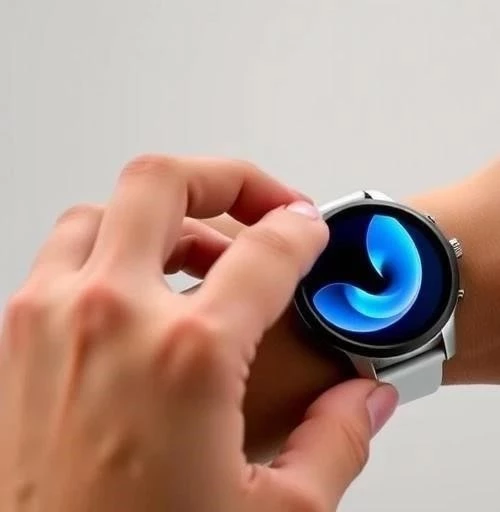
To turn on a Samsung Galaxy Watch 3‚ press and hold the Home/Power button until the Samsung logo appears. The Home/Power button is the upper button on the right side of the watch. It may take a few seconds for the screen to light up; keep holding the button until the logo is visible‚ then release it and allow the watch to start.
Turn on the watch step by step
- Take the watch off its charger if it is currently charging.
- Find the two buttons on the right edge of the case. The upper button is Home/Power; the lower one is Back.
- Press and hold the upper Home/Power button for several seconds.
- When the Samsung logo appears‚ release the button. Wait for the watch face or setup screen to load.
A brief press of the Home/Power button may wake the display when the watch is already running‚ but it may not start a watch that is fully switched off. For a complete power-on‚ use a sustained press rather than a quick tap. Avoid pressing the lower Back button by itself; it is not the normal power-on control.
If the watch does not turn on
The most common reason is a depleted battery. Connect the supplied wireless charging dock to a suitable power adapter or USB port‚ then place the watch on the dock with the back of the watch aligned to the charger. The charging indicator should appear on the screen. If the battery is completely empty‚ the display may remain blank at first. Leave the watch charging for at least 15–30 minutes before trying the Home/Power button again.
Check that the charger is connected securely and that the watch sits flat on it. If possible‚ try another working USB power source and inspect the charging contacts for dirt‚ moisture‚ or obstruction. Wipe the watch and charger gently with a clean‚ dry cloth before retrying. Do not use a damaged cable or charger‚ and do not try to charge a wet watch. If the device or charger becomes unusually hot‚ disconnect it and let it cool.
If the watch shows a charging symbol but does not start‚ leave it connected for longer. A deeply discharged battery can need extra time before the watch has enough power to boot. Then remove it from the charger and hold Home/Power again. If there is no charging symbol‚ reposition the watch on the dock and verify the power source before assuming the watch has failed.
Restarting a frozen Galaxy Watch 3
If the screen is frozen or the watch is unresponsive‚ a forced restart may help. Press and hold the Home/Power and Back buttons together until “Rebooting” appears‚ then release them and wait for the watch to restart. This can take several seconds. Do not use this button combination repeatedly while the watch is updating. A forced restart is different from a normal power-on and should be used only when the watch is stuck or does not respond.
After the watch starts
On first startup‚ follow the instructions shown on the watch. To pair it with a phone‚ install or open the Galaxy Wearable app on a compatible device‚ turn on Bluetooth‚ and select the Galaxy Watch 3 in the app. Confirm the pairing request on both screens and follow the prompts to complete setup. Keep the phone and watch close together during pairing. Available features can vary depending on the phone‚ software version‚ region‚ and whether the watch is a Bluetooth or LTE model.
If the watch was already set up‚ it should return to the watch face after booting. If a setup screen appears unexpectedly‚ follow its instructions rather than repeatedly restarting the device. A restart normally does not erase personal data; a factory reset is a separate procedure and removes data stored on the watch.
When to seek help
If the Galaxy Watch 3 remains blank after charging with a working adapter and correctly aligned dock‚ or repeatedly shuts down during startup‚ contact Samsung Support or an authorized service provider. Explain how long it was charged and what appeared on the screen. Do not open the case or attempt an internal battery repair‚ as this can damage the watch and create a safety risk.
In short: hold the upper Home/Power button until the Samsung logo appears. If nothing happens‚ charge the watch first‚ check the dock and power source‚ and try again. Use both side buttons together only to restart a frozen device.

2 Comments. Оставить новый
The step-by-step format makes the process easy to follow. The article also includes practical safety reminders about the charger and the watch.
The instructions clearly identify the correct button and explain the difference between waking the display and powering on the watch. The charging suggestions are also useful for troubleshooting.