
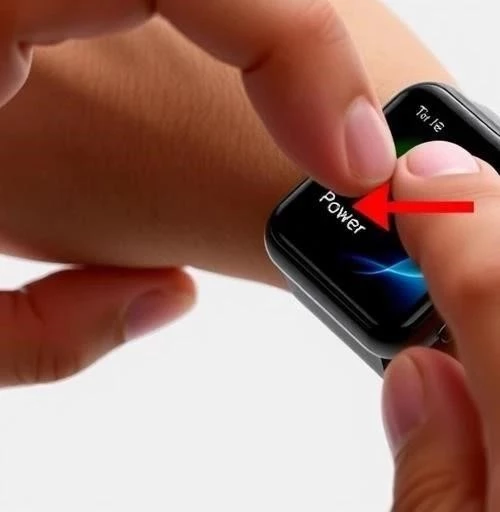
If your X22 Pro smartwatch is new, its screen may stay blank until the battery has been charged. The usual way to switch it on is to press and hold the side button. Button layouts and menus can vary between versions sold under the X22 Pro name, so use the steps below as a safe general guide and check the leaflet supplied with your particular watch if its controls differ.
Before switching it on
- Check the watch and charger. Remove any protective film from the back of the watch and from the charging contacts. Use the charging cable supplied with the device when possible. The magnetic connector should sit flat against the charging points; if it does not attach securely, turn it around and try again without forcing it.
- Charge the battery. Connect the cable to a standard USB power source and leave the watch charging for at least 30 minutes before trying to start it. If the battery is completely depleted, the display may take a few minutes to show a charging symbol. Keep the watch and connector dry, and do not charge a wet device.
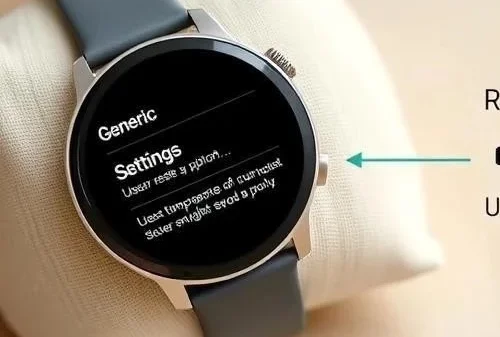
- Locate the power control. Look along the right or side edge of the case for a physical button, often the larger button or crown. Some versions have more than one button. Avoid pressing small openings in the case; these may be microphone or speaker ports, not controls.
Turn the watch on
With the watch charged, press and hold the side button for about three to five seconds. Release it when the logo appears or the screen lights up. Give the watch a little time to finish starting. A short press may only wake the display, while a long press is generally used to power the device on or off. If nothing happens, charge it longer and try holding the button again for up to ten seconds.
When the home screen appears, swipe or tap to explore the display. If the screen is dark but the watch seems to be running, press the button once or raise your wrist; the screen may simply be asleep. A quick tap is not the same as a restart, and repeatedly pressing the button is unlikely to help a fully discharged battery.
First-time setup
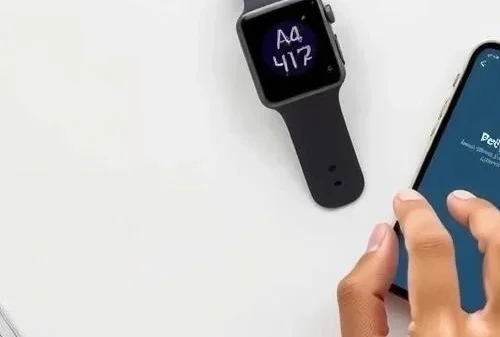
After startup, choose the language if prompted. To use phone notifications, activity syncing, or other connected features, install the companion app named in the watch manual, packaging, or QR code. App names can differ by batch, so do not assume that an unrelated app is correct. Turn on Bluetooth on your phone, open the companion app, and follow its instructions to add or bind the watch. Pair from inside the app when it asks; pairing only through the phone’s Bluetooth settings may not complete setup.
Allow requested permissions only if you want the related features, such as notifications or health-data syncing. Keep the watch near the phone during pairing. If it does not appear, check that Bluetooth is enabled, close and reopen the app, and restart both devices. Avoid resetting the watch as a first step, since a reset may erase settings or stored data.
If the X22 Pro will not turn on
- No charging symbol: Reseat the magnetic charger, confirm the cable is connected to power, and gently wipe the watch’s charging contacts with a clean, dry cloth. Try another suitable USB power source or cable if available.
- Still a blank screen: Leave it connected for 60–90 minutes, then hold the side button for 10–15 seconds. Do not use excessive force or open the case.
- It starts and immediately shuts down: Charge it longer before setup. A very low battery may be unable to complete startup.
- Button seems unresponsive: Check for a tight protective case or film that blocks the control, and make sure you are pressing the actual side button.
If the watch becomes unusually hot, smells unusual, or shows visible damage, disconnect it and stop charging. Contact the seller or manufacturer for model-specific support, especially if it remains unresponsive after trying a known-good charger. Do not assume every X22 Pro has identical buttons or charging hardware: the included instructions for your exact unit take priority.

4 Comments. Оставить новый
The troubleshooting steps are easy to follow, especially charging the watch before trying again. A useful guide for when the screen appears blank.
Clear, practical instructions for a new smartwatch owner. The reminder not to force the magnetic charger into place is especially helpful.
I appreciate the distinction between a quick button press and holding the button to power on. The advice to check the device leaflet also makes this guide appropriately cautious.
Helpful and safety-conscious advice. The warning to keep the charger and watch dry is a good detail that is easy to overlook.