
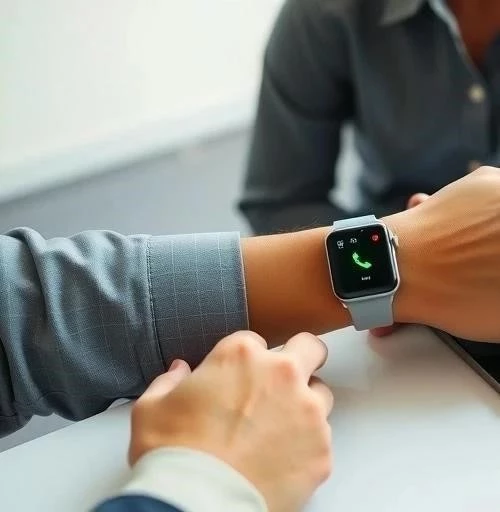
The phrase “watch call” can point in two directions. You may be trying to find the calling feature on a smartwatch—or looking for a place to buy a watch that can make calls. Happily, both trails lead somewhere useful. Think of this as a tiny map: one route ends in a ringing wrist, the other in a shop window.
If you want to make or find a call on your watch
Start with the watch’s app list. Look for a green telephone icon, usually labelled Phone, Calls, or something similar. Tap it to open recent calls, contacts, or a keypad. On many watches, you can also ask the built-in voice assistant to call a contact. The exact labels and steps depend on the model and software version.
If the feature seems to have vanished, check the companion app on your phone. Find the connected watch, then review its phone, Bluetooth, and notification settings. A watch paired to a phone can often handle calls when the phone is nearby. For calls without the phone, the watch generally needs cellular capability and a compatible carrier plan; Bluetooth alone does not create a mobile connection.
- Check pairing: confirm the watch is connected to its phone, not merely switched on.
- Check permissions: allow contacts, microphone, and call access where the watch or phone requests them.
- Check the connection: Bluetooth, Wi-Fi, or cellular service may be needed, depending on the device.
- Check the manual: search the exact model name plus “make a call” for instructions that match your software.
For Apple Watch, begin with Apple’s official Apple Watch page or the Watch app on the paired iPhone. The supplied listing names Apple Watch Series 12 and Apple Watch Ultra 4; availability and features can change, so verify the current model and regional specifications before buying. A watch’s ability to place calls may also depend on the iPhone, carrier, and plan.
If you mean “where can I find a watch to buy?”
For a broad browse, try AllTime, which lists wristwatches and describes in-store selection and trying on before payment. Bestwatch and i-Watch offer online watch catalogues, while Anker lists wrist, interior, and pocket watches. Compare the model, seller, warranty, delivery terms, and return policy—not just the photograph. A handsome dial can still hide a less handsome surprise in the small print.
For Apple smartwatches, compare the manufacturer’s information with the listings at restore: and Ozon. Marketplace listings can vary by seller, so check who fulfils the order, what proof of authenticity is provided, and how returns work. If you are shopping for a watch that can make calls, confirm the precise model supports the kind of connection you need; “smartwatch” does not automatically mean “independent phone.”
Looking for a watch, not a checkout?
If you meant watch news, reviews, or inspiration, visit Watch.ru for watch-world stories and MyWatch for news and model reviews. Watch Planet is another place to explore. These sites help you discover what is on the market before you decide where to buy.
A quick route to the right answer
- Want to call someone? Open the Phone or Calls app on your watch; if it is missing, check pairing and permissions.
- Want calls away from your phone? Verify cellular support and carrier compatibility for that exact model.
- Want to buy a watch? Compare established catalogues, official product details, warranty, and return terms.
- Want to learn about watches? Start with specialist publications and reviews, then confirm details with the maker or seller.
So, where do you find “watch call”? For a conversation, look on the watch’s app screen and in its companion settings. For a watch to purchase, browse the retailers above and verify the details before paying. The best first step is simply to decide which kind of “call” you meant: the one that rings—or the one that brings a new timepiece home.

5 Comments. Оставить новый
The troubleshooting list reads like a pocket-sized detective kit: pairing, permissions, connection, then the manual. It makes a frustrating silent watch feel less mysterious and gives readers a sensible place to start.
A helpful little guide for anyone staring at a wrist and wondering where the phone icon went. The explanation of cellular plans is a valuable reality check: a smartwatch may look independent, but it still needs the right connection.
The article’s two-route approach is smart and reader-friendly, especially for a phrase that could mean either making a call or shopping for a watch. The excerpt ends just as the shopping trail begins, leaving me curious about where that route leads next.
I like how this article treats “watch call” as a tiny crossroads rather than assuming everyone means the same thing. The distinction between Bluetooth calling and cellular service is especially useful—two similar-looking doors, but only one opens without a phone nearby.
The “tiny map” image gives the piece a welcoming tone without burying the practical advice. I also appreciate the reminder to verify model names and regional features; product pages can change faster than a watch face.