
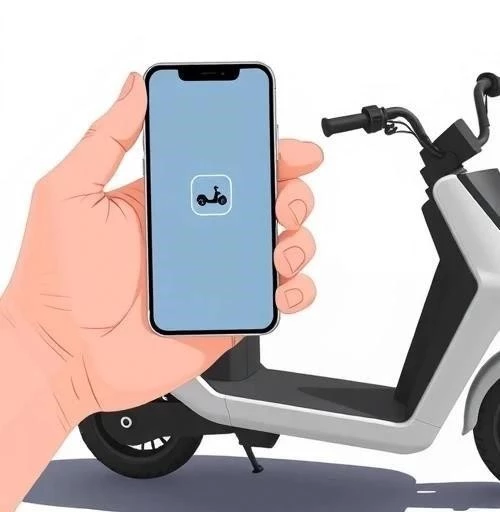
Unbinding a Xiaomi electric scooter means removing its connection to the Xiaomi account or app that currently manages it. This matters when you sell or give away a scooter, replace a phone, or need to resolve an account-linking problem. The key point is that deleting the app, resetting the scooter, or switching off Bluetooth does not necessarily remove the account association. If the scooter is still linked to someone else’s account, the reliable solution is for that account holder to unbind it.
Before you start
- Identify the app used to set up the scooter. Depending on the model and region, it may be Xiaomi Home (also called Mi Home) or another supported Xiaomi app.
- Use the account that originally added the scooter. A different account may be unable to see or remove its binding.
- Charge the scooter, keep it nearby, and enable Bluetooth and location access on your phone. App permissions and menu names can vary by phone, app version, and scooter model.
- If you are selling the scooter, arrange the handover only after confirming that it has been removed from your account.
Unbind it in Xiaomi Home or Mi Home
- Open the app and sign in to the Xiaomi account that owns the scooter.
- Tap the scooter on the home screen. If it is not shown, check that you are using the correct account and the same app region used during setup.
- Connect to the scooter when prompted. Keep your phone close and follow any on-screen Bluetooth or security instructions.
- Open the device settings, usually through the three-dot menu or a settings icon in the upper-right corner.
- Look for an option such as Delete device, Remove device, or Unbind. Read the confirmation carefully, then approve the removal.
- Wait for the app to finish. Return to the device list and check that the scooter is no longer displayed. If the app asks whether to remove it from the current account or shared home, choose the option that removes the account association.
App wording changes between releases, so do not rely on a particular menu label alone. The important distinction is between disconnecting Bluetooth and removing the scooter from the account. A Bluetooth disconnect only ends the current phone connection; it does not transfer ownership or clear an account binding.
If you are giving or selling the scooter
Unbind the scooter while you still have access to the account and can connect to the device. Then let the new owner add it using their own account and follow the app’s setup prompts. If the scooter was shared with another household member, remove sharing as well; shared access and the owner’s binding are not always the same thing. Do not hand over your Xiaomi password or leave the scooter registered to your account as a shortcut. That can expose account information, complicate support, and leave you responsible for a device you no longer control.
If the scooter is linked to a previous owner
Ask the previous owner to sign in and remove the scooter from their account. This is the safest and most dependable remedy. A factory reset, reinstalling the app, changing the phone, or creating a new account generally cannot authorize you to remove somebody else’s binding. Those steps may erase local settings or disconnect the scooter, but they are not proof of ownership and should not be treated as an account-transfer method.
If the previous owner cannot be reached, contact Xiaomi support through the official support channel for your country. Provide the model, serial number, proof of purchase, and a clear explanation that you are the new owner. Support procedures and eligibility vary by region. Avoid unofficial “unlock” services, modified firmware, or instructions to bypass an ownership check: they can damage the scooter, compromise security, or violate local rules, and they may not remove the original account link.
Troubleshooting
- The scooter is offline: Charge it, turn it on, move close to it, and retry with Bluetooth enabled. Check app permissions and update the app. If it still will not connect, try again in a place with less wireless interference.
- The device is missing from the app: Confirm the Xiaomi account and region used at setup. Check other accounts you own before assuming the scooter has been unbound.
- The removal option is unavailable: Make sure you are signed in as the owner rather than a shared user. Update the app and consult the model’s instructions or official support.
- The app reports that another account owns it: The prior owner must remove it, or Xiaomi support must advise you after checking your ownership documents.
Final check
After removal, restart the app and verify that the scooter no longer appears under the old account. If you are the new owner, add it from your own account and confirm that the app completes setup without an ownership warning. Keep purchase records and do not confuse a successful factory reset with a successful unbinding: only the app’s account status, or confirmation from official support, establishes that the account association has been cleared.
In short: use the original owner’s app account to remove the scooter; if you do not control that account, ask the owner or Xiaomi support. This protects both parties and is more reliable than trying to reset or bypass the binding.

5 Comments. Оставить новый
The preparation checklist is useful because it covers Bluetooth, permissions, and app-region differences before troubleshooting begins. This should help readers avoid overlooking basic setup requirements.
This is a well-organized explanation for a common handover problem. The advice to verify that the scooter disappears from the account is a sensible final check, though exact menu labels may still differ across models.
I appreciate the emphasis on having the original account holder remove the binding. It makes clear why a factory reset or a new phone may not resolve an ownership-linking issue.
This guide clearly explains the important distinction between removing the app and actually unbinding the scooter from an account. That clarification could prevent confusion when preparing a scooter for sale.
The steps are practical, especially the advice to use the account that originally added the scooter and to check the device list afterward. Mentioning that app menus vary by model and version also sets reasonable expectations.