
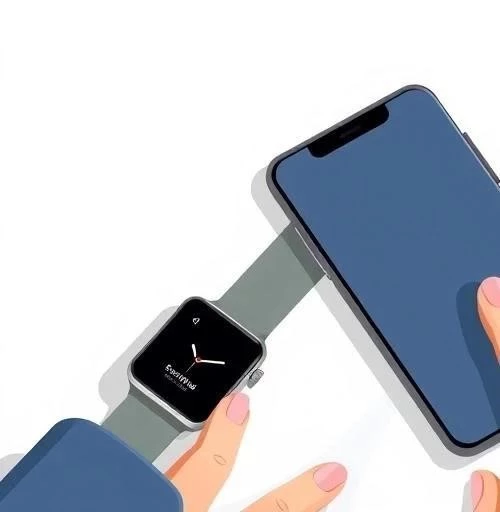
Unpairing an Apple Watch is more than disconnecting Bluetooth: it erases the watch and removes its link to the iPhone. The safest option is to use the old iPhone, because this process creates a watch backup and disables Activation Lock. If you no longer have that phone, you can erase the watch, but you may still need the Apple Account credentials used to set it up.
When you still have the old iPhone
- Keep the iPhone and Apple Watch close together. Make sure both have sufficient battery power.
- Open the Apple Watch app on the iPhone and tap My Watch, then All Watches at the top.
- Tap the information button (i) beside the watch you want to remove, then choose Unpair Apple Watch.
- For a GPS + Cellular model, choose whether to keep or remove the cellular plan. If you are selling or giving away the watch, remove the plan; if you will pair it again, check with your carrier before cancelling service.
- Enter the Apple Account password if requested and confirm. Keep the devices near each other until the process finishes.
Unpairing erases the watch and, where possible, saves a recent backup to the iPhone. That backup can help restore settings and data when you pair the watch with another iPhone. This is why using the Watch app is preferable to simply erasing the device.
If the old iPhone is lost or unusable
You can erase the watch directly. On Apple Watch, open Settings > General > Reset > Erase All Content and Settings, then enter the passcode if asked. For a cellular model, choose whether to keep or remove its plan. Alternatively, use the Find My service associated with your Apple Account to erase the watch remotely, if it is available online.
However, erasing is not the same as unpairing. A reset performed on the watch does not by itself remove Activation Lock. The watch may still require the Apple Account and password previously used with it before another person can activate it. Removing the watch from your account through Find My or iCloud may be necessary, but do this only when you are sure you no longer need to locate or protect it.
Before selling or switching phones
Confirm that the watch no longer appears as paired in the old iPhone’s Watch app, and remove it from Find My if ownership is changing. Do not give the buyer your password. Instead, make sure Activation Lock is removed from your account; otherwise, the buyer may be unable to set up the watch.
When setting up a replacement iPhone, sign in with your Apple Account, open the Watch app, and follow the pairing instructions. Choose a backup if one is offered. If you cannot remove Activation Lock because you do not know the account password, recover access through Apple’s account-recovery process or contact Apple Support with proof of ownership. A factory reset alone cannot legitimately bypass that security protection.
8 Comments. Оставить новый
The explanation of the backup is a valuable addition. Readers can understand that unpairing through the Watch app is not just a way to disconnect devices; it can also help preserve data for a later setup.
The distinction between erasing and unpairing is especially useful. It explains why resetting the watch alone may not be enough when preparing it for someone else.
The Activation Lock warning is important for anyone selling or giving away a watch. The article makes clear that erasing the device does not automatically make it ready for a new owner.
The step-by-step instructions make the process easy to follow, and the explanation of why using the old iPhone is preferable adds helpful context.
This is a practical guide because it covers both situations: having the original iPhone and needing to erase the watch without it. That makes the advice useful for more than one kind of user.
The article appropriately notes that remote erasing depends on the watch being available online. That qualification helps set realistic expectations for readers who have lost access to the device.
I appreciate the reminder to consider the cellular plan before unpairing. Keeping or removing it depends on what the owner plans to do next, so that detail could prevent an unnecessary service change.
The reminder to keep both devices nearby and charged is simple but practical. Including small preparation steps like these can help prevent interruptions during the process.