
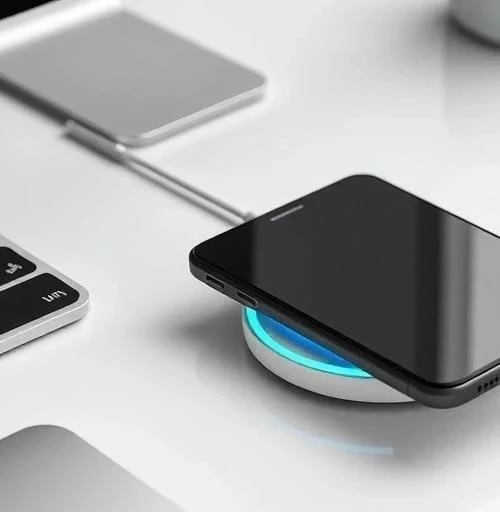
Short answer: You do not need to switch on wireless charging on the Xiaomi Mi 9. The phone supports Qi wireless charging‚ and charging starts automatically when you place it correctly on a compatible‚ powered charging pad. There is no separate wireless-charging button in Settings. If nothing happens‚ check the charger‚ power supply‚ alignment and phone case before looking for a software option.
What the Mi 9 supports
The Mi 9 supports wireless charging at up to 20 W with a compatible charger. “Up to” matters: the actual rate depends on the charging pad‚ its power adapter‚ temperature and the phone’s current battery level. A basic Qi pad may work but charge more slowly. For the fastest supported wireless charging‚ use a suitable high-power Xiaomi-compatible pad and the adapter recommended for it. The charger must be connected to power; the phone cannot charge wirelessly just by being placed on an inactive pad.
How to start wireless charging
- Connect the Qi charging pad to a reliable wall adapter using the appropriate cable. If the pad has an indicator‚ check that it powers on.
- Remove thick‚ metal or magnetic accessories from the phone. A thin‚ non-metal case will often work‚ but removing the case is a useful test if charging fails.
- Place the Mi 9 flat and centred on the pad‚ with its back against the charging surface. The charging coils need to line up.
- Wait a few seconds and check the screen for the charging animation or battery icon. If there is no indication‚ lift the phone and reposition it.
There is no need to enable an option in the Battery menu‚ restart the phone‚ or install an app. Wireless charging is handled automatically by the phone’s hardware and charging software. Searching for a hidden toggle is therefore unlikely to solve a problem: first verify that power reaches the pad and that the phone is positioned properly.
If the phone does not charge
- Test the power source. Try another wall outlet‚ cable or compatible adapter. Some pads light up with a low-power connection but cannot deliver enough power for dependable charging.
- Reposition the phone. Move it slowly across the centre of the pad. A small alignment difference can prevent the charging coils from connecting.
- Remove accessories. Metal plates‚ magnetic rings‚ card holders and unusually thick cases can interfere with charging. Never put coins or other metal objects between the phone and pad.
- Check temperature. Charging may slow or pause if the phone or pad becomes hot. Let both cool in a well-ventilated place‚ away from direct sunlight‚ then try again.
- Try another Qi charger. If the Mi 9 charges on a second known-working pad‚ the original pad‚ cable or adapter is the likely cause. If it fails on several compatible chargers‚ the phone may need inspection.
Also check the phone’s charging port and software only as part of broader troubleshooting; the port is not used to transfer power from a wireless pad‚ but a system fault or damaged device can still affect charging. Restarting the phone may be a reasonable test after checking the physical setup‚ but it does not activate wireless charging.
Important distinction
Wireless charging means receiving power from a Qi pad. It is different from reverse wireless charging‚ where a phone sends power to another device. Do not assume that the Mi 9 can act as a wireless power bank just because it can charge wirelessly; check the specifications for the exact model before expecting that feature.
Bottom line
To use wireless charging‚ connect a compatible Qi pad‚ centre the Xiaomi Mi 9 on it and look for the charging indicator. No setting needs to be turned on. If charging does not begin‚ troubleshoot the adapter‚ alignment‚ case‚ heat and charger first. If several reliable Qi pads fail‚ contact a qualified repair service rather than trying to force a setting or use an incompatible accessory.

7 Comments. Оставить новый
The article makes an important distinction between Qi compatibility and fast wireless charging. A basic Qi charger may work, but readers should not expect every pad to deliver the Mi 9’s maximum rate.
The explanation clearly answers the main question: wireless charging on the Mi 9 starts automatically, so there is no setting to enable. That helps prevent readers from wasting time searching through menus.
The step-by-step instructions are practical, especially the advice to centre the phone and wait for a charging indicator. Small alignment issues can be easy to overlook when using a wireless pad.
It is useful to distinguish the phone’s maximum supported charging rate from the speed a user will actually get. The pad, adapter, temperature and battery level can all affect charging performance.
Overall, this is a concise and helpful guide for both first-time wireless-charging users and anyone troubleshooting a Mi 9. The advice is ordered logically, from setup to the most common causes of failure.
The troubleshooting section sensibly starts with the power supply and accessories rather than assuming the phone needs a software change. Testing without a case is a straightforward way to rule out interference.
I appreciate the warning that the charging pad must be connected to a reliable power source. It clarifies why placing the phone on an unpowered pad will not start charging.