
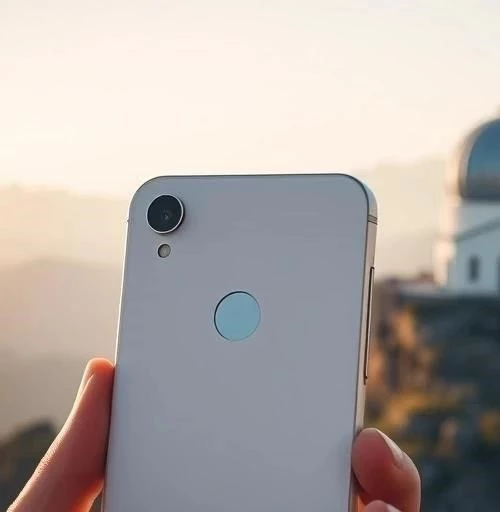
The Huawei P60 Pro offers 3.5x optical zoom and up to 100x digital zoom. The 3.5x figure is the key one for judging its practical telephoto reach: it comes from a dedicated telephoto camera, so it can bring a distant subject closer without relying solely on cropping the main-camera image. The advertised 100x figure describes the phone’s maximum digital magnification, not a second optical lens or a guarantee of crisp, detailed photos.
Optical zoom: 3.5x
The P60 Pro’s rear camera system includes a 48-megapixel telephoto camera with optical image stabilisation (OIS). Its lens provides 3.5x optical zoom, commonly described as roughly a 90 mm equivalent focal length. This makes it useful for portraits, architectural details, stage performers, and other subjects that are too far away for a standard 1x view. In ordinary use, 3.5x is a meaningful step closer while retaining substantially more real image information than a heavy digital crop.
“Optical zoom” here does not mean the lens smoothly changes focal length through every value from 1x to 3.5x. The phone has separate camera modules, and the camera app selects or combines them as you change magnification. The 3.5x rating refers to the telephoto camera’s optical reach relative to the main camera’s standard view. Intermediate settings may involve computational processing, cropping, or a switch between cameras, depending on lighting and the selected framing.
Digital zoom: up to 100x
Huawei advertises digital zoom of up to 100x. Digital zoom enlarges the image electronically rather than moving a lens to provide that entire range optically. At high magnifications, the phone has to crop and process the data captured by its cameras. That can make a distant object recognisable on screen, but it generally reduces fine detail and can make edges look soft, noisy, or artificially sharpened.
For this reason, 100x is best understood as the maximum available magnification, not the recommended setting for everyday photography. It may be useful for checking what is happening far away or experimenting in bright conditions, especially if the phone is held steadily. It is much less suitable when the goal is a clean, high-quality photograph to enlarge or print. A large zoom number is a capability; it is not a promise that every zoomed image will look equally good.
What the different zoom levels are good for
- 0.5x: The ultra-wide camera fits more into the frame, making it useful for landscapes, interiors, and large groups. It is a wider view, not a telephoto zoom.
- 1x: The main camera is generally the best starting point for everyday scenes and low-light photos. It captures the standard perspective.
- 3.5x: The dedicated telephoto camera is the practical choice for bringing portraits, details, and distant subjects closer.
- Beyond 3.5x: The phone can provide greater reach through digital cropping and computational processing. Results depend increasingly on light, steadiness, and the subject.
- Up to 100x: This is the advertised maximum digital setting. Treat it as an occasional or experimental option rather than the everyday quality sweet spot.
The exact buttons and zoom steps shown in the camera app can vary with the shooting mode and software version. The interface may offer intermediate magnifications as well as the main camera choices. Those values are convenient framing controls, but they should not all be interpreted as separate optical zoom ratings. In particular, the existence of a 10x or other on-screen setting does not mean the phone has a dedicated 10x optical lens.
Why the P60 Pro can perform well at moderate zoom
The telephoto unit is more than a high-magnification number: its 48 MP resolution gives the phone substantial image data to work with, while OIS helps counter small movements from the photographer’s hands. Stabilisation matters because camera shake becomes more visible as the subject is magnified. It can improve the chance of a sharp shot, but it cannot freeze a moving person or replace a steady grip, good focus, and enough light.
Huawei’s image processing also combines information from the camera system to render colour, contrast, and detail. This can help at moderate magnifications, where there is still useful sensor information available. But processing has limits. In dim conditions, the camera may need a slower exposure or higher sensitivity, and a distant subject may lack enough light or contrast for fine detail. The phone can produce a pleasing result without making every tiny texture genuinely recoverable.
How to get better zoomed photos
- Use 3.5x for the cleanest close view. When the dedicated telephoto camera can be used, it is normally preferable to pushing the main camera far beyond 1x.
- Find good light; Daylight or a well-lit scene gives the cameras more information. In poor light, try moving closer or using 1x and cropping modestly.
- Hold the phone steady. Brace your elbows, lean against a stable surface, or use a tripod for distant subjects. OIS helps, but does not eliminate all shake.
- Keep magnification sensible. If a result looks soft at a very high setting, reduce the zoom. A lower-magnification, sharper photograph is often more useful than a blurred close-up.
- Check the actual image. The preview can make a highly zoomed subject look impressive. Review the saved photo at full size before relying on it for fine detail.
Is 100x zoom genuinely useful?
It can be useful in a limited sense. At extreme range, digital zoom may help you identify a sign, inspect a feature on a building, or frame something that would otherwise be a tiny speck. The stabilised preview and computational processing can make such a view easier to capture than simply using an unassisted crop. However, results vary greatly with weather, distance, movement, light, and the subject’s contrast. Haze, heat shimmer, glass, and a moving target can all undermine detail before the camera has a chance to improve it.
Therefore, the most honest answer is that the P60 Pro has 3.5x optical zoom, with digital zoom extending to 100x. The former describes the dedicated telephoto camera’s useful optical reach; the latter is an extreme electronic maximum. For consistently attractive photographs, use the main camera at 1x or the telephoto camera around 3.5x, then increase magnification only as far as the scene and lighting allow. Buyers comparing phones should focus on the quality of the telephoto camera and real-world samples, rather than choosing solely by the largest number printed in a specification.
Bottom line
If you are asking how far the Huawei P60 Pro can zoom, the headline specification is up to 100x digital zoom. If you are asking how much of that range is optical, the answer is 3.5x. For most people, that 3.5x telephoto view is the important figure: it offers genuine extra reach for portraits and distant details, while the higher digital settings are best reserved for situations where getting any view is more important than preserving maximum image quality.
4 Comments. Оставить новый
The examples of portraits, architecture, and distant performers make the telephoto camera’s 3.5x reach easier to understand in practical terms. The article also appropriately notes that optical reach preserves more image information than a heavy digital crop.
The article makes an important distinction between the P60 Pro’s 3.5x optical zoom and its advertised 100x digital zoom. That clarification helps readers avoid treating the maximum magnification figure as evidence of equivalent image quality.
The discussion of digital zoom is balanced: high magnification can help make a distant subject recognisable, but cropping and processing may reduce detail. That caveat is important when interpreting a headline figure such as 100x.
The explanation of separate camera modules is useful because intermediate zoom settings may involve cropping or computational processing. This gives readers a more realistic picture of how zoom works on a multi-camera phone.