
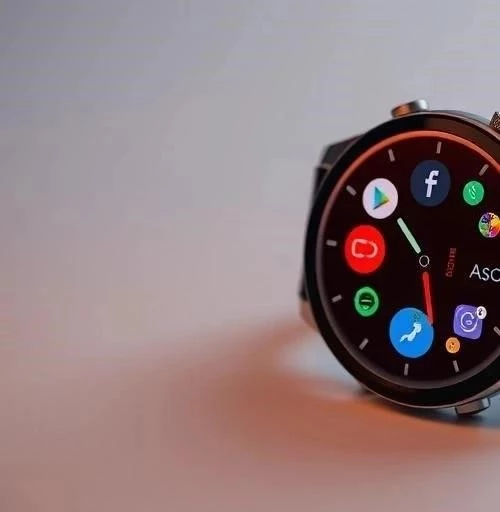
watchOS 10.6.1 is a small maintenance update, not a feature release. It does not introduce a new watch face, redesigned apps, or a major change to Apple Watch. Instead, Apple describes the update as including important bug fixes and recommends it for users whose watches support watchOS 10. The practical takeaway is simple: expect refinements behind the scenes rather than anything dramatically different on your wrist.
The main change: bug fixes
Apple’s public release notes for watchOS 10.6.1 are brief. They do not provide a detailed list of every corrected issue, so it would be misleading to claim that a particular feature or fault was fixed unless Apple specifically confirms it. The update is best understood as a follow-up to watchOS 10.6, intended to improve reliability and address problems discovered after that release.
That may sound modest, but maintenance updates can still matter. A fix can make everyday interactions more dependable without changing how they look: syncing with an iPhone, opening apps, receiving notifications, or using built-in services. The exact benefit can vary from one person’s watch to another, depending on which problems they were experiencing.
What does not change?
There are no headline consumer-facing features to learn in 10.6.1. The familiar watchOS 10 interface remains in place, including its Smart Stack, redesigned apps, and existing health and workout tools. If you were hoping for new watch faces, additional health measurements, or a new set of workout options, this version is not that kind of upgrade.
It is also useful to separate this update from a major watchOS version. The “.1” identifies a small point release within the watchOS 10 series; it does not mean that the watch has moved to the next generation of the operating system. New features generally arrive with a major release, while updates like this one focus on maintenance.
Should you install it?
For most people still using watchOS 10, installing 10.6.1 is a sensible choice. Apple recommends the update, and bug-fix releases can improve stability even when the changes are not visible. If your Apple Watch is working perfectly, you may not notice a difference after installing it. That does not necessarily mean the update has done nothing; its purpose may be to prevent or resolve an issue that is not obvious in daily use.
If you rely on your watch for workouts, notifications, or other time-sensitive tasks, choose a convenient moment to update rather than starting just before you need to leave. As with any software update, make sure your iPhone and watch have enough battery and allow time for installation and restart.
How to install watchOS 10.6.1
- Keep your iPhone connected to Wi-Fi and place the Apple Watch on its charger.
- Open the Watch app on the iPhone and tap General, then Software Update.
- If watchOS 10;6.1 appears, tap Download and Install and follow the onscreen instructions.
The watch should have at least 50 percent battery and remain on its charger during installation. You can also check for an update on the watch itself by opening Settings and choosing General > Software Update. If the update does not appear, check compatibility, your internet connection, and available storage, then try again later.
Compatibility and expectations
watchOS 10 is available for supported Apple Watch models, including Apple Watch Series 4 and later, Apple Watch SE (1st generation) and later, and Apple Watch Ultra models. Compatibility also depends on having a supported iPhone and iOS version. If your watch cannot install watchOS 10, 10.6.1 will not be offered for it.
In short: watchOS 10.6.1 is a recommended, low-key update focused on bug fixes. It does not add a noticeable collection of new features, and Apple’s short notes do not identify individual fixes. Install it for maintenance and potential reliability improvements, but don’t expect the interface or capabilities of your Apple Watch to change substantially.

7 Comments. Оставить новый
I appreciate the caution about not guessing which specific bugs were fixed when Apple has not listed them.
The practical examples make it easy to understand why a small update can still be worthwhile.
The distinction between a maintenance update and a major watchOS release is clear and useful.
A concise explanation for anyone wondering whether there is anything new to learn after installing the update.
Helpful overview. It is good to know this update is mainly about reliability rather than new features.
Straightforward and balanced. I like that it sets realistic expectations instead of presenting this as a major upgrade.
It would be useful to know which watch models are supported, but the article does a good job explaining the update’s purpose.