
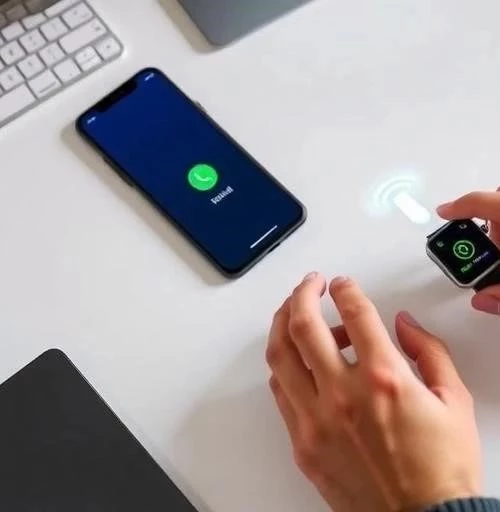
The wording “Please pair Watch Call” is not a standard name for one universal smartwatch feature. If it appears on a phone or watch screen, it most likely asks you to connect the watch to a phone, or to enable call functionality after the devices have been paired. The precise meaning depends on the watch brand, its companion app, and the screen where the message appears.
What pairing does
Pairing establishes a connection between a smartwatch and a phone, usually through Bluetooth and a manufacturer’s app. Once connected, the watch may show notifications, synchronize selected information, and, on supported models, make or receive calls. A watch with its own cellular connection may also handle some calls independently, subject to its model, service plan, and carrier support.
Pairing does not automatically mean that every watch can make calls. Some models only display call alerts or let you reject an incoming call. Others have a speaker and microphone for conversations, but still rely on a nearby phone. The product specifications and the instructions in the watch app explain which functions are available.
What to do when the message appears
- Check the device and app. Confirm the watch’s make and model, then open the companion app recommended by its manufacturer. A generic Bluetooth menu alone may not complete setup.
- Turn on Bluetooth. Keep the phone and watch close together, ensure both have sufficient battery, and follow the app’s on-screen pairing instructions.
- Approve the requested connection. Depending on the devices, setup may ask you to confirm a code or allow access to contacts, notifications, or calls. Grant only permissions you understand and want to use.
- Enable calling if supported. Look in the companion app or watch settings for options such as “Calls,” “Phone audio,” or “Bluetooth calling.” Names differ by manufacturer. Some watches require a separate connection for call audio after initial pairing.
- Test the connection. Make a brief test call or ask someone to call you. Check that sound is routed to the intended device and that the watch’s microphone and speaker are not muted.
If pairing does not work
Restart both devices, update the companion app, and check for system updates. If the watch was previously linked to another phone, disconnect it there first; some models allow only one active phone pairing. You can also remove the old Bluetooth connection and pair again through the manufacturer’s app. A factory reset may help as a last resort, but it can erase settings or stored data, so check the device instructions before using it.
If the devices show as connected but calls still go to the phone, check Bluetooth audio settings and the call options in the app. Make sure the watch is not in airplane mode, that call permissions are enabled where needed, and that the model supports voice calls rather than call notifications only. Cellular calling may additionally require a compatible plan and carrier activation.
Is the prompt safe?
A pairing request is expected during setup, but do not approve an unfamiliar request merely because it mentions a watch or calls. Verify that the watch is yours, that you started setup, and that the app is from the manufacturer or another trusted source. Avoid entering account passwords or payment details into an unexpected pop-up. If the message appeared without an obvious setup process, close it and check the device’s official instructions or support channel.
In short
“Please pair Watch Call” probably means that a watch needs to be paired with a phone or that calling must be configured after pairing. It is not enough information to identify a particular product or error. The safest next step is to check the exact watch model and the app displaying the message, then follow their setup instructions. Availability of calling depends on hardware, software, phone compatibility, permissions, and, for cellular features, the service provider.
8 Comments. Оставить новый
The examples of different calling capabilities make the guidance relevant to a range of smartwatch models.
The advice to consult the manufacturer’s specifications and app is a sensible way to resolve uncertainty about the message.
The article makes clear that Bluetooth pairing alone may not complete setup for call audio on every device.
The article clearly explains that the meaning of “Please pair Watch Call” depends on the device and where the message appears.
The distinction between pairing a watch and having calling capability is useful, since not all smartwatches support the same functions.
The explanation of permissions is helpful because it encourages users to review access requests rather than approve them automatically.
The article appropriately notes that call features may depend on the watch model, phone connection, carrier, and service plan.
The setup steps are presented in a practical order, from checking the companion app to testing the connection.