
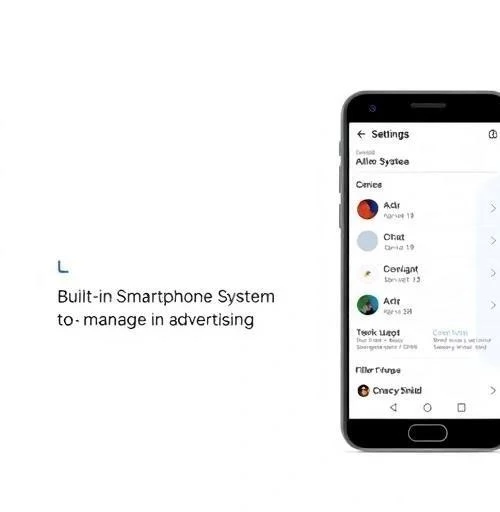
Among the apps tucked behind a Xiaomi screen, MSA can sound like a mysterious visitor․ In most Xiaomi phones running MIUI, the name refers to MIUI System Ads: a system component that helps deliver advertisements and recommendations in parts of Xiaomi’s software․ It is generally not a separate app you installed, and its presence alone does not mean your phone is infected․
Think of MSA as a backstage stagehand․ It may help coordinate promotional content shown in places such as system apps, app recommendations, or the GetApps store, depending on your phone model, region, MIUI version, and settings․ It is not the same thing as the app that displays every advert, and it does not necessarily explain every promotion you see․ Xiaomi’s software ecosystem includes several apps and settings that can contribute to recommendations․
Why Is It on My Phone?
MSA is typically preinstalled as part of the software experience․ Manufacturers sometimes include services that support recommendations or advertising in their own apps․ The exact behavior varies: one Xiaomi phone may show more promotional cards than another, while a different regional software build may handle them differently․ That variation is why a friend’s instructions may not match the menus on your device․
Is MSA Dangerous?
Usually, no․ MSA is a Xiaomi system service, not a name that by itself signals spyware or a virus․ Still, it is reasonable to care about privacy and unwanted advertising․ Review the service’s permissions and data-related settings on your own phone, and check Xiaomi’s current privacy information for your region․ Avoid assuming that disabling one component will switch off every recommendation: other system apps may have separate ad or personalization controls․
Can I Disable It?
On some MIUI versions, you can revoke MSA’s authorization rather than uninstall it․ Open Settings, then look for Passwords & security or Privacy, and find Authorization & revocation․ If msa appears, switch it off and confirm․ Menu names and availability differ by software version and region; if you cannot find the option, use Settings search or Xiaomi’s support instructions for your model․ The phone may briefly refuse the change, so wait and try again rather than installing a “debloater” from an unknown source․
To reduce ads more broadly, explore the privacy, recommendations, and personalized-ad controls inside Xiaomi’s system apps․ For example, an app such as Security or GetApps may have its own recommendation switch․ Turning off personalization can reduce targeted suggestions, but it may not remove all ads․ Keep the operating system updated, and do not grant unfamiliar tools administrator or accessibility access just because they promise a spotless screen․
Should You Remove It?
For most people, leaving MSA alone is the safer choice․ It is a small part of the phone’s software plumbing, and force-removing system packages through root tools or ADB can cause errors, break updates, or produce unexpected behavior․ If you disable authorization, watch the phone for a day․ If an app behaves oddly, restore the setting; you can also restart the device and check for updates․
The Short Version
MSA on Xiaomi usually means MIUI System Ads—a built-in service associated with advertising or recommendations, not automatically malware․ You may be able to revoke its authorization, but ad controls are spread across the system, and the exact steps vary․ Treat it like a dimmer switch, not a magic trapdoor: adjust privacy settings carefully, avoid risky removal methods, and use your phone’s version-specific guidance․


5 Comments. Оставить новый
This reads like a little flashlight tour through the phone’s less obvious corners: clear, practical, and not alarmist. The privacy advice feels measured rather than preachy.
Useful without turning into a maze of jargon. The article treats uncertainty honestly—different software builds can behave differently—and that makes its guidance more trustworthy.
I liked the distinction between MSA and the other places recommendations can appear. It gives readers a better map instead of promising one magic button.
The “backstage stagehand” image makes a technical subject feel instantly graspable. I especially appreciate the reminder that one switch rarely silences every promotional voice on a phone.
A calm antidote to the usual “mystery app equals malware” panic. The article leaves room for regional differences, which is exactly where many quick guides stumble.