
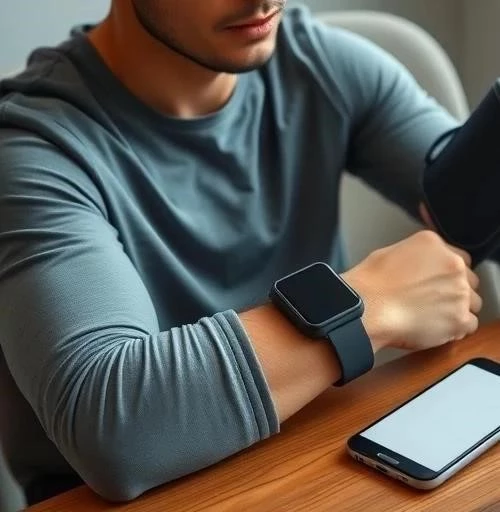
Short answer: You cannot measure blood pressure directly with the HUAWEI WATCH FIT 3. The watch does not have the hardware needed to take a blood-pressure reading, so there is no setting, gesture, or Huawei Health feature that can turn it into a blood-pressure monitor. If you need a reading, use a suitable blood-pressure monitor instead.
What the WATCH FIT 3 can measure
The WATCH FIT 3 can track selected health and activity metrics, such as heart rate and blood oxygen saturation (SpO₂), depending on settings, region, and software version. These measurements are not blood pressure. Heart rate tells you how many times your heart beats per minute; SpO₂ estimates oxygen saturation in the blood. Neither provides systolic or diastolic pressure, usually written as two numbers such as 120/80 mmHg.
Do not use a heart-rate result, a wellness score, or a reading from another app to estimate your blood pressure. A smartwatch without a pressure-measuring system cannot calculate a reliable blood-pressure value from its optical sensor. An app that displays a number without taking a proper measurement should not be treated as a substitute for a medical device.
How to measure your blood pressure correctly
Use a validated automatic blood-pressure monitor, preferably one with an upper-arm cuff of the correct size. Follow the device’s instructions. For a more consistent reading:
- Avoid exercise, smoking, caffeine, and alcohol for about 30 minutes beforehand.
- Empty your bladder, then sit quietly for at least five minutes.
- Sit with your back supported, feet flat on the floor, and legs uncrossed.
- Place the cuff on bare skin. Rest your arm on a surface so the cuff is level with your heart.
- Stay still and do not talk during the measurement;
- Take two readings about one minute apart and record both, along with the time.
Follow your clinician’s advice if they have given you a specific measurement schedule. A single result can vary because of stress, movement, illness, medication, or the way the cuff is fitted. Keep a log rather than changing treatment based on one measurement.
Can the Huawei Health app help?
The Huawei Health app can pair with the WATCH FIT 3 and show supported watch data, activity history, and other features available for your device and region. It cannot make the watch measure blood pressure when the watch itself lacks that capability. You may manually record blood-pressure readings in a separate health log or compatible app, if available, but those values must come from an actual blood-pressure monitor.
To check what your watch supports, open Huawei Health, select the device, and review its available health-monitoring options. Menus can differ by phone, app version, country, and firmware. If blood-pressure measurement is a requirement, check the specifications of a dedicated monitor or a wearable specifically designed and validated for that purpose. Some devices use a cuff-based system; compatibility and availability vary, so confirm the exact model rather than assuming every Huawei watch has the feature.
When to seek medical advice
Use a clinically appropriate monitor and discuss repeated high or low readings with a healthcare professional. Seek urgent medical help for severe symptoms such as chest pain, difficulty breathing, fainting, weakness, or a sudden severe headache, regardless of what a wearable shows. The WATCH FIT 3 is a consumer wellness device, not a diagnostic instrument, and its readings should not replace professional assessment.


2 Comments. Оставить новый
This is a clear and practical explanation of what the WATCH FIT 3 can and cannot measure. The advice on using a validated cuff is especially helpful.
The article does a good job distinguishing blood pressure from heart rate and SpO₂. Its measurement tips are easy to follow and appropriately cautious.