
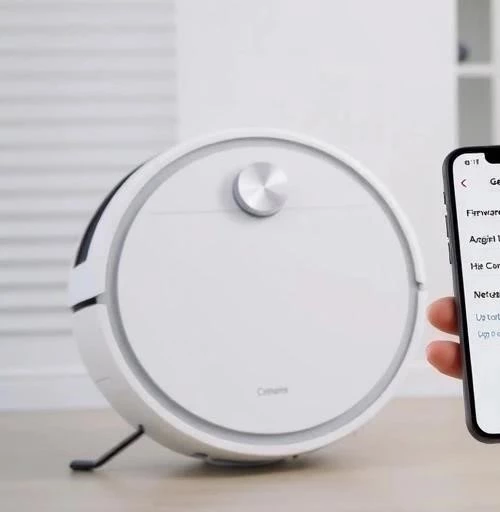
Changing a Xiaomi robot vacuum’s spoken language is not always the same as installing a full firmware image. The available options depend on the exact model, its regional version, the Mi Home app and the firmware already installed. In many cases, Russian can be selected in the app without modifying the robot. If it is not offered, an unofficial voice package or firmware modification may be possible, but it carries risks.
Try the official setting first
- Connect the vacuum to Wi-Fi and open Mi Home (Xiaomi Home) on the phone paired with it.
- Select the robot, open its settings, and look for a menu named “Voice,” “Voice pack,” “Language,” or similar. Menu names vary by app version and model.
- Choose Russian, if listed, and allow the download to finish. Keep the robot on its dock and the phone and vacuum connected during installation.
- Test a spoken notification. If Russian is unavailable, check for an official app or firmware update and consult the manual or Xiaomi support for the model.
Changing the Mi Home region may alter which devices and options appear, but it does not guarantee Russian support. Region changes can also affect access to the robot or other smart-home products. Record the current region and settings before changing them.
Before considering an unofficial modification
Identify the exact model number, hardware revision, region and firmware version. Similar-looking Xiaomi and Roborock vacuums can use different software; a package intended for another model may disable functions or prevent the robot from starting. Check instructions written specifically for that exact variant, and confirm that the package source and required method are trustworthy. Do not rely on a guide that merely names a product family.
- Charge the vacuum and keep it on its dock. Do not interrupt power or Wi-Fi during an update.
- Save the original voice files or configuration if the documented method allows it. Note the current firmware version and take screenshots of relevant settings.
- Use only files explicitly matched to the model and firmware. Avoid unknown executables, modified apps and packages that request unnecessary account credentials.
- Understand that unofficial changes may void warranty coverage, affect cloud features, or make later official updates incompatible.
General process for a compatible voice pack
There is no universal flashing procedure for Xiaomi vacuums. Depending on the model, a community method may replace only sound files through a supported local interface, or it may require a firmware-specific tool. Follow the relevant model guide exactly, including prerequisites and recovery instructions. Do not guess commands, flash a phone ROM, or install a package simply because it is labelled “Russian.” A voice pack changes spoken prompts; a firmware image can change the robot’s core software and is substantially riskier.
After installation, restart the vacuum only as directed, then check announcements, cleaning, docking and map functions. If it behaves abnormally, stop repeated flashing attempts. Use the documented rollback or recovery procedure, or contact a qualified service provider. Never open the battery or connect improvised cables unless the manufacturer’s service instructions require it.
Safer alternatives
If Russian is not officially supported and the risks are unacceptable, keep the original voice, use app notifications where available, or ask Xiaomi support whether a regional language package exists. The safest choice is an official option confirmed for the exact model. Instructions and tools can become outdated as app services and firmware change, so verify current compatibility before proceeding.

7 Comments. Оставить новый
The reminder to identify the exact model and regional variant is useful. Similar product names do not necessarily mean that software packages are interchangeable.
The advice to keep the robot docked and avoid interrupting an update is clear and appropriately cautious.
The article gives a practical order of steps, starting with the official settings before discussing unofficial options. This makes the guidance easier to follow.
The emphasis on checking instructions for the precise hardware and firmware version is important for reducing the risk of installing an incompatible package.
The cautions about changing the Mi Home region are relevant, since changing it may affect access to other devices as well as voice options.
The article usefully notes that Russian may already be available through the app, so firmware modification should not be the first assumption.
The article clearly distinguishes between selecting an official voice pack and modifying firmware. That distinction helps explain why the safest first step is to check the app.