
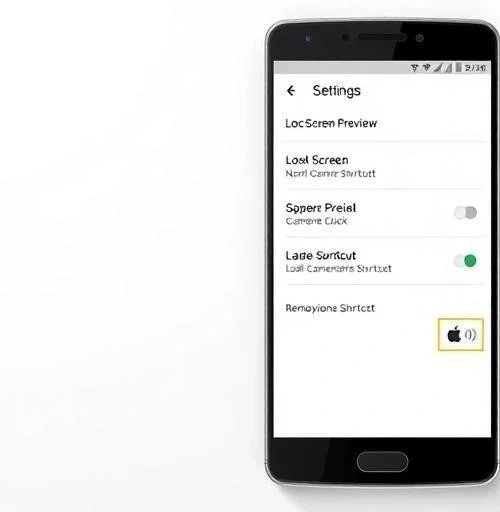
On some Xiaomi phones, the lock screen has a camera shortcut or opens the camera when you swipe from a corner. MIUI 14 menus can differ by phone model, region and software version, so the shortcut may not have a dedicated off switch. Try the options below in order. Menu names may vary slightly.
Check the lock-screen settings
- Open Settings and tap Lock screen.
- Look for an option such as Launch Camera, Swipe to open Camera or Lock screen shortcuts.
- If there is a camera switch or shortcut selector, turn it off or replace Camera with another available shortcut.
- Lock the phone and test the screen to see whether the icon or camera gesture has changed.
Not every MIUI 14 device provides these controls. If you cannot find them, use the Settings search field and try terms such as “camera,” “shortcut” or “lock screen.” If no relevant option appears, continue to the app-permission method.
Restrict camera access from the lock screen
On some models, the Camera app has a separate permission that controls whether it can be opened while the phone is locked. To check:
- Go to Settings > Apps > Manage apps.
- Tap the three-dot menu, if shown, and choose Show all apps or Show system apps.
- Find and open Camera, then tap Permissions.
- Look for Lock screen permissions or a similarly named setting. Set the camera access to Don’t allow or Deny, if that option is available.
On other versions, the permission may be under Other permissions or Special permissions. If there is no lock-screen permission, this method is not supported by that software build. Do not change unrelated permissions.
If the camera still opens
Restart the phone after changing a setting, then test the lock screen again. Make sure you are testing the same action that caused the camera to appear: tapping an icon, swiping from a corner, or pressing a physical button. A shortcut may disappear while a gesture remains active, or the reverse.
Check Settings > Lock screen and any available gesture or shortcut settings once more. If the camera launches after pressing the power button twice, check the camera-launch gesture in Settings > Additional settings > Gesture shortcuts or search Settings for “double press.” The exact path and available controls depend on the model.
Important notes
- Disabling the Camera app’s general camera permission is different from restricting access on the lock screen. A general restriction can stop the camera from working in other apps as well.
- If the shortcut cannot be hidden, restricting lock-screen access may still prevent someone from opening the camera without unlocking the phone.
- System updates can move or rename settings. Avoid third-party lock-screen apps or system modifications unless you understand their privacy and security effects.
First look for a camera shortcut or launch setting under Lock screen. If MIUI 14 does not offer one, check the Camera app’s permissions for a lock-screen access control. These options vary across Xiaomi and Redmi models; where neither is available, the shortcut may not be removable through the standard settings on that device.

2 Comments. Оставить новый
The instructions are clearly organized and acknowledge that MIUI settings can vary by device and software version. The reminder not to change unrelated permissions is also useful.
This is a practical overview of ways to check or restrict camera access from the lock screen. Including alternative setting names and a troubleshooting step makes the guidance easier to follow.