
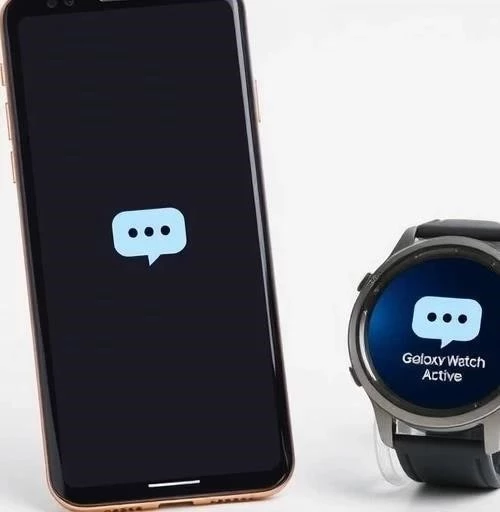
Important: You cannot install the official WhatsApp watch app on the Galaxy Watch Active2. This model runs Samsung’s Tizen operating system, not Wear OS, which is required by WhatsApp’s current smartwatch app. The practical option is to receive and respond to WhatsApp notifications from the phone paired with your watch. The watch will not run WhatsApp independently or show a WhatsApp app icon.
Set up WhatsApp notifications
- Install WhatsApp on your phone. Sign in, send a test message, and confirm that WhatsApp notifications appear on the phone. Keep the phone connected to the internet.
- Pair the watch. Install or open Samsung Galaxy Wearable on your Android phone, turn on Bluetooth, and follow the prompts to connect the Active2. Allow the requested connection and notification permissions.
- Enable notifications in Galaxy Wearable. Open the app and choose Watch settings → Notifications → App notifications (menu names can vary). Find WhatsApp and switch it on. If there is a filter for recently used apps, change it to show all apps first.
- Check the phone’s settings. In Android Settings, open Apps → WhatsApp → Notifications and allow notifications. Also check that Do Not Disturb, Focus, or battery restrictions are not preventing WhatsApp from alerting you or the Galaxy Wearable app from running in the background.
- Test the connection. Lock the phone, ask someone to send a WhatsApp message, and check whether it appears on the watch. Keep Bluetooth enabled and the watch connected to the phone.
What you can do from the watch
When a message arrives, tap its notification to read it. Depending on your phone, software version, and notification settings, you may be able to reply with a suggested response, a preset quick reply, voice dictation, or an on-screen keyboard. These are notification actions, not a full WhatsApp installation. Features such as browsing all chats, opening the complete app, and using the watch as a standalone WhatsApp device are not available through this setup.
If messages do not appear
- Check that WhatsApp notifications are enabled both in Android settings and in Galaxy Wearable.
- Make sure the phone and watch are paired, Bluetooth is on, and the watch is not in Do Not Disturb or Theater mode.
- Restart both devices and send a new test message. Then update WhatsApp, Galaxy Wearable, and the watch software if updates are available.
- If you use an iPhone, notification and reply options may be more limited; the Active2 works best with a compatible Android phone.
Avoid unofficial “WhatsApp for Tizen” downloads and APK guides. An Android APK cannot be installed as a normal app on the Tizen-based Active2, and unofficial files may be unsafe or simply fail. For reliable messaging, use WhatsApp on your phone and enable its notifications in Galaxy Wearable. This gives you convenient message alerts without pretending the watch supports an app it cannot run.

9 Comments. Оставить новый
The troubleshooting advice about Do Not Disturb and battery restrictions adds value beyond basic pairing instructions. These phone settings can prevent notifications even when WhatsApp is enabled in the wearable app.
The setup steps are practical, especially the reminder to check notification permissions on both the phone and in Galaxy Wearable. Those settings are easy to overlook when messages are not appearing on the watch.
The test procedure is straightforward and gives readers a simple way to check whether the setup works. Testing with the phone locked is particularly useful for confirming that notifications reach the watch as expected.
This is a helpful guide for anyone expecting a full WhatsApp experience on the Active2. It clearly separates quick replies to notifications from features that require the actual app.
The distinction between receiving WhatsApp notifications and installing the app itself is important. This makes the Active2’s limitations clear before readers spend time looking for an app that is not supported.
The note that menu names can vary is a sensible touch, since Galaxy Wearable layouts may differ across versions. It makes the instructions more adaptable for readers with different phones.
The article sets realistic expectations while still offering a useful workaround. Readers learn both what the watch can do and what it cannot do independently of the paired phone.
I appreciate that the article qualifies watch replies by phone and software version. That avoids implying that every Active2 user will have the same reply options.
The explanation of Tizen versus Wear OS gives a useful reason for the app’s incompatibility, rather than simply stating that installation is impossible. It helps readers understand why notification mirroring is the practical alternative.