
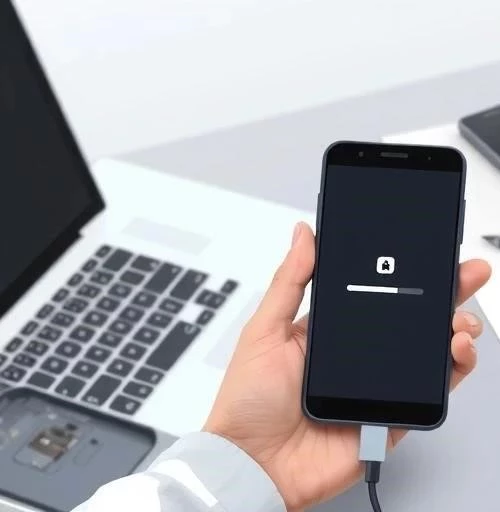
“Clean Android” usually means an AOSP-based custom ROM, not an official Xiaomi edition. It can remove MIUI/HyperOS features and offer a simpler interface, but it is not automatically faster, safer, or more reliable. Compatibility and careful preparation matter more than the promise of a stock-like look.
Before you begin
First identify the exact model and codename in Settings or using a trusted device-information tool. Find a ROM explicitly built for that codename, and read its current installation guide from the maintainer. Similar names do not guarantee compatible hardware. Check the required Android version, firmware, recovery method, known bugs, and whether Google apps are included. Never flash files intended for another Xiaomi model.
Back up photos, messages, authenticator recovery codes, and other important data to a separate location. Unlocking the bootloader normally erases the phone. Charge it well, use a reliable USB cable, and install the official Xiaomi unlock utility and Android platform tools from trusted sources. Keep the original firmware package available in case you need to restore the device.
General installation process
- Enable Developer options by tapping the MIUI/HyperOS version, then turn on OEM unlocking and USB debugging. Link the device to your Xiaomi account in the unlock settings.
- Use Xiaomi’s official bootloader-unlock process. It may impose a waiting period; do not try to bypass it. Unlocking reduces security, may affect warranty or payment features, and wipes user data.
- Follow the ROM maintainer’s exact instructions to install its supported recovery or use fastboot. Confirm the device codename before every operation. Commands and partition layouts differ between models, so do not copy a generic tutorial.
- Perform the specified clean wipe, then flash the ROM package. Install Google apps only if the ROM guide requires them, choosing the correct Android version and CPU architecture. Reboot only when the guide says to.
After flashing
The first boot can take several minutes. If it repeatedly returns to recovery or fails to start, stop and check the installation log and the maintainer’s troubleshooting notes; random extra wipes or files can make recovery harder. Set up the phone, restore only your backed-up personal data, and test calls, mobile data, Wi-Fi, cameras, and encryption.
Keep updates and recovery images matched to the ROM. Do not relock the bootloader while a custom ROM is installed: an incompatible locked system can leave the phone unbootable. To return to Xiaomi software, use the official fastboot firmware for the exact model and follow Xiaomi’s restoration procedure. If the guide is unclear, support is unavailable, or you cannot tolerate data loss, staying on official software is the more sensible choice.


8 Comments. Оставить новый
The article gives a balanced account of the trade-offs, including reduced security and the possible loss of payment features. That context helps readers understand that installing a ROM involves more than changing the interface.
Keeping the original firmware package available is a practical suggestion. It gives readers a recovery option if installation fails, although they should also make sure they understand the device-specific restoration procedure.
The backup advice is important, particularly the mention of authenticator recovery codes. People often remember their photos but overlook account access until a bootloader unlock has erased the phone.
This is a clear introduction for someone considering a clean Android ROM. Its strongest point is encouraging careful preparation and verification rather than rushing through steps that could wipe data or leave a phone unusable.
I appreciate the warning against copying generic commands. Partition layouts and flashing procedures can vary by model, so following the maintainer’s instructions is more reliable than treating one tutorial as universal.
The Google apps guidance is appropriately cautious: the correct package depends on the ROM, Android version, and processor architecture. Checking the ROM guide first can prevent avoidable installation problems.
The emphasis on identifying the exact device codename is especially useful. Xiaomi models can have similar names while requiring different firmware, so checking compatibility before flashing is an important safety step.
This is a sensible overview because it avoids presenting a custom ROM as a guaranteed performance upgrade. The reminder to check known bugs and installation requirements helps readers make a more informed decision.