
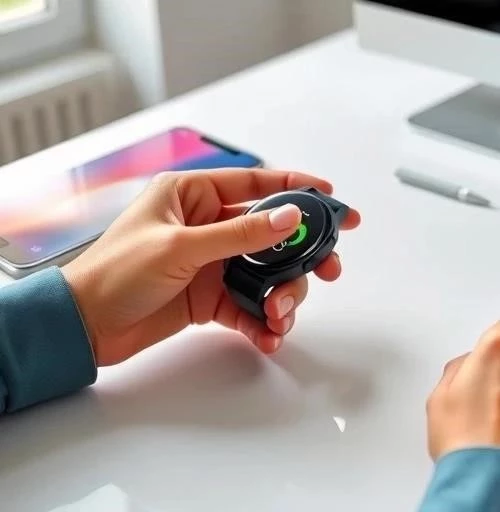
A fresh smartwatch can feel like a tiny spaceship: shiny, promising, and not yet sure what time it is․ “Pro 7” may refer to different watches, so menus and companion apps can vary․ Use the app named in your watch’s manual or packaging; don’t assume that an app for another model will work․ These steps cover the usual first setup․
Before you begin
Charge the watch, keep your phone nearby, and turn on Bluetooth․ For the smoothest pairing, install the official companion app from the App Store or Google Play, rather than a look-alike download․ Check that your phone has internet access and that Bluetooth is enabled․ If the watch has a protective film over its charging contacts, remove it․
Pair it step by step
- Power on․ Hold the side button until the logo or welcome screen appears․ If nothing happens, place the watch on its charger for 20–30 minutes and try again․
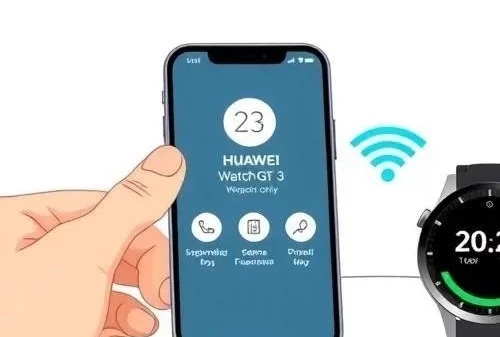
- Open the correct app․ Create an account if asked, then choose “Add device,” “Pair watch,” or a similar option․ Select the Pro 7 only when it appears in the app’s device list․
- Confirm the connection․ Keep the watch close to the phone․ Approve the pairing request on both screens; if a code appears, make sure the numbers match․ Avoid pairing from the phone’s Bluetooth settings first unless the manual specifically instructs you to․
- Set the basics․ Choose your language, region, time format, units, and wrist․ Allow the app to sync the time and date․ A wrong time zone on the phone can make the watch confidently display the wrong hour․
- Choose permissions․ Enable only what you want: notifications, contacts, location, health tracking, or calls․ Notification access may need to be switched on in your phone’s settings as well as in the app․
Make it yours
In the app, pick a watch face and decide which alerts deserve a tap on your wrist․ Start with calls and messages; add other apps later․ Set a PIN if available, adjust brightness, and configure activity goals․ Wear the sensor snugly, just above the wrist bone, for more reliable readings․ Health estimates are not medical diagnoses․
If pairing gets stuck
Keep the watch beside the phone, restart both, and check for app and system updates․ Make sure the watch is not still connected to an old phone․ If it appears in Bluetooth settings as paired but the app cannot find it, “Forget” that connection and begin again inside the companion app․ As a last resort, use the watch’s Settings menu to reset it; this can erase data, so sync first․ If menus differ, the model’s manual takes priority․
A final check
Let the first sync finish before judging battery life or step counts․ Then test one notification and, if supported, one call․ A watch is set up when it fits your routine—not when every permission is switched on․ Keep the charger handy, update it through its official app, and enjoy having time, gently, back on your side․
4 Comments. Оставить новый
The reminder to check the watch manual is the quiet hero here. In a world of near-identical gadgets, the right app is less a convenience than a tiny map through a maze.
Clear, practical, and refreshingly cautious about permissions. The best setup instructions do not just get a device working; they help you decide what you actually want it to know.
The line about a watch confidently showing the wrong hour made me smile. A useful guide with just enough personality to make setup feel less like paperwork and more like a first voyage.
I like the advice to start with only calls and messages. It treats notifications like guests at a dinner party: invite a few first, before the whole internet arrives.