
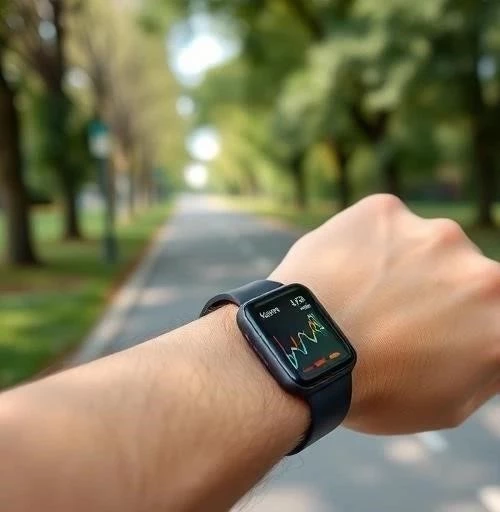
Apple Watch can estimate your cardio fitness‚ a measure of how effectively your body uses oxygen during exercise․ Apple calls this measurement Cardio Fitness; it is an estimate of your VO₂ max‚ not a direct laboratory test․ You do not usually switch on a workout feature from the Watch face․ Instead‚ set it up in the Health app on your iPhone‚ allow the necessary health and location permissions‚ and record suitable outdoor workouts․ This distinction matters: setup makes the feature available‚ but the watch needs qualifying activity before it can produce a reading․
Set up Cardio Fitness on your iPhone
- Make sure your Apple Watch is paired with your iPhone‚ updated‚ and being worn snugly enough for its heart-rate sensor to read reliably․
- Open the Health app on your iPhone․
- Tap Browse‚ then choose Heart․
- Tap Cardio Fitness‚ then select Set Up or Turn On․ Follow the prompts․
- Review your date of birth‚ sex‚ height‚ weight‚ and any other requested health details․ These help Health interpret the estimate‚ so correct outdated information if needed․
- If offered‚ turn on low-cardio-fitness notifications․ You can return to the Cardio Fitness screen later to review the chart and adjust notification settings․
Menu names can differ slightly by iOS version or region․ If you cannot find the item‚ use the Health app’s search field and type “Cardio Fitness․” You can also check the Watch app on your iPhone under Privacy and confirm that heart-rate and fitness tracking are allowed․ On the watch‚ open Settings > Privacy & Security and review the relevant health permissions if they are available on your software version․
Record a workout that can generate an estimate
After setup‚ wear the watch for an outdoor walk‚ outdoor run‚ or hike using the Workout app․ Choose the matching activity and start it before you begin․ Apple Watch generally needs a qualifying session—often at least about 20 minutes—together with usable heart-rate and location data․ An indoor treadmill workout‚ cycling session‚ or ordinary daily movement may be recorded normally but may not create a Cardio Fitness estimate․ The feature is not designed to give a new VO₂ max value after every workout․
Walk or run at a reasonably steady‚ sustainable pace‚ and keep the watch in contact with your skin․ Let the workout finish normally rather than ending it early․ For GPS accuracy‚ go outdoors with a clear view of the sky when possible; tall buildings‚ dense tree cover‚ or poor signal can affect location data․ A route is not a fitness test: do not push yourself into unsafe intensity just to force a reading․
If no reading appears
- Check compatibility and availability․ Cardio Fitness requires a supported Apple Watch and current compatible software‚ and features may vary by country or region․ Check Apple’s current compatibility information if the Cardio Fitness page or setup option is missing․
- Confirm tracking permissions․ On iPhone‚ review Settings > Privacy & Security > Location Services and make sure location access needed for Workout and Apple Watch is enabled․ Also check Settings > Privacy & Security > Motion & Fitness‚ where available‚ and ensure fitness tracking is permitted․
- Check the sensors․ In the Watch app‚ look under Privacy for Heart Rate and Fitness Tracking․ Make sure Heart Rate is on‚ the watch is not being worn over clothing‚ and the back of the watch is clean․
- Try another qualifying outdoor session․ Allow the workout to run long enough‚ use the correct activity type‚ and check the Cardio Fitness chart in Health afterward․ Processing or display may not be immediate․
- Restart and update․ Restart both devices and install available iOS and watchOS updates․ If data still does not appear‚ verify that the watch remains paired and that Health is receiving other workout data․
Understand the result
The Health app displays estimates over time and places them in an age- and sex-based category․ Trends are generally more informative than a single number; readings can vary with pace‚ terrain‚ temperature‚ fatigue‚ medication‚ and sensor quality․ Apple Watch’s estimate is useful for following changes‚ but it is not a diagnosis and should not replace a clinical assessment․ A low notification is not proof that something is wrong‚ and a high value does not guarantee good health․ If you have symptoms such as chest pain‚ fainting‚ or unusual breathlessness‚ seek medical advice rather than relying on a watch reading․
In short: open Health on iPhone‚ find Browse > Heart > Cardio Fitness‚ complete setup‚ allow tracking‚ then record qualifying outdoor walks‚ runs‚ or hikes․ If the option is absent or readings do not appear‚ check compatibility‚ permissions‚ sensor fit‚ and workout type before assuming the watch is faulty․
4 Comments. Оставить новый
The explanation that Cardio Fitness is an estimate of VO₂ max rather than a laboratory measurement sets appropriate expectations. It helps readers understand what the feature can tell them without treating a watch reading as a clinical test.
This is a helpful, well-organized guide for people troubleshooting missing readings. In particular, connecting workout duration with reliable heart-rate and location data gives readers a reasonable explanation for why an estimate may not appear after every activity.
The article clearly distinguishes setting up Cardio Fitness from actually receiving an estimate. That is useful because readers might otherwise expect a reading immediately after enabling the feature. The emphasis on recording a suitable outdoor workout makes the explanation practical.
I appreciate the reminder to check personal details and permissions, since inaccurate health information or restricted sensor access could affect the results. The note that menu names may vary by software version also makes the instructions more adaptable.