
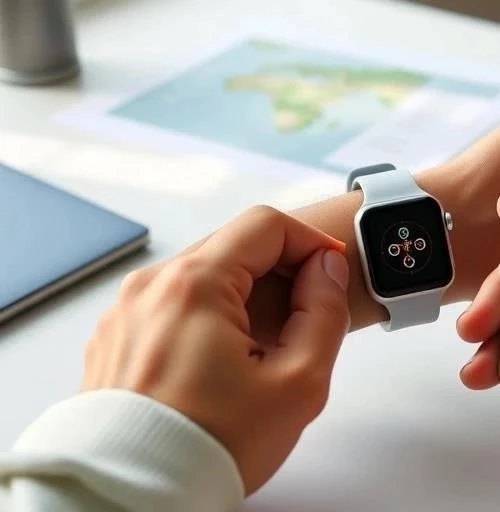
Buying a used Apple Watch Series 3 can feel like adopting a tiny time-travelling robot: it may look polished, but its history is hidden beneath the glass. A convincing logo is not proof of authenticity. Use several checks together—and remember that an original watch can still be damaged, locked, or poorly repaired.
Start with the watch itself
Look closely at the case, screen, Digital Crown, side button, speaker slots, and back sensors. The finish should be even, the text neatly printed, and the controls firmly fitted. A crown that wobbles, rough seams, misspellings, or a crooked logo are warning signs. Series 3 came in 38 mm and 42 mm sizes, with aluminium and stainless-steel options; the case and markings should make sense for the version being sold.
Do not treat a familiar shape as a verdict. Counterfeits can imitate the silhouette, while genuine watches may have replacement screens or cases. Scratches and ordinary wear are not evidence of a fake; sloppy construction is more telling.
Find the model and serial numbers
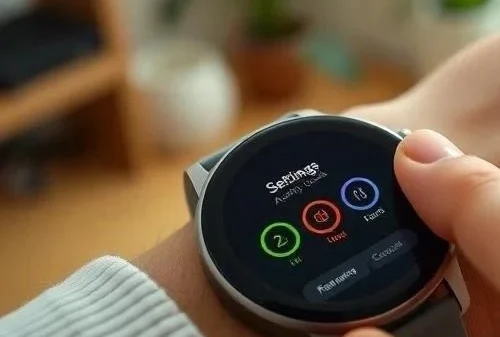
On the watch, open Settings → General → About. Note the model name, model number, and serial number. You can also find identifying information engraved around the sensor area on the back, although wear may make it difficult to read. The number shown in Settings should agree with the watch’s identity and, where readable, its markings.
Tap the model-number entry to reveal the number beginning with “A.” Compare it with Apple’s official identification information for Apple Watch models. Series 3 versions differ by case size, material, and GPS or GPS + Cellular capability, so check the exact configuration rather than expecting every genuine watch to have identical markings.
Enter the serial number on Apple’s official coverage-check page, reached through Apple’s website. A result that identifies an Apple Watch is a useful clue, not a certificate of authenticity: counterfeit sellers can copy a real serial number. If the number belongs to a different model, appears inconsistent, or is unreadable, pause and ask Apple Support to help verify it.
The strongest test: pair it with an iPhone
Ask the seller to erase the watch and pair it in front of you using Apple’s Watch app—not an imitation app or a Bluetooth menu. A genuine Apple Watch should follow Apple’s setup process and display the expected watch face and system interface. Explore Settings, open built-in apps, adjust the brightness, and test the Crown and side button. A fake may resemble the interface in a photo, but often reveals itself in the menus, animations, or failed pairing.
Before paying, make sure setup reaches a usable state. If the watch asks for the previous owner’s Apple Account, Activation Lock is still enabled. The seller must remove the watch from their account; do not accept promises to “unlock it later.” A genuine locked watch is still not a safe purchase.
Test the features, not just the screen
- Touch and buttons: Check the full display for dead areas, flicker, and unresponsive taps. Turn the Crown and press both controls.
- Charging: Use a compatible Apple Watch magnetic charger and confirm that the charging symbol appears and the battery percentage rises.
- Sensors: Check that the heart-rate sensor starts a reading. A reading alone does not prove authenticity, but a feature that never works deserves investigation.
- Cellular model: If advertised as GPS + Cellular, verify the model details. Cellular service may require carrier support and an eligible plan.
Ask whether the display, battery, or other parts have been replaced. Repairs do not automatically make a watch counterfeit, but unofficial parts can affect performance, water resistance, and resale value. Never test water resistance by dunking an old device: seals weaken with age.
Watch for the “too good to be true” trap
Be cautious if the seller refuses pairing, rushes you, offers only stock photos, or says Apple’s setup process is unnecessary. Request a dated photo of the About screen, but treat it only as a preliminary check: screenshots can be borrowed. Meet somewhere safe, inspect the actual watch, and get a receipt that records the seller and serial number.
One final reality check
Series 3 is an older model, not a secret doorway to the newest Apple Watch software. Its limited software support and compatibility with newer iPhones can make setup or everyday use less convenient. Check Apple’s current support guidance and confirm that the watch works with your phone before buying.
Best rule: trust a chain of evidence—consistent model details, a serial number that checks out, successful setup in Apple’s Watch app, and a clean handoff from the previous owner. No single clue is foolproof. Together, they turn a hopeful guess into a much safer purchase.

4 Comments. Оставить новый
A useful reminder that a serial number is more like a name tag than a passport: it can help identify a watch, but it cannot prove who—or what—is wearing it. The advice to combine checks is especially valuable.
The strongest part of this guide is its refusal to mistake age for fraud. A scratched watch may be honest; a flawless one may be a clever impersonator. That distinction could save buyers from judging by shine alone.
This article treats a used Apple Watch as more than a gadget with a logo; condition, configuration, and identity all matter. The warning about copied serial numbers is a particularly sharp note in an otherwise approachable checklist.
I like the practical detective-work approach: inspect the case, compare the model details, then check the software. It turns a marketplace purchase into a small investigation—and makes clear that no single clue deserves the final word.