
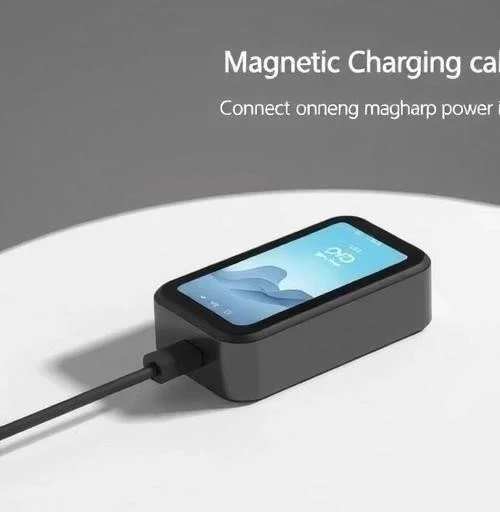
If your Xiaomi Mi Band 7 Pro appears switched off, the first thing to know is that it does not have a conventional power button. You cannot turn it on by holding a side key, as you might on a phone or watch with physical controls. The reliable way to start it is to connect it to its charging cable; If the display is merely asleep, however, charging is unnecessary: wake the screen with a tap or by raising your wrist.
Turn on the band using its charger
- Find the magnetic charging cable supplied with the band. Connect its USB end to a suitable USB power source.
- Bring the charger’s contacts into alignment with the contacts on the back of the Mi Band 7 Pro. The magnetic connector should sit securely in place.
- Check the display for a charging symbol or another sign that power is being received. When the battery has enough charge, the band should start or become usable.
- If the screen does not light immediately, leave the band connected for at least 15–30 minutes, then check it again. A deeply discharged battery may need time before it can respond.
Use a dependable USB power source and make sure the connector is correctly positioned. Do not force the magnetic cable or try to insert it in a particular direction like a plug; it should attach to the charging contacts. If the band was stored for a long time or its battery was fully drained, patience is more useful than repeatedly disconnecting and reconnecting it.
If the screen is off but the band is still on
A dark display does not necessarily mean the device is powered down. The screen normally turns off to save battery while the band continues operating. Try these simple checks before charging or troubleshooting:
- Tap the display once to wake it.
- Raise and turn your wrist toward you if the raise-to-wake feature is enabled.
- If tapping does not work, touch the screen for a moment and make sure your finger is contacting the display itself.
- Connect the charger briefly. A charging screen can help distinguish a sleeping display from a band with a depleted battery.
Raise-to-wake may be disabled, limited by a schedule, or temporarily unavailable in settings. In that case, tapping the screen is the simplest test. A screen that wakes after a tap was not necessarily switched off; it was simply asleep.
Set up a new Mi Band 7 Pro
Once the band has powered up, pair it with a compatible phone to complete setup and access its features. Xiaomi’s Mi Fitness app is the usual companion app for the Mi Band 7 Pro. Download it from your phone’s official app store, open it, and sign in or follow the prompts to create or use an account. Turn on Bluetooth and keep the band close to the phone.
- In Mi Fitness, choose the option to add a device and select the band or the corresponding Xiaomi wearable.
- Allow the app to search for nearby devices. Select your Mi Band 7 Pro when it appears.
- Confirm the pairing request on the phone and, if prompted, on the band’s display.
- Follow the remaining instructions, including any permissions needed for notifications or health features.
Keep the app open and the phone nearby until pairing and any initial setup finish. If the band does not appear, verify Bluetooth, restart the app, and try the search again. Also check that the band is charged and not already connected to another phone. App names, menus, and availability can vary by phone, software version, and region, so follow the current on-screen instructions.
What to do if it will not turn on
Work through the following checks in order. This avoids mistaking a simple charging-contact issue for a broken device:
- Reseat the cable: Remove it, align the magnetic contacts again, and confirm that it stays attached.
- Check the power source: Try another USB port or a known-working adapter. If possible, test the original source with another device.
- Inspect the contacts: Make sure the band and charger are clean and dry. Wipe them gently with a soft, dry cloth; do not scrape them with metal objects.
- Wait longer: Leave the band charging for 30–60 minutes if it may have been fully depleted, then tap the display.
- Try a restart only if available: If the interface responds, use the restart option in the band’s settings. Avoid repeatedly attempting actions on a completely unresponsive screen.
If there is still no charging indication after trying a different power source and carefully checking the connection, the cable, battery, or band may need inspection. Contact the seller or an authorized Xiaomi service provider, especially if the device is under warranty. Do not open the band, heat it, or attempt to replace the battery yourself.
Turning it off and turning it back on
Because the Mi Band 7 Pro has no physical power button, its settings provide the relevant power controls when the interface is working. Menu wording can differ between software versions, but look in the band’s settings for the system or power options. If you choose to switch it off, remember that connecting the magnetic charger is the practical way to start it again. If the battery has simply run out, charging is also the first step; there is no separate button combination required.
Quick answer
To turn on a Xiaomi Mi Band 7 Pro, attach its magnetic charger and connect the cable to USB power. Give it time to respond if the battery is empty. If only the display is dark, tap the screen or raise your wrist instead. After it starts, use Mi Fitness to pair it with your phone. These steps address the most common causes without risking damage to the band.



8 Comments. Оставить новый
The explanation that the display can be off while the band remains on is an important detail. It addresses a common source of confusion without overcomplicating the advice.
The advice is concise and avoids suggesting that the Mi Band 7 Pro has a physical power button. That makes the instructions specific and useful for this model.
The distinction between a powered-off band and a sleeping screen is useful. Trying a tap or wrist raise first can save time and avoid unnecessary charging.
This is a helpful troubleshooting guide because it starts with the simplest checks and then explains how to charge the device. The steps are easy to follow.
I appreciate the practical note about using a dependable USB power source. A poorly positioned connector or unreliable power supply could otherwise be mistaken for a device fault.
The charging instructions are clear and practical, especially the reminder to align the magnetic contacts rather than force the connector. That should help prevent damage.
The article gives sensible guidance for a band that has been stored for a long time. Allowing it to charge patiently is more reasonable than repeatedly reconnecting the cable.
Mentioning that a deeply drained battery may take 15–30 minutes to respond sets a reasonable expectation. It can keep users from assuming the band is broken too soon.