
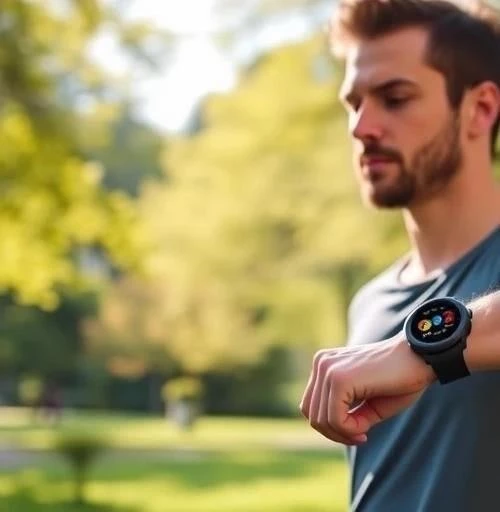
Apple Watch can make it easier to move more by turning everyday activity into clear goals and useful feedback. The key is to choose targets that fit your current routine, then build on them gradually. You do not need an intense workout every day: walking, taking the stairs, doing household tasks, and standing regularly can all contribute to a more active lifestyle.
Understand the Activity rings
The Activity app tracks three kinds of movement. The Move ring records active calories; the Exercise ring counts minutes of brisk activity; and the Stand ring tracks the hours in which you stand and move for at least a short time. Your rings are a snapshot of activity, not a measure of your worth or overall health. Use them as prompts, rather than treating an unfinished ring as a failure.
Set realistic goals
Open the Activity app on your watch and adjust your daily targets if they are too easy, too demanding, or no longer suit your schedule. A goal should encourage you without making exercise feel like a punishment. If you are just getting started, choose a manageable Move goal and a modest Exercise target. Once you meet them comfortably for a couple of weeks, increase one target a little at a time. On supported software versions, you can also set different Move goals for different days.
Keep your circumstances in mind. A busy workday, a rest day, illness, or a change in mobility may call for a different approach. Consistency matters more than setting the highest possible number. If you have a health condition or are unsure how much exercise is appropriate, ask a healthcare professional for guidance.
Make movement part of your routine
- Take short walking breaks. A few brisk minutes between tasks can add up. Walk during a phone call, take a longer route to a nearby destination, or get off public transport one stop earlier when practical.
- Break up sitting time. When the Stand reminder appears, get up, stretch, and move around. If you cannot leave your desk, try gentle standing movements that are safe and comfortable for you.
- Pair activity with existing habits. Walk after lunch, stretch while the kettle boils, or choose stairs when appropriate. Linking movement to a routine makes it easier to remember.
- Plan active leisure. A walk with a friend, dancing, gardening, or playing with children can feel more enjoyable than exercising solely to close a ring.
Track workouts accurately
Start a workout in the Workout app when you begin a purposeful session, and select the activity that best matches what you are doing. Apple Watch uses motion and heart-rate information to estimate effort, so a suitable workout type and a secure, comfortable watch fit can improve tracking. For a walk or run, begin the recording promptly and end it when the session is over. Check that your personal details in the Health app are current, since information such as age, height, and weight can affect estimates.
Choose a pace that you can sustain. For many people, a brisk walk is a practical way to earn Exercise minutes, but the watch may not count every minute of every activity if the effort is too light. Focus on moving safely and regularly rather than trying to manipulate the measurement. Warm up before harder exercise, increase duration or intensity gradually, and allow time to recover.
Use reminders and motivation wisely
In the Watch app on your iPhone, review Activity notifications and turn on the prompts that help you. Stand reminders, coaching messages, and award alerts can provide a nudge, but too many notifications may become distracting. Adjust them to suit your day. You can also share activity with friends or family and take part in competitions if friendly encouragement motivates you; Keep sharing supportive: comparisons are not useful when people have different schedules, abilities, or health needs.
Review progress and adjust
Look at your weekly trends in the Fitness app, not only at a single day’s rings. Notice which days are easiest, when you tend to sit for long periods, and which activities you enjoy. Then make one practical adjustment for the next week, such as adding a short walk on two days or taking a movement break each afternoon. If your goals repeatedly feel out of reach, lower them and rebuild. If they are consistently easy, raise them slightly.
Apple Watch works best as a helpful guide, not a substitute for listening to your body. Celebrate steady progress, take rest when needed, and choose activities you can maintain. Small, repeatable changes are often the most reliable way to become more active over time.


4 Comments. Оставить новый
The explanation of the three Activity rings is clear and practical. It is especially helpful to frame them as prompts rather than a judgment of someone’s health or effort.
A useful, balanced guide. I appreciate the advice to adjust goals for rest days, illness, and changing circumstances instead of treating every day the same.
This makes the Apple Watch feel like a helpful tool rather than a source of pressure. The gradual approach to increasing goals is sensible and easy to follow.
I like the reminder that activity goals should encourage, not pressure, you. Small changes like walking during a call feel much more achievable than trying to overhaul your whole routine.