
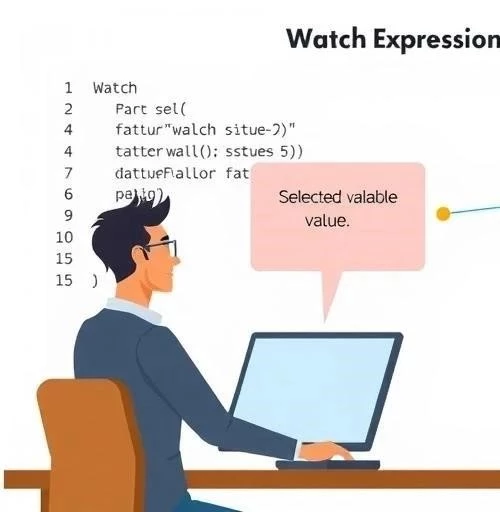
A watch expression is a value, variable, or calculation that a developer asks a debugger to monitor while a program runs. Instead of repeatedly searching through source code to check what is happening, the developer can keep selected information visible in a dedicated watch panel. The debugger evaluates each expression at a pause point, such as a breakpoint, and displays its current result.
How They Work
When execution pauses, the debugger uses the current program state to evaluate the expressions in the watch list. A simple watch might contain a variable, such as total. A more useful one could contain a calculation, such as price * quantity, or a property access, such as user.name. As execution continues and pauses again, the displayed values are refreshed.
The exact syntax and available features depend on the programming language, debugger, and development environment. Many tools support arithmetic, comparisons, object properties, and function calls, while others restrict which expressions can be evaluated. A watch expression is generally evaluated in the context of the current stack frame, so the same expression may produce different results in different functions.
Why Developers Use Them
- Follow changing values: Track a counter, status flag, or other variable through a loop or sequence of steps.
- Inspect relationships: Compare related values or watch a calculation that combines several variables.
- Check complex data: Focus on a particular field inside an object, record, or collection.
- Investigate a condition: Monitor an expression that may explain why a branch is taken or why a result is unexpected.
For example, if a function calculates a shopping-cart total, a developer might watch itemCount, unitPrice, and itemCount * unitPrice. At each breakpoint, the watch panel can show whether the inputs and calculated amount match expectations. This can reveal whether the problem begins with incorrect input, an unexpected update, or the calculation itself.
Watch Expressions and Breakpoints
A breakpoint tells the debugger when to pause. A watch expression tells it what information to show when execution is paused. They work well together: set a breakpoint near the code of interest, add a few relevant expressions, then step through the program and observe how their values change. Some debuggers also support data breakpoints, which pause execution when a particular value changes; these are related tools, but they are not the same thing as ordinary watch expressions.
Practical Considerations
Choose expressions that answer a specific debugging question. A short, focused watch list is easier to interpret than a long list of unrelated values. If an expression is unavailable, check whether its variables are in scope and whether execution is paused at a point where they have been initialized. An object may also be null, or a property may not exist, so evaluation can produce an error rather than a value.
Be cautious with expressions that call functions. Depending on the debugger and language, evaluating a function may change program state, take significant time, or have other side effects. Prefer simple reads and calculations when possible. Debugger displays may also abbreviate large objects or collections; expand the relevant fields and verify details before drawing conclusions.
Watch expressions are a debugging aid for keeping important values and calculations in view as a program executes. They help developers test assumptions, follow state changes, and narrow down the source of a problem. Used alongside breakpoints and step-by-step execution, they make it easier to understand what the code is doing at a particular moment. They do not change the program’s intended logic; they provide a convenient way to inspect it.

6 Comments. Оставить новый
The note about context and stack frames adds useful detail about why an expression’s value can vary.
The shopping-cart scenario provides a concrete example of tracking inputs alongside a derived value.
The list of practical uses gives readers a clear sense of how watch panels can support debugging.
The examples make it easy to distinguish a simple variable watch from a calculated expression.
The article appropriately notes that supported syntax depends on the language and development environment.
The explanation clearly connects watch expressions with the debugger’s pause-and-refresh cycle.