
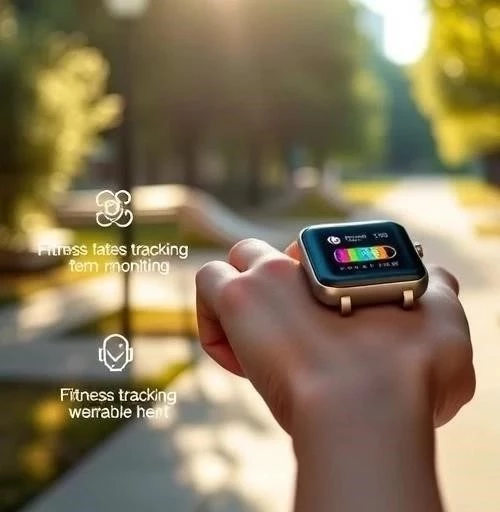
The Apple Watch Series 7 is more than a wrist-worn notification screen: it combines health monitoring, communication, fitness tools and everyday convenience. Its strongest case is not that it replaces an iPhone, but that it makes useful information and actions available quickly, without requiring you to take your phone out. Whether that convenience justifies buying one depends on how often you will use its features.
A larger, tougher display
Series 7 comes in 41 mm and 45 mm sizes and has a larger, more rounded-edge display than earlier models. The Always-On screen lets you check the time and key information without raising your wrist, while larger buttons and an on-screen keyboard make reading and replying more comfortable. The display is designed to resist cracks, and the watch is dust-resistant and water-resistant to 50 metres. That suits swimming and everyday exposure to water, though it is not a device for every high-speed or deep-water activity.
Health and safety tools
For many owners, health features are the most meaningful reason to wear it. Series 7 can track heart rate, record workouts, estimate sleep and send notifications for unusually high or low heart rates. Its ECG app can generate an electrocardiogram, while the Blood Oxygen app measures oxygen saturation. These readings can support awareness, but they are not a medical diagnosis or a substitute for professional care; availability also varies by country and circumstances.
- Fall Detection: can recognize a hard fall and, if you do not respond, contact emergency services where supported.
- Activity tracking: records movement, exercise and standing, with goals that encourage regular activity.
- Workout modes: track activities such as walking, running, cycling and swimming, using sensors to log performance.
- Emergency SOS: offers a way to call for help; cellular features and emergency availability depend on setup and location.
These tools are valuable because they make routine monitoring easier, not because a watch can prevent illness or guarantee safety. Users should treat alerts as prompts to seek appropriate help, rather than as definitive medical conclusions.
Communication, navigation and daily tasks
When paired with an iPhone, the watch can show calls, messages, calendar events and app notifications. You can reply to messages, use Siri, control music, set timers and alarms, check the weather, and use Apple Pay at compatible terminals. Maps can provide directions on your wrist, including taps that guide you at turns. With a cellular model and an eligible plan, some calls, messages and online functions can work away from the iPhone; GPS-only models need the phone or a suitable connection for many tasks.
Series 7 is also useful for fitness without a phone nearby: GPS can record outdoor routes, and its built-in sensors track activity. Apple rated battery life at up to 18 hours under typical use, with fast charging supported by the right cable and adapter. Actual endurance varies, especially with GPS, cellular use and frequent workouts.
Is it worth using?
In short, Apple Watch Series 7 can monitor selected health signals, track exercise, deliver alerts, support calls and payments, and make quick tasks more convenient. Its larger screen and broad feature set are real strengths. However, it still relies on regular charging, works best with an iPhone, and cannot replace a phone or medical equipment. It makes the most sense for people who will use its health, fitness or communication tools every day; otherwise, its convenience may not outweigh its cost.


3 Comments. Оставить новый
The article does a good job connecting the watch’s larger display to practical benefits, such as easier reading and replying. Its health and safety section is informative, especially where it clarifies that measurements are not a medical diagnosis. A brief note that feature availability can vary is also important for readers comparing models or checking what works in their region.
I appreciate that the article presents the watch’s features without suggesting everyone needs them. Activity tracking, fall detection and emergency tools may be valuable for some people, but their usefulness depends on personal needs and setup. The explanation of those limits makes the overview more trustworthy.
This is a useful overview because it explains the Series 7 as a companion to an iPhone rather than a replacement for one. The distinction helps readers judge whether quick access to notifications and everyday tools would matter to them. The cautions about health readings and water resistance also make the discussion more balanced.